
Canadian sales tax is not simple. Depending on where your business operates, you might deal with one tax, two taxes combined, or two separate taxes that need to be calculated independently on every transaction. Getting this wrong on your POS terminal means incorrect invoices, unhappy customers, and potential issues with the Canada Revenue Agency.
This guide covers every provincial tax rate in Canada, explains how different POS terminals handle multi-tax configurations, and highlights what to look for when choosing POS hardware that can keep up with Canadian tax requirements.
For more on buying POS hardware in Canada specifically, including shipping from a Canadian warehouse and what to expect, check out our complete guide to buying POS hardware in Canada.
Understanding Canada’s Sales Tax Structure
Canada has three layers of sales tax that can apply to any given transaction:
GST (Goods and Services Tax) – A federal tax of 5% that applies nationwide. Every province and territory in Canada charges GST on most goods and services.
HST (Harmonized Sales Tax) – A combined federal and provincial tax collected as a single rate. Provinces that use HST have merged their provincial sales tax with the federal GST into one number. The federal portion (5%) still remits to the CRA, while the provincial portion goes to the respective province.
PST (Provincial Sales Tax) and QST (Quebec Sales Tax) – Provinces that have not harmonized charge their own separate tax alongside GST. These must be calculated and displayed independently from GST on receipts and invoices.
Here is the complete breakdown for 2026:
| Province/Territory | GST (5%) | HST Rate | PST/QST Rate | Total Tax |
|---|---|---|---|---|
| Alberta | 5% | – | – | 5% |
| British Columbia | 5% | – | 7% PST | 12% |
| Manitoba | 5% | – | 7% PST | 12% |
| New Brunswick | 5% | 10% HST | – | 15% |
| Newfoundland & Labrador | 5% | 10% HST | – | 15% |
| Northwest Territories | 5% | – | – | 5% |
| Nova Scotia | 5% | 10% HST | – | 15% |
| Nunavut | 5% | – | – | 5% |
| Ontario | 5% | 8% HST | – | 13% |
| Prince Edward Island | 5% | 10% HST | – | 15% |
| Quebec | 5% | – | 9.975% QST | 14.975% |
| Saskatchewan | 5% | – | 6% PST | 11% |
| Yukon | 5% | – | – | 5% |
Note: Rates are current as of April 2026. Always verify against the CRA website for the most up-to-date rates.
The practical difference matters for your POS terminal. In HST provinces, your terminal needs to apply a single tax rate. In provinces with separate PST or QST, your POS must calculate and display two distinct taxes on every receipt.
Why Your POS terminal Matters for Tax Compliance
The POS terminal sitting on your counter does more than process payments. It is the system that calculates taxes, generates receipts, and creates the records you rely on during tax filing season.
Here is what can go wrong with an inadequate POS setup:
Incorrect tax calculations. If your POS applies the wrong rate or combines taxes incorrectly, every transaction is wrong. This compounds over hundreds or thousands of daily sales.
Receipt and invoice errors. In PST provinces, customers and businesses expect to see GST and PST listed separately. If your POS only shows a single combined total, it creates confusion and may not meet provincial invoicing requirements.
Multi-location complications. If you operate in more than one province, or if your customers come from different provinces (common for online and delivery orders), your POS needs to apply the correct tax rate based on the delivery or service location.
No Input Tax Credit tracking. If your POS cannot generate clear GST/HST reports, claiming your Input Tax Credits becomes a manual spreadsheet exercise at tax time.
What to Look for in a POS terminal for Canadian Tax
Not all POS terminals handle Canadian tax requirements equally well. Here are the capabilities that matter:
Multi-tax configuration per item or per transaction. Your POS should let you assign different tax profiles to individual products. Some items are tax-exempt (basic groceries, prescription medications, certain medical devices), while others are taxable. A good POS lets you flag exempt items so they are not taxed at checkout.
Provincial tax profiles. The system should support creating named tax profiles for each province. This way, if you serve customers from multiple provinces or have locations in different regions, switching between tax rules is straightforward.
Separate tax display on receipts. In British Columbia, your receipt needs to show “GST 5%” and “PST 7%” as separate line items. In Ontario, it needs to show “HST 13%” as a single line. Your POS must generate receipts that match the expected format for your province.
Tax reporting and export. At the end of each reporting period, you need clear reports showing total GST collected, total PST/HST collected, and taxable vs. exempt sales. This data feeds directly into your GST/HST return and provincial tax filings.
Delivery and takeout tax handling. Restaurants and food businesses face additional complexity. Some provinces apply different tax rates to dine-in, takeout, and delivery orders. Your POS should handle these variations without manual overrides at the register.
Android POS Terminals and Canadian Tax Software
Android-based POS terminals offer a practical advantage for Canadian businesses because they run the same cloud POS software that handles tax calculations. The tax logic lives in the software layer, not the hardware, so any Android POS terminal that supports your preferred POS application will work.
The key is choosing the right POS software for Canadian tax compliance. Popular options for Canadian businesses include:
- Lightspeed – Headquartered in Montreal, with strong Canadian tax support
- TouchBistro – Designed for restaurants, with built-in Canadian tax profiles
- Square – Widely used in Canada with automatic GST/HST/PST configuration
- Shopify POS – Integrates with Shopify’s Canadian tax engine
- Revel Systems – Enterprise-grade with multi-location Canadian tax support
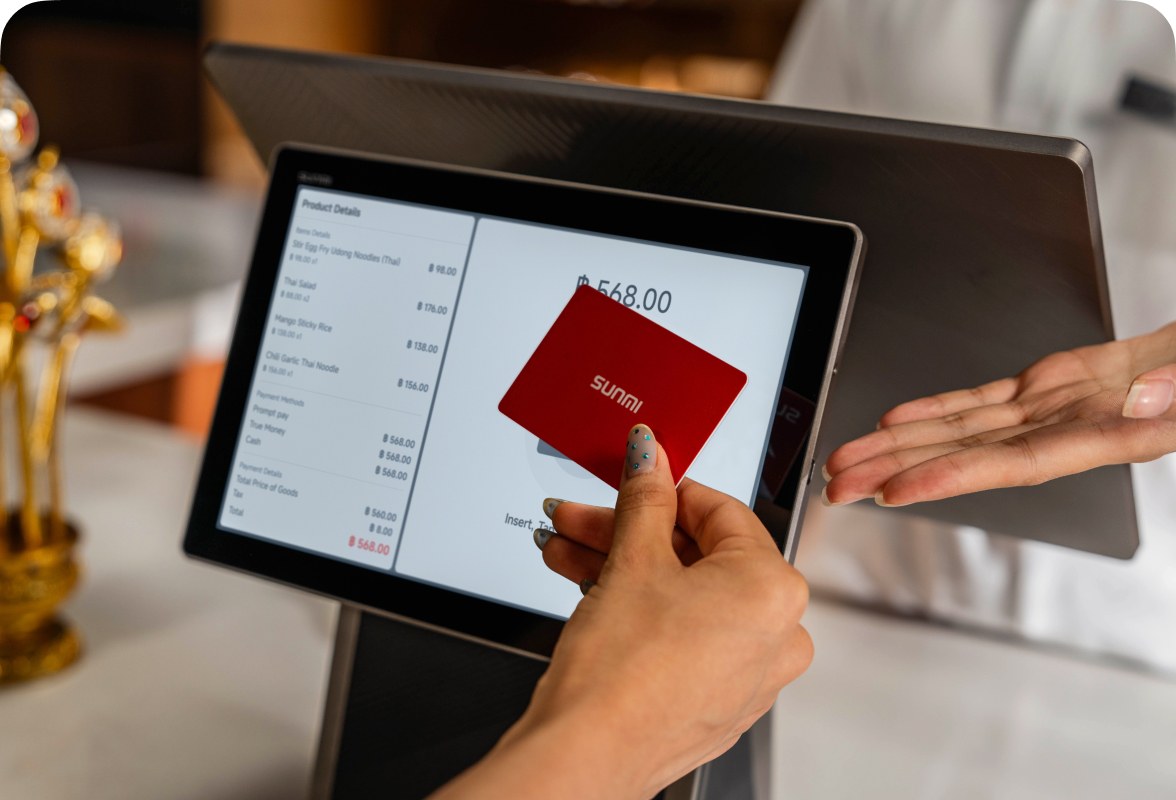
All of these run on Android-based POS hardware. A SUNMI D3 Pro or D3 Mini, for example, can run any of these applications, giving you the flexibility to choose the software that best handles your specific tax situation.
Common Tax Scenarios and How POS Handles Them
Scenario 1: Single-Location Restaurant in Vancouver, BC
Your POS applies 5% GST and 7% PST to all taxable food and beverage items. Basic groceries and exempt items are flagged in the system and display $0.00 tax. Receipts show both taxes as separate line items. End-of-month report shows total GST and total PST collected for your filing.
Scenario 2: Retail Store with Online Sales Across Canada
Your POS applies the correct tax rate based on the shipping destination. Orders shipped to Ontario get 13% HST. Orders shipped to Alberta get 5% GST. Orders shipped to Quebec get 5% GST plus 9.975% QST. The software calculates this automatically based on the customer’s province.
Scenario 3: Food Truck Operating in Multiple Provinces
If your food truck travels to festivals or events in different provinces, your POS needs to switch tax profiles by location. Android POS terminals let you change the active tax profile with a few taps on the screen. This is much more practical than reprogramming a legacy terminal.
Scenario 4: Multi-Location Restaurant Chain
Each location has its own default tax profile. Your POS software syncs tax data across all locations through the cloud, and head office can generate consolidated tax reports for the entire chain. This eliminates the need to manually compile tax data from multiple standalone registers.
POS Hardware That Works for Canadian Tax
The hardware itself does not calculate tax, but it needs to be capable of running the software that does. Here is what to consider:
Screen size and readability. When tax amounts appear on the screen during checkout, your staff needs to see them clearly. A 15.6-inch display like the SUNMI D3 Pro makes it easy to verify that the correct tax is being applied before the customer pays.
Customer-facing display. A secondary screen or tablet that shows the itemized receipt with tax breakdowns helps build trust. Customers can see exactly what they are being charged. The SUNMI CPad works well in this role, mounted as a customer display next to the main terminal.
Receipt printer integration. Your receipt needs to show the correct tax breakdown for your province. Ensure your POS terminal can connect to a receipt printer that supports multi-line tax display. SUNMI’s 80mm cloud printer handles this reliably.
Mobility for changing locations. If your tax profile changes based on where you are selling (farmers markets, pop-ups, events), a handheld terminal like the SUNMI V3 Mix gives you the flexibility to process transactions anywhere while maintaining correct tax calculations.
Canadian Tax and POS FAQ
Q: Do I need a separate PST remittance if my POS collects both GST and PST?
A: Yes. GST and HST are remitted to the CRA through your regular GST/HST return. PST in British Columbia, Manitoba, and Saskatchewan is remitted separately to the respective provincial tax authority. QST in Quebec is handled by Revenu Québec. Your POS should generate separate reports for each tax so you can file accurately.
Q: What happens if my POS applies the wrong tax rate?
A: You are responsible for remitting the correct amount of tax, regardless of what your POS calculates. If your system has been under-collecting tax, you will need to make up the difference when you file. If it has been over-collecting, you may need to issue refunds. This is why choosing POS software with reliable Canadian tax support matters.
Q: Are food and beverages always taxable in Canada?
A: It depends on the province and the type of food. In most provinces, basic groceries are GST/HST exempt, but prepared foods, restaurant meals, and beverages are taxable. Some provinces have additional nuances. Quebec, for example, has specific rules about what qualifies as a “meal” versus a “grocery item.” Your POS should let you flag individual items as taxable or exempt.
Q: Can I use the same POS terminal if I expand to a new province?
A: Yes. The tax logic is in the software, not the hardware. You simply add a new tax profile for the new province in your POS software. The Android-based SUNMI terminals support any cloud POS application that offers Canadian tax profiles, so expanding to a new province is a software configuration change, not a hardware replacement.
Q: How does delivery app tax work with my in-store POS?
A: Delivery platforms like Uber Eats, DoorDash, and SkipTheDishes handle their own tax collection for orders placed through their apps. Your in-store POS only needs to handle taxes for orders placed directly with your business. However, if you use a tablet at your counter to manage delivery orders from multiple platforms, make sure your POS or order management software correctly attributes tax to the right channel.
Q: Do I need to keep physical tax records from my POS?
A: The CRA requires you to keep tax records for six years. Cloud-based POS terminals typically store transaction data in the cloud, which satisfies this requirement. If you use a legacy terminal that only stores data locally, ensure you are backing up your tax records regularly and keeping archived copies.
Get the Right POS for Your Province
Every Canadian business needs a POS terminal that handles sales tax correctly from the first transaction. The combination of reliable cloud POS software and capable Android hardware gives you the flexibility to manage GST, HST, PST, and QST across any province.
Rosper stocks SUNMI’s complete POS product line at its Brampton, Ontario warehouse, serving businesses across Canada. Most orders arrive in 2-7 business days with no cross-border fees. Every SUNMI device includes SUNMI Care Standard 3-year warranty, and Rosper assists with warranty claims to keep things running smoothly.
If you are setting up a new location, upgrading from a legacy system, or expanding to a new province, requesting a quote is a good way to start. Rosper’s team can recommend the right hardware and software combination for your specific tax requirements and business type.
This article is for general informational purposes only and does not constitute tax advice. Sales tax rates and regulations change periodically. Consult the CRA website (canada.ca/taxes) or a qualified tax professional for advice specific to your business and province.
FAQ Schema (compressed single-line JSON-LD):