

Migrating a Windows POS fleet to Android — the Windows to Android POS migration project most multi-store retailers face in 2026 and 2027 — is not a technology project. It is a logistics project that happens to involve technology. The hard part is not flashing devices — it is sequencing 5, 50, or 500 stores so that no one’s Saturday trading day gets sacrificed to a cutover that ran long.
This Windows to Android POS migration checklist is the playbook we walk multi-store retailers through when they replace a Windows POS estate with SUNMI Android hardware. It is built for operators with 5 or more stores. Single-store operators can compress steps 1–3 and steps 6–9, but the logic is the same.
Windows to Android POS migration is now the most common multi-store hardware project we scope at Rosper for US and Canadian operators. The Windows to Android POS migration playbook below is the same one we walk customers through end-to-end.
Key takeaways
- A multi-store Windows-to-Android migration takes 6–12 months end-to-end depending on store count and risk appetite.
- The migration is not primarily a tech decision — the most common failure mode is bad sequencing of stores against trading calendars, not hardware or software issues.
- The 9-step framework: inventory, ISV/processor confirmation, pilot store selection, pilot cutover, debrief, hardware orders, staged rollout, fleet MDM enrollment, decommission.
- Pilot one store, complete the full operational cycle (peak trading day, end-of-day close, weekly reconciliation), then commit to rollout.
- Free MDM with every SUNMI device sold by Rosper materially simplifies the fleet enrollment step.
Step 1: Build a clean fleet inventory for the Windows to Android POS migration before anything else
You cannot migrate what you cannot count. The first artifact for any multi-store migration is a single spreadsheet with one row per Windows POS terminal and these columns:
- Store ID, store name, region
- Terminal model and serial number
- Windows version and BIOS date
- POS software vendor and version
- Payment processor and card reader model
- Peripheral list (printer, scanner, cash drawer, customer display, KDS)
- Last support ticket date
- Replacement priority (high / medium / low)
A surprising number of operators discover at this step that they do not actually know how many terminals are in the field. Distribution centers, back-office offices, and “spare drawer” terminals at HQ often show up. Count them all — every Windows endpoint needs to be on the migration list.
The output of Step 1 is also your budget input. The store-by-store hardware cost cannot be estimated without an accurate terminal count.
Step 2: Get written ISV and payment processor confirmation
Before any hardware order goes out, you need two sentences in writing.
The first is from your POS ISV: “Our Android build is at feature parity with our Windows build as of [date], and we support it on SUNMI [model list].”
The second is from your payment processor: “Our [card-present / contactless / tap-to-pay] flow is certified on SUNMI [model] for [your acquirer].”
Without both confirmations, do not order hardware. We have seen operators ship 200 Android terminals to stores only to discover that their ISV’s Android build was missing a kitchen routing feature they relied on. The fix took 4 months and the operator ran on Windows in parallel the entire time.
The right pattern is: ISV confirms in email, processor confirms in email, you forward both to Rosper with your quote request. We use both to spec the right SUNMI model for your stack.
Step 3: Pick the right pilot store
A pilot store is not your easiest store. It is also not your hardest. It is the store whose patterns best represent the median of your fleet.
What to look for:
- Average daily transaction volume close to the fleet median
- A normal mix of payment types (cash, chip, contactless)
- A manager with enough seniority to surface issues but not so much corporate visibility that a hiccup becomes a board-level problem
- Geographic proximity to your support staff for the cutover week
- A trading calendar with no major promotions, openings, or holidays in the four weeks after planned cutover
The pilot store will eat the entire learning curve for the rest of the fleet. If you pick a flagship and it goes sideways, you have burned political capital. If you pick a sleepy outlier you have learned about an outlier.
Step 4: Run a fully scripted pilot cutover for the Windows to Android POS migration
The pilot cutover is not “we replaced the hardware on Tuesday.” It is a 14-day window with three phases:
Pre-cutover (days 1–7): – Ship pre-staged Android terminals to the store (Rosper ships from 8 North American warehouses in 2–7 business days) – Run ISV training with the store team on the Android build (most ISVs offer 1–2 hour online sessions for staff) – Confirm payment terminal pairing – Pre-enroll the new Android terminals into MDM – Print a 1-page run sheet for the cutover night
Cutover night (day 7–8): – After close, take Windows POS offline – Power up Android POS, confirm ISV login, confirm payment terminal pairing – Run 5 test transactions across cash / chip / contactless / refund / partial refund – Reconcile the day’s Windows POS close with the new Android open – Leave the Windows POS unplugged but in the store for 14 days as fallback
Post-cutover (days 8–14): – Daily check-ins with store manager – Track every “this is different from Windows” comment from staff — these become your training docs for the rollout – End-of-week reconciliation against last week’s same-day Windows POS sales – Document any incident, no matter how small, in a single shared doc
The output of Step 4 is a confidence interval. If the pilot store closed every day cleanly for 14 days with no rollback, you have permission to scale. If anything required rollback to the Windows POS, fix it before ordering the rollout hardware.
Step 5: Debrief, codify lessons, then commit
After the 14-day pilot, hold a structured debrief with the store team, the ISV’s account manager, the payment processor’s support contact, and your internal IT lead.
The deliverables from the debrief:
- A “store cutover playbook” doc — 5–10 pages of step-by-step instructions for the next store
- A “Windows vs Android” staff training one-pager — what is different, what is the same, what is faster
- A reconciled cost estimate per store — the pilot will refine the rough cost from Step 1
- A risk log — every issue surfaced, classified as “fixed”, “mitigated”, or “accepted”
- A go/no-go decision for the broader rollout
If any high-severity issue is in the “accepted” column, escalate before ordering hardware. The whole point of the pilot was to surface these.
Step 6: Place the staged hardware order
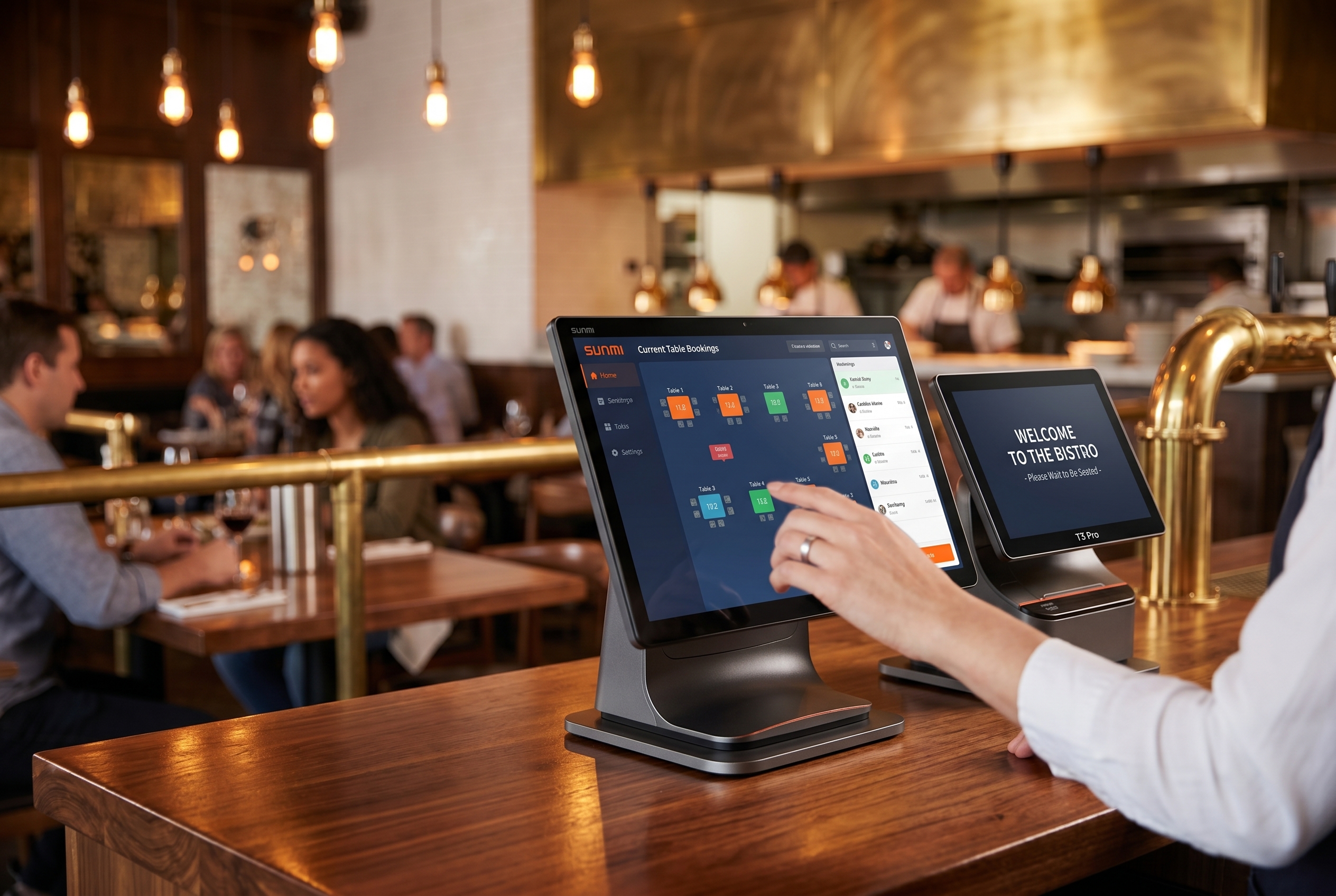
With the pilot validated, the hardware order goes in. The order is not a single shipment — it is a staged schedule that matches your store rollout calendar.
What a typical order looks like for a 25-store retailer migrating from Windows to SUNMI Android:
- 50 desktop POS terminals (2 per store)
- 25 commercial tablets (SUNMI CPad for tableside or mobile ordering)
- 50 payment terminals (SUNMI P3 family)
- 25 thermal receipt printers (if the existing ones cannot be reused)
- 25 cash drawers (often reused)
- Spare units at 10% of fleet for swap-out
- All devices pre-enrolled in MDM at the warehouse before shipping
Rosper stages multi-store orders to ship in waves matching the rollout calendar — your week-3 store does not need its hardware sitting in a back room for two months.
Step 7: Run the rollout in waves matching your trading calendar
This is the step that separates a smooth migration from a painful one. The rollout calendar should:
- Avoid all Q4 holiday weeks for retail
- Avoid all summer peak weeks for food service
- Avoid grand openings, marketing campaigns, and known high-volume promotion windows
- Cluster geographically when possible to reuse the same on-site cutover team across multiple stores in one trip
- Leave 1–2 days of slack between adjacent store cutovers in case rollback is needed
The most common multi-store cadence we see is 1–2 stores per week with a single cutover team, working through the rollout in 12–25 weeks depending on store count.
Step 8: Fleet-wide MDM enrollment from day one

Every SUNMI device sold through Rosper includes free MDM (mobile device management). The MDM enrollment is what makes a 50-terminal Android fleet manageable from one screen instead of from 50 store visits.
Use the MDM to:
- Push the POS app and any required configs to every terminal centrally
- Lock down the device to kiosk mode so staff cannot install rogue apps
- Push security updates and ISV app updates remotely
- Track device health, battery (for tablets), and last check-in
- Remote-wipe any lost or stolen device
The MDM step is where the Windows-to-Android migration actually pays off operationally — most operators report a meaningful drop in in-person store visits for hardware-related issues in the first year on the new fleet.
Step 9: Decommission the Windows estate properly
The last step is not exciting but matters for compliance and security.
For each retired Windows terminal:
- Boot it one last time, sign out of every account
- Run a certified data-wipe (at minimum a DBAN-equivalent multi-pass wipe of the drive)
- Pull the hard drive and physically destroy it if PCI compliance requires
- Cancel the Microsoft ESU, the legacy MDM seat, and the Windows-version software license
- Recycle the chassis through a Microsoft-approved recycling program or local e-waste vendor
- Update your asset register to reflect the decommission date
Operators occasionally skip this step and discover six months later that a Windows terminal in a back office is still online, unpatched, and on the payment network. Close the loop properly.
What success looks like
A successful multi-store Windows-to-Android migration ends with:
- Every store on the new hardware before the planned cutover deadline
- No store rollback to Windows after its individual cutover
- A reconciled cost per store within 10% of the budget set in Step 1
- A documented run book that the next 10 store openings will reuse
- A measurably lower per-terminal annual support ticket count from Year 1 to Year 2
If you are starting a migration this quarter, the next two pieces in this series are 5 Signs Your Windows POS Hardware Won’t Make It to 2027, which helps prioritize which stores to migrate first, and Stuck on Windows 10 POS After EOL? Your 3 Options and the Real Math on Each, which lays out the 36-month cost model.
Frequently Asked Questions
What is the 9-step Windows to Android POS migration checklist?
The 9 steps cover inventory audit, software compatibility assessment, SUNMI SUPER Solution validation, hardware selection, pilot deployment, peripheral testing, staff training, full rollout, and post-migration monitoring. Each step has 2-5 day SLA.
How long does a full Windows to Android POS migration take?
Single-location merchants typically complete migration in 1-2 weeks. Multi-location chains average 4-12 weeks depending on store count, peripheral complexity, and parallel software vendor coordination. Pilot phase usually takes 5-7 business days.
Do I need to replace my POS software during hardware migration?
No. The SUNMI SUPER Solution decouples hardware migration from software migration. You can run your existing Windows POS software on Android hardware for 12-24 months while planning a separate software cutover.
Which peripherals work with Android POS terminals?
SUNMI Android POS terminals support 80 plus certified peripherals including cash drawers, receipt printers, barcode scanners, customer displays, and weighing scales. Driver compatibility is verified per peripheral during step 6 of the migration checklist.
What is the typical cost of migrating from Windows to Android POS?
Hardware migration averages 399-899 dollars per terminal for SUNMI Android models versus 1200-2000 dollars for Windows POS replacement. Total migration cost including peripherals and labor is typically 40-60 percent less than like-for-like Windows refresh.
Will my staff need retraining after migration?
Minimal. Because the POS software interface stays identical on new Android hardware via SUNMI SUPER Solution, staff retraining is limited to hardware power-on, peripheral disconnect handling, and screen brightness adjustment. Typical training time is under 30 minutes per person.
Where do I get an Android POS migration consultant?
Rosper is the authorized SUNMI distributor for the US and Canada and provides dedicated migration coordinators for fleets of 10 plus terminals. We handle compatibility audits, pilot deployment, and rollout scheduling at no extra cost.