
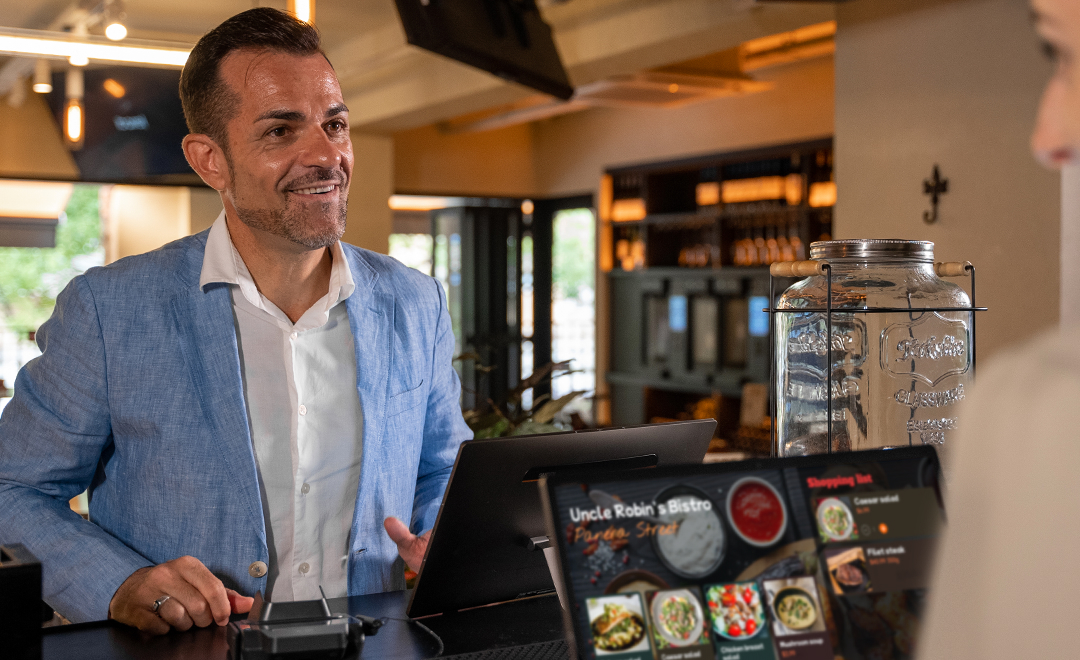
The SUNMI T3 Pro Super runs both Android 13 and Windows 11 Enterprise LTSC on a single 15.6-inch counter terminal powered by a Qualcomm Kryo-670 octa-core processor, and Rosper ships it from US and Canada warehouses so most orders arrive in 2-7 business days for 2026 dual-OS retail and hospitality rollouts.
If your retail or hospitality chain is still running Windows 10 on the back office and Android on the front counter, the SUNMI T3 Pro Super collapses that split into a single piece of hardware. T3 Pro Super (SKU P01290013) and T3 Pro MAX Super (SKU P03190011) ship with both Android 13 and a pre-licensed Windows 11 Enterprise LTSC install on the same 15.6-inch desktop terminal. Both systems live on one device with a shared partition for data exchange, which means your Windows line-of-business software runs on the same counter as your modern Android POS app.
This guide walks through the T3 Pro Super spec sheet, who it is built for, the two Super SKUs, the GMS rule, and how to scope a dual-OS deployment with Rosper, the SUNMI distributor for North America with 8 warehouses across the US and Canada.
What Is the SUNMI T3 Pro Super?
The SUNMI T3 Pro Super is the dual-OS variant of the T3 Pro desktop terminal. It uses the same Qualcomm QCM6490 octa-core platform, the same 15.6-inch FHD flip display, and the same Wi-Fi 6E and Bluetooth 5.2 connectivity as the standard T3 Pro. Where it differs is memory, storage, and operating system.
| Spec | T3 Pro Super |
|---|---|
| RAM and storage | 8 GB RAM + 256 GB ROM |
| Operating system | Android 13 and Windows 11 Enterprise LTSC on the same device |
| GMS-EDLA | Not supported on dual-OS |
| Processor | Qualcomm QCM6490 octa-core, up to 2.7 GHz, 6nm |
| Display | 15.6-inch FHD IPS, 1920 x 1080, 400 nits, 125 degree flip |
| Wi-Fi | Wi-Fi 6E, 2.4 / 5 / 6 GHz |
| Bluetooth | BT 5.2 with Long Range |
| Ports | 4x USB Type-A, 1x RJ45 1000M, 1x RJ11, 1x RJ12, 1x USB Type-C 3.0, 8-pin POGO |
Compared to the standard T3 Pro and T3 Pro MAX GMS SKUs, T3 Pro Super doubles RAM (8 GB vs 6 GB) and roughly doubles storage (256 GB vs 128 GB). That extra headroom is what makes hosting two operating systems on a single counter terminal practical for real workloads, not just demos.
Why Dual-OS Matters for the Windows 10 POS EOL Wave
Windows 10 entered end of support in October 2025. Brands that ran a Windows-based POS stack for the last decade are facing one of three migration paths: replace the Windows POS app, replace the Windows OS, or replace the hardware. The dual-OS T3 Pro Super gives operators a fourth path: keep the Windows software exactly as it is, run it on a modern terminal, and roll the Android POS app onto the same hardware in parallel.
This matters most for:
- Retail chains with proprietary Windows POS software where rewriting for Android is a multi-year project.
- Hotel and hospitality groups with a Windows property management system at the front desk and a separate Android tablet for tableside ordering or housekeeping.
- Restaurant brands with a Windows back-office ERP, inventory, and labor scheduler that the floor manager opens between rushes.
- Specialty retail that runs a Windows pharmacy, dispensary, or compliance app alongside a modern Android checkout app.
Instead of buying two devices per counter or running Windows on a generic mini PC tethered to an Android terminal, you buy one T3 Pro Super and run both stacks on the same screen.
SUNMI T3 Pro Super SKUs: P01290013 and P03190011
The Super lineup has two SKUs. They differ only in chassis size and whether a built-in 80mm thermal printer is included.
| SKU | Model | Built-in Printer | RAM / Storage | Power | Dimensions | Weight |
|---|---|---|---|---|---|---|
| P01290013 | T3 Pro Super Smart Desktop Terminal | No | 8 GB + 256 GB | 36W, DC 24V 1.5A | 298 x 371.5 x 170 mm | 5.4 kg |
| P03190011 | T3 Pro MAX Super Smart Desktop Terminal | Yes, 80mm Seiko, 250mm/s, auto cutter | 8 GB + 256 GB | 60W, DC 24V 2.5A | 390 x 371.5 x 200 mm | 8.9 kg |
P01290013 is the lighter Super that pairs with an external printer or a kitchen printer network. P03190011 is the MAX Super with the built-in Seiko 80mm thermal printer, ideal for full-service restaurants and grocery counters that print a high volume of receipts every day.
Both Super SKUs work with the same optional customer-facing displays as the rest of the T3 Pro family: the 10.1-inch HD C02020003 or the 15.6-inch FHD C02020004, both with NFC.
How Dual-OS Works on T3 Pro Super
The T3 Pro Super runs Android 13 and a licensed Windows 11 Enterprise LTSC install on the same terminal. Both systems are installed on the device with a shared partition for data exchange between them. The published behavior is summarized below.
| Aspect | Behavior |
|---|---|
| OS switching | Switch between Android 13 and Windows 11 on the same terminal, with a shared partition for data exchange |
| Windows license | Pre-installed Windows License ships with the device |
| Hardware shared | 15.6-inch flip display, peripherals, and ports are shared by both operating systems |
| RAM and storage | 8 GB RAM and 256 GB ROM sized for hosting both stacks |
| Google Mobile Services | Not supported on dual-OS SKUs (use single-OS GMS SKUs if Google Play is required on Android) |
For US deployments, the GMS limitation is the only catch worth highlighting. If your Android POS app requires Google Play Services, you cannot get GMS on a Super SKU. Most enterprise Android POS apps sideload directly or distribute through SUNMI App Store, so this is rarely a blocker. If GMS is mandatory for your Android side, run two separate SKUs: a T3 Pro GMS for Android-only counters and a T3 Pro Super on counters that need Windows alongside.
Migration Scenarios: Where SUNMI T3 Pro Super Replaces a Two-Device Setup
Most operators evaluating T3 Pro Super are replacing one of these existing footprints.
Retail chain on Windows 10 with no Android POS yet
You have a Windows POS app installed on aging Windows 10 hardware. You want to deploy a modern Android terminal but you cannot rewrite the Windows POS in a single quarter. T3 Pro Super lets you ship the Android terminal now and migrate the Windows POS app gradually, on the same hardware, without buying twice.
Hotel front desk with Windows PMS plus Android tablet
The front desk runs a Windows property management system. Servers and bell staff use Android tablets for tableside ordering. Consolidating both workloads onto a T3 Pro Super at the front desk removes one device, one power outlet, and one MDM agent from the workflow.
Restaurant with Windows back-office ERP and Android counter POS
The general manager logs into a Windows ERP for invoicing, labor, and inventory between rushes. The line uses an Android POS at the counter. T3 Pro Super lets the GM step to any counter, switch to Windows, run the report, and switch back to Android on the same terminal.
Specialty retail with compliance-bound Windows app
Pharmacy, regulated retail, or healthcare-adjacent merchants often run a vertical app that is Windows-only because of a legacy compliance audit trail. T3 Pro Super keeps that audit trail intact on Windows while the customer-facing checkout runs on Android.
Planning Your Migration from Windows POS to T3 Pro Super
If you are mapping a Windows 10 POS migration onto T3 Pro Super, the checklist is short but worth covering before you order volume.
- Confirm your Windows app runs on Windows 11 Enterprise LTSC on Arm. The Super runs Windows 11 on the Qualcomm Arm platform, so x86 and x64 Windows apps run through the built-in emulation layer. Most line-of-business POS and ERP apps work, but test your specific app and any custom peripheral drivers (especially older USB devices) before ordering volume.
- Verify peripheral access from both operating systems. USB scanners, cash drawer (RJ12), receipt printer (RJ11 or USB), and customer-facing display each need to be reachable from the OS that drives that workflow.
- Plan your Android POS distribution. Without GMS-EDLA on Super, plan to sideload through MDM or SUNMI App Store.
- Confirm storage budget. 256 GB ROM is generous, but if your Windows app caches large media, plan storage usage early.
- Decide on built-in vs external printer. If you need built-in 80mm Seiko thermal, choose P03190011. If you do not, P01290013 is lighter and cheaper.
For a longer migration playbook, see our companion guide on migrating from Windows POS to Android. T3 Pro Super is the hardware path that lets you do both at once.
How to Buy SUNMI T3 Pro Super in the US and Canada
Rosper is the SUNMI distributor for North America and stocks the T3 Pro Super (P01290013) and T3 Pro MAX Super (P03190011) in 8 warehouses across the US and Canada. Most orders arrive in 2-7 business days from the nearest warehouse.
Every Gen 3 SUNMI hardware unit sold through Rosper carries a 3-year warranty, and Rosper assists with warranty claims, helping you connect with SUNMI faster than buying direct from overseas.
Browse the full T3 Pro family page on rospertech.com or request a quote. Share your unit count, Windows app version, and printer requirement, and the Rosper team will confirm the right Super SKU, lead time, and recommended accessories. Contact Rosper for availability and pricing.
SUNMI T3 Pro Super FAQ
What is T3 Pro Super?
T3 Pro Super is the dual-OS variant of the SUNMI T3 Pro desktop terminal. It ships with both Android 13 and a pre-licensed Windows 11 Enterprise LTSC install on a single 15.6-inch desktop device with 8 GB RAM and 256 GB storage. Two SKUs are available: P01290013 (T3 Pro Super, no built-in printer) and P03190011 (T3 Pro MAX Super, with built-in 80mm Seiko thermal printer).
Can T3 Pro run Windows?
Yes, on the Super dual-OS SKUs. T3 Pro Super (P01290013) and T3 Pro MAX Super (P03190011) ship with both Android 13 and a Windows 11 Enterprise LTSC license pre-installed. The standard T3 Pro and T3 Pro MAX SKUs ship as Android 13 single-OS devices and do not include Windows.
How do you switch between Android and Windows on T3 Pro Super?
T3 Pro Super is a dual-OS device: both Android 13 and Windows 11 Enterprise LTSC are installed on the same terminal, with a shared partition that lets the two systems exchange data. One device covers both your Windows line-of-business software and your Android POS app, sharing the 8 GB RAM and 256 GB storage on the Qualcomm platform.
Does T3 Pro Super have Google Mobile Services?
No. The dual-OS Super SKUs do not support GMS-EDLA. If you need Google Play Services on the Android side, use the single-OS GMS SKU (P01240007 for T3 Pro GMS or P01250008 for T3 Pro MAX GMS) on counters where Windows is not required.
Where to buy T3 Pro Super in the US?
Rosper is the SUNMI distributor for North America and stocks T3 Pro Super (P01290013) and T3 Pro MAX Super (P03190011) in 8 warehouses across the US and Canada. Most orders arrive in 2-7 business days. Contact Rosper for availability and pricing.
Further reading: SUNMI T3 Pro Super product page.