
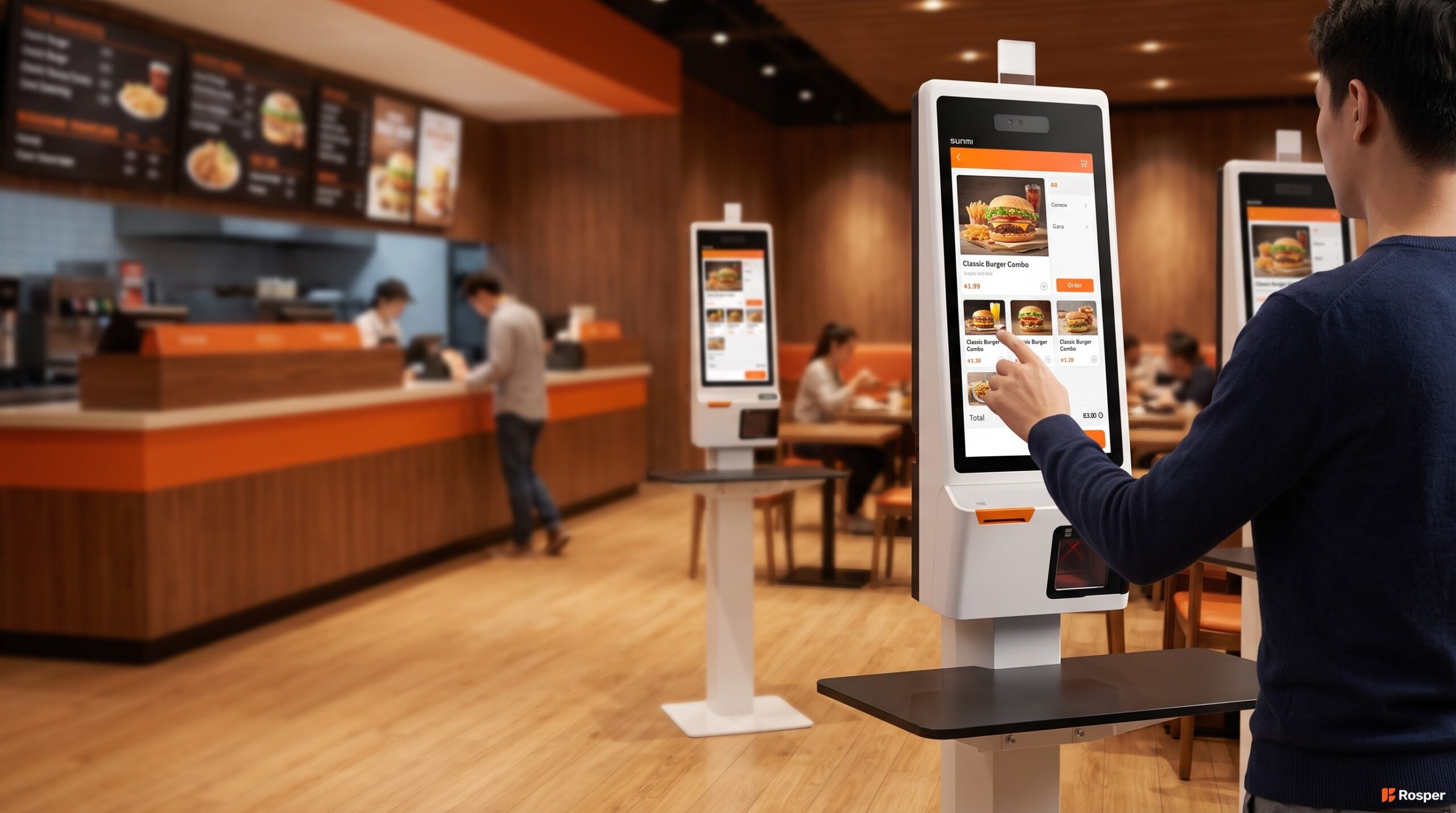
Deploying one self-service kiosk in one store is a project. Deploying 40 self-service kiosks across 20 stores is a program.
The mistakes multiply. A cable mistake at one location is annoying. The same mistake replicated across 20 sites is a week of onsite technician visits. This guide walks through how to plan a multi-location rollout of self-service kiosks so your first store and your fortieth store both come online cleanly.
Start With the Menu, Not the Hardware
The single biggest predictor of kiosk success in a chain rollout is menu consistency. If your menu changes meaningfully between locations (regional items, franchisee specials, breakfast timings), the kiosk UI has to handle those variations gracefully. Otherwise guests will hit dead ends at some locations and not others, and your support tickets will not tie to any one root cause.
Before you order hardware, agree on the master menu structure. Which categories are universal. Which items are location specific. Which modifiers get pushed to every kiosk. Which get pushed only to specific stores. The kiosk software has to model this, and the operations team has to keep the master data clean.
Pick One Self-Service Kiosk Hardware Standard
The temptation in a chain rollout is to shop for the lowest cost kiosk on a per site basis. That gets expensive later. A mix of kiosk brands across a chain multiplies the training program, the spare parts stock, the vendor management overhead, and the software certification effort.
Pick one hardware platform and stick to it across every location. The premium you pay per unit is repaid many times over in operational simplicity. For QSR and fast casual chains, Rosper standardizes on the SUNMI K2 Pro family for full height kiosks and the SUNMI Flex 3 27 inch for compact counter-top kiosks.
SUNMI K2 Pro: the standard full-height kiosk
The SUNMI K2 Pro is a floor-standing 27 inch kiosk with an integrated 80 mm receipt printer, a 2D scanner, NFC for payment, and an Android 13 platform with GMS-EDLA. The all-in-one form factor cuts the number of peripherals your locations have to manage and eliminates cable clutter.
SUNMI Flex 3 27 inch: counter-top and wall-mounted variant
For sites without floor space for a K2 Pro, the Flex 3 27 (P11050006 or P11050009) provides the same 27 inch FHD panel in a counter mount or wall mount configuration. Pair it with a Retail Floor Stand (C14004109) if you want a floor-standing look, or a Restaurant Floor Stand (C14004105) for QSR interiors.
Pre-Stage Before You Ship to Sites
The single biggest time saver in a multi-location kiosk rollout is pre-staging. Configure every kiosk in one central location before it ships to a store. That means installing the kiosk app, enrolling the device in the MDM platform, setting the location code, testing the printer, testing payment, and running through a full guest order flow.
A pre-staged kiosk lands at a restaurant already knowing which location it belongs to. The store manager plugs it in, connects it to the Wi-Fi, and takes their first order within 30 minutes. Without pre-staging, that same task takes a technician on-site for 2 to 4 hours per kiosk.
Rosper handles pre-staging on behalf of chain customers when the volume justifies it. We enroll the units into the customer MDM, tag them with the store number, and ship them to individual locations in labeled boxes. This typically compresses the go-live timeline by 40 to 60 percent versus shipping unstaged units.
MDM enrollment during staging
SUNMI DMP is the default MDM for SUNMI hardware, but the more common pattern in chain rollouts is enrolling the kiosks into whatever MDM the chain already uses. Android Enterprise supports zero-touch enrollment when the devices are registered with a reseller in the Enterprise console. That means a store can unbox the kiosk, plug it in, and the MDM policy applies automatically.
Store level configuration files
Every kiosk needs to know which store it belongs to, which kitchen printer it prints to, which payment processor account it uses, and which menu variant it should show. Push these settings from the MDM as a set of configuration files keyed by store number. That way a spare unit can replace a failed unit at any store simply by changing the store number in the MDM.
Site Survey Every Location Before the Kiosk Arrives
Kiosks fail at go-live for reasons that have nothing to do with the kiosk. Wi-Fi is bad in the corner where the kiosk goes. The outlet the electrician promised is not on the same circuit as the POS. The tile floor is not level enough for a floor-standing unit to sit stable.
A short site survey per location catches these issues before hardware ships. The survey does not need to be elaborate. A checklist covering electrical circuit, Wi-Fi RSSI at the kiosk position, floor levelness, ambient light, and clear ADA access catches 90 percent of go-live problems.
Design for ADA and Accessibility From Day One
US and Canadian public accommodation laws require self service kiosks to be accessible to guests with disabilities. This includes wheelchair reach ranges, screen height, audio jack availability, tactile input options, and visual contrast.
The SUNMI K2 Pro platform supports ADA compliant screen height and an audio jack for private ordering. Make sure your kiosk software renders in high contrast mode, supports at least 200 percent text zoom, and offers a screen reader mode. If you skip this, you will hear about it from customers and eventually from lawyers.
For chains with strict accessibility policies, Rosper can source ADA compliant kiosk configurations and provide the accessibility documentation for your compliance team.
Self-Service Kiosks: Warranty and Spare Pool for a Chain
A single failed kiosk in one store is a problem for that store. The rollout program has to prevent that from becoming a recurring pattern. Two things solve this: a spare pool sized to the fleet, and an advance replacement workflow.
Spare pool sizing
For a fleet of 40 kiosks across 20 stores, Rosper recommends 2 to 3 spares held centrally. That is a 5 to 7 percent spare ratio, which is enough to cover normal failures and the occasional in-transit damage. Chains with faster growth or more remote locations should hold 8 to 10 percent.
Advance replacement workflow
Advance replacement means the customer does not wait for the failed unit to arrive at the depot before getting a working one. The moment the failure is confirmed, a spare ships from the closest warehouse. The failed unit goes back for evaluation on its own timeline. For chain customers, Rosper coordinates advance replacement out of our 8 US warehouses and 1 Brampton warehouse, typically arriving in 2 to 5 business days.
Deployment note from Rosper
Rosper has helped multi-location operators phase kiosk rollouts in waves of 8 to 15 stores. A two week buffer between waves catches issues before they replicate across the whole fleet. Skip the buffer at your own risk.
Rollout Timeline for 20 Stores
| Phase | Duration | Milestones |
|---|---|---|
| 1. Menu and software | 4 to 6 weeks | Master menu locked, kiosk UI tested, POS integration verified |
| 2. Pilot store | 2 to 4 weeks | 2 to 4 kiosks in one store, all edge cases surfaced |
| 3. Wave 1: 5 stores | 3 weeks | Pre-staged kiosks shipped, install support on standby |
| 4. Buffer | 2 weeks | Issue triage, software patches, MDM adjustments |
| 5. Wave 2: 8 stores | 3 weeks | Larger wave, in-store staff self-install |
| 6. Wave 3: remaining stores | 3 weeks | Final wave, warranty and spare pool live |
Related reading: SUNMI K2 vs K2 Mini kiosk comparison.
Teams standardizing self-service kiosks across a chain should start with our self-ordering kiosk guide.
Rosper is SUNMI’s authorized distributor for the United States and Canada. Our team helps buyers match SUNMI devices, compatible accessories and deployment services to the workflow, confirm exact configurations and current warehouse availability, and coordinate shipping, staging, kitting and warranty support for pilots or multi-location rollouts. Contact our sales team for configuration guidance or to check current stock.
Frequently Asked Questions
How many self service kiosks does a typical fast food location need?
Most fast food and fast casual restaurants deploy 2 to 4 kiosks per location. The rule of thumb is one kiosk per 30 to 40 transactions per hour at peak. Smaller locations run 2 kiosks. High volume urban stores run 4 to 6.
How long does it take to roll out kiosks across 20 restaurants?
A phased rollout for 20 restaurants typically takes 4 to 6 months from software lock to fleet complete. Menu work and pilot take 6 to 10 weeks. The physical rollout runs in 3 waves of 5 to 10 stores each with 2 week buffers between waves.
Can I use SUNMI K2 Pro kiosks with my existing POS software?
K2 Pro runs Android 13 with GMS-EDLA. Any Android based kiosk app your POS vendor certifies will run. If your POS does not publish a native Android kiosk client, a webhook or web-based kiosk app served from your POS backend also works.
Do self service kiosks reduce staffing costs at the counter?
Kiosks typically shift order taking labor, they do not eliminate it. Guests still need help with modifications, allergen questions, and payment issues. Chains that measure kiosk ROI on labor savings alone are usually disappointed. The better metric is average check size, which typically rises 8 to 20 percent when kiosks are used.
What are the ADA requirements for self service kiosks in the US?
US public accommodation law requires kiosks to be accessible to guests with mobility, vision, and hearing disabilities. This includes wheelchair-accessible reach ranges, audio output through a private audio jack, high contrast display modes, and physical or tactile input alternatives.
How does Rosper stage kiosks before they ship to stores?
For chain rollouts, Rosper enrolls each kiosk in the customer MDM, tags it with the store number, tests the printer and payment path, and ships it to the individual store in a labeled box. This compresses the on-site install time from 2 to 4 hours to about 30 minutes per kiosk.
How do I plan a spare pool for a 40-kiosk chain?
Hold 2 to 3 spare kiosks centrally for a 40-unit fleet, which is a 5 to 7 percent spare ratio. Chains with faster growth or more remote locations should hold 8 to 10 percent. Rosper coordinates advance replacement from the closest US or Canada warehouse, typically arriving in 2 to 5 business days.
Planning a multi-location kiosk rollout for a US or Canadian restaurant chain?
Rosper is a SUNMI authorized distributor. We stock K2 Pro and Flex 3 27 inch kiosks across 8 US warehouses and 1 warehouse in Brampton, Ontario. Typical shipping is 2 to 7 business days.
Send the number of locations, target kiosks per store, and your POS platform to [email protected]. We will scope pre-staging, MDM enrollment, and phased delivery.