

The SUNMI T3 family is one of the most popular Android desktop POS lineups in 2026. With three distinct models — T3, T3 PRO, and T3 PRO MAX — the series covers businesses from single-location cafes to multi-lane retail environments. But picking the right model requires understanding the differences in processing power, storage, built-in peripherals, and expandability.
This SUNMI T3 comparison guide breaks down all three models side by side, including specifications, use cases, and practical recommendations. By the end, you will know exactly which T3 model fits your business needs and budget.
SUNMI T3 family overview
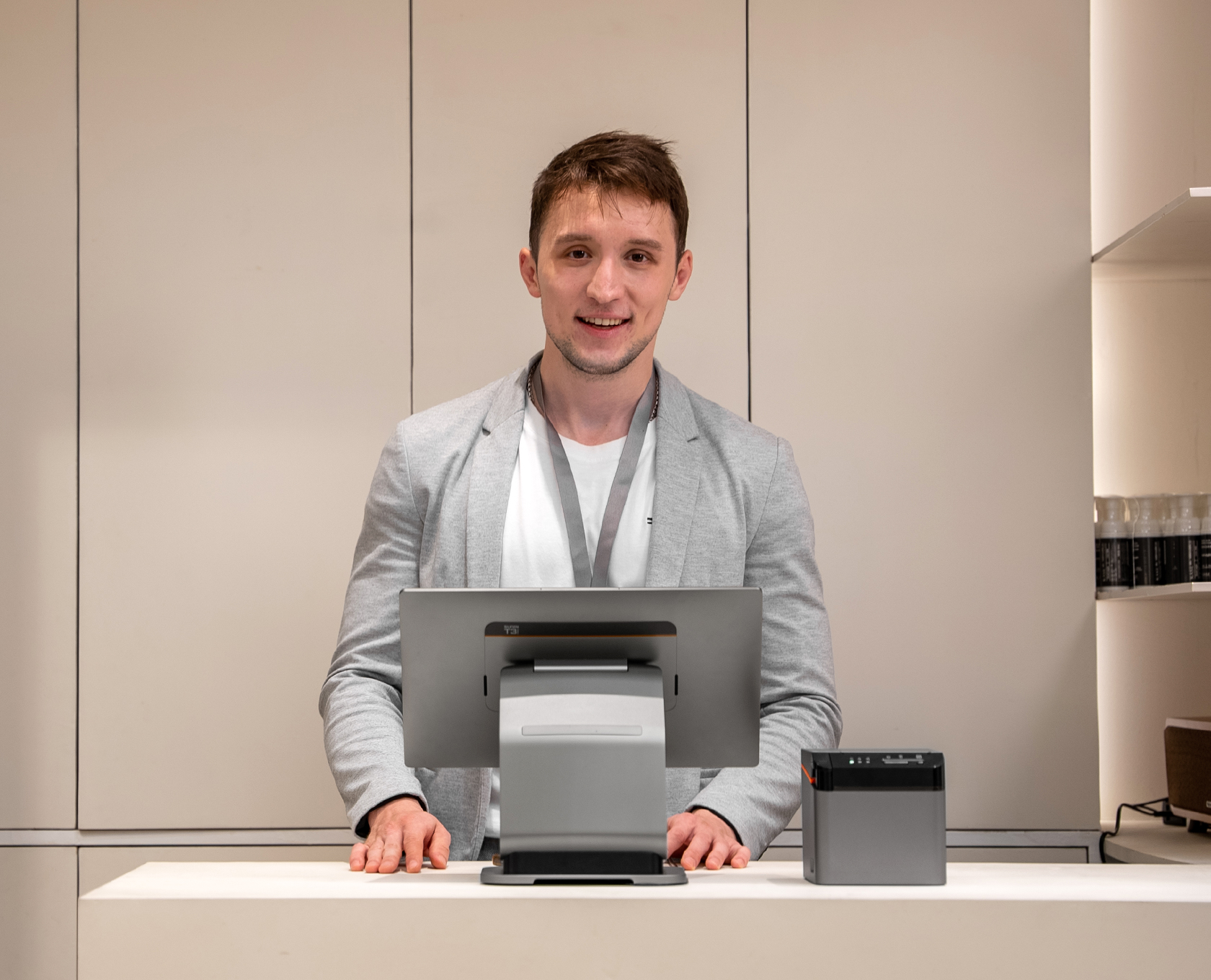
All three T3 models share the same design language: a sleek 15.6-inch Full HD display on a slim base, with a clean cable management system. They all run Android with GMS-EDLA certification, support a variety of customer-facing display options, and mount to SUNMI’s universal T-series stand system.
The key differences come down to processing power, storage capacity, and built-in peripherals — particularly the receipt printer and NFC reader. Here is how each model positions itself:
- T3 — the entry-level model with solid specs and an optional 80mm built-in printer
- T3 PRO — the mid-range performer with 6 GB RAM, 128 GB storage, and NFC
- T3 PRO MAX — the flagship with everything in the T3 PRO plus a built-in 80mm printer

Detailed specifications comparison
The table below shows a complete SUNMI T3 comparison of the core specifications across all three models:
| Feature | T3 | T3 PRO | T3 PRO MAX |
|---|---|---|---|
| Display | 15.6″ Full HD | 15.6″ Full HD | 15.6″ Full HD |
| Processor | Qualcomm QCM4325 | High-performance chipset | High-performance chipset |
| RAM | 4 GB | 6 GB | 6 GB |
| Storage | 64 GB | 128 GB | 128 GB |
| Built-in printer | 80mm (T3 80MM variant) | None | 80mm thermal printer |
| NFC | Yes (GMS variant) | Yes | Yes |
| Wi-Fi | Yes | Yes | Yes |
| GMS-EDLA | Yes | Yes | Yes |
| Customer-facing display | 10.1″ or 15.6″ (optional) | 10.1″ or 15.6″ (optional) | 10.1″ or 15.6″ (optional) |
| Cash drawer mount | T-series mount compatible | T-series mount compatible | T-series mount compatible |
| Best for | Budget-conscious businesses | Performance-focused setups | All-in-one flagship |
SUNMI T3 — the entry-level workhorse
The base SUNMI T3 is the most affordable model in the family. With 4 GB RAM and 64 GB storage, it handles standard POS operations — order taking, payment processing, and receipt printing — without breaking a sweat.
The T3 comes in two main configurations:
- T3 (standard): No built-in printer. Pairs with external receipt printers for businesses that prefer separate peripherals or already own printers.
- T3 80MM: Includes a built-in 80mm thermal receipt printer in the base. This variant eliminates the need for an external printer, saving counter space and reducing cable clutter.

Who should choose the T3?
- Single-location restaurants that need a reliable POS terminal for order entry and payment but do not require heavy multitasking
- Small retail shops looking for a modern Android terminal upgrade from legacy hardware at the lowest price point
- Quick-service restaurants (QSR) running a single POS app where 4 GB RAM is more than sufficient
- Businesses with existing peripherals (standard T3) or those wanting an integrated printer (T3 80MM)
The T3’s 4 GB / 64 GB configuration is well-suited for straightforward POS workflows. If your POS application requires minimal background processing and you do not need to store extensive local data (such as large product image databases), the T3 delivers excellent value.
SUNMI T3 PRO — the performance mid-range
The SUNMI T3 PRO represents a significant step up in raw computing power. Doubling the RAM to 6 GB and storage to 128 GB, the T3 PRO handles demanding POS applications, multi-app workflows, and businesses that store data locally.
NFC is built in, enabling contactless payment acceptance directly on the terminal — a feature that some payment integrations require without relying on an external reader.
Key advantages over the T3
- 50% more RAM (6 GB vs. 4 GB): Run POS software, loyalty apps, kitchen display integrations, and background sync services simultaneously without slowdowns
- Double the storage (128 GB vs. 64 GB): Store larger product catalogs, images, offline transaction logs, and app data locally
- Built-in NFC: Accept contactless payments without an external NFC reader
- Future-proofing: As POS software becomes more feature-rich and resource-intensive, the T3 PRO’s higher specs provide more runway
Who should choose the T3 PRO?
- Multi-service businesses that run multiple apps simultaneously (POS + loyalty + KDS integration + delivery platform)
- Retailers with large catalogs where thousands of SKUs with images need to be cached locally for fast lookup
- Businesses planning to scale that want hardware capable of handling increased software demands over its 3+ year lifespan
- Operations using external printers — the T3 PRO pairs with SUNMI’s 80mm Kitchen Cloud Printer or other USB/network printers
The T3 PRO is the sweet spot in this SUNMI T3 comparison for businesses that want flagship performance without the integrated printer. If you already have a network printer setup or prefer a cloud kitchen printing workflow, the T3 PRO keeps costs lower than the PRO MAX while delivering the same processing power.
SUNMI T3 PRO MAX — the flagship all-in-one
The T3 PRO MAX combines everything from the T3 PRO — 6 GB RAM, 128 GB storage, NFC — and adds a built-in 80mm thermal receipt printer. It is the complete package for businesses that want top-tier performance and integrated printing without external hardware.

Key advantages of the T3 PRO MAX
- All-in-one design: 6 GB/128 GB performance + 80mm printer + NFC in a single device
- Reduced hardware count: Eliminates the need for a separate receipt printer, saving a peripheral purchase and simplifying setup
- Clean counter footprint: One device instead of terminal + printer reduces cables and counter clutter
- Same expandability: Still supports customer-facing displays, cash drawer mounts, and external peripherals
Who should choose the T3 PRO MAX?
- Full-service restaurants that need a powerful terminal with receipt printing at the front counter and want everything in one device
- Retail stores opening new locations where a single all-in-one unit simplifies procurement, deployment, and maintenance
- High-volume operations that demand both processing power and reliability — the integrated printer means one less point of failure
- Businesses standardizing on a single SKU for multi-location consistency
Customer-facing display options
All three T3 models support the same customer-facing display (CFD) accessories:
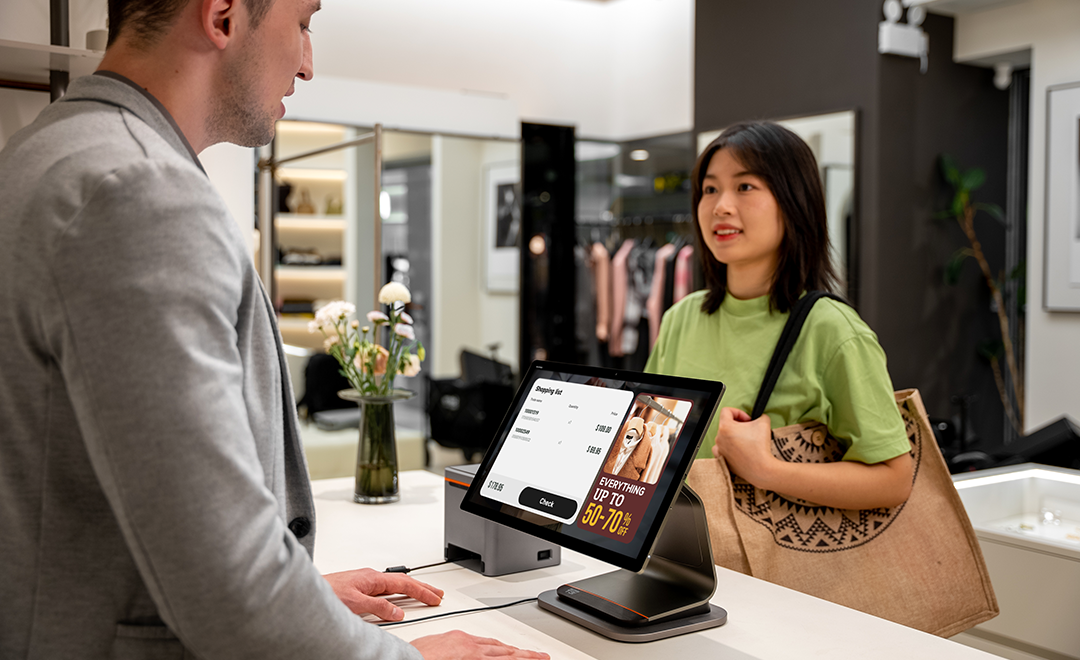
- 10.1″ HD display with NFC: Compact secondary screen for order verification and contactless payment
- 15.6″ Full HD display with NFC: Full-size customer screen for detailed order review, promotions, and self-service interactions
The CFD connects via USB to the main terminal and runs independently, displaying customer-relevant information while the operator uses the main screen. This dual-screen setup is becoming standard in both retail and restaurant environments.
Which T3 model should you choose?
Here is a simplified decision framework based on this SUNMI T3 comparison:
Choose the T3 if:
- Your budget is limited and you need a reliable, modern POS terminal
- Your POS application runs well within 4 GB RAM
- You do not need built-in NFC (or your payment terminal handles it separately)
- You want the option to add a built-in printer (T3 80MM variant)
Choose the T3 PRO if:
- You need higher performance for multi-app workflows
- You want built-in NFC for contactless payments
- You already have or prefer external receipt printers
- You want to future-proof your hardware investment
Choose the T3 PRO MAX if:
- You want the best-performing T3 model with everything built in
- You prefer an all-in-one device to minimize separate peripherals
- You are deploying across multiple locations and want one standard SKU
- You need both high performance and integrated receipt printing
For businesses comparing these models to other SUNMI desktop terminals, see our overview of how Android POS devices compare to locked proprietary systems.
Frequently asked questions
What is the main difference between SUNMI T3 and T3 PRO?
The biggest differences are RAM (4 GB vs. 6 GB), storage (64 GB vs. 128 GB), and built-in NFC. The T3 PRO handles more demanding software and multitasking better, while the T3 is ideal for straightforward POS operations.
Does the SUNMI T3 PRO have a built-in printer?
No. The T3 PRO does not include a built-in printer. It is designed to work with external receipt printers. If you need an integrated 80mm printer with T3 PRO-level specs, choose the T3 PRO MAX.
Can I add a customer-facing display to any T3 model?
Yes. All three models — T3, T3 PRO, and T3 PRO MAX — support both the 10.1″ HD and 15.6″ Full HD customer-facing display accessories.
Which T3 model is best for restaurants?
For full-service restaurants needing integrated printing, the T3 PRO MAX provides the best all-in-one solution. For restaurants using cloud kitchen printers, the T3 PRO offers flagship performance without a built-in printer. Budget-conscious QSR operations may find the T3 80MM sufficient.
What warranty do SUNMI T3 terminals come with?
All SUNMI T3 models include a 3-year warranty under SUNMI Care Standard when purchased through an authorized distributor like Rosper. Rosper assists with warranty claims — helping you connect with SUNMI faster. Learn more in our SUNMI warranty guide.
Is there a T3 PRO SUPER with Windows?
Yes. SUNMI also offers T3 PRO SUPER and T3 PRO MAX SUPER models with 8 GB RAM, 256 GB storage, and dual-OS capability (Android + Windows). These are designed for businesses that require Windows-based software alongside Android. Contact Rosper for availability.
Order SUNMI T3 terminals from Rosper
Rosper is the official SUNMI distributor for the United States and Canada. All T3 family terminals are stocked in warehouses across both countries, and most orders arrive in 2–7 business days. Every purchase includes access to free MDM setup support and the SUNMI 3-year warranty program. Rosper assists with warranty claims — helping you connect with SUNMI faster. Whether you need a single T3 for a new location or a fleet of T3 PRO MAX units for a chain rollout, request a quote to get started.