

Android POS terminals have become the standard for modern businesses in the United States and Canada. Unlike proprietary, closed POS devices, Android-based terminals give business owners the freedom to choose their software, payment processor, and applications. Whether you run a restaurant, retail store, food truck, or service business, this guide will help you choose the right Android POS terminal in 2026.
What is an Android POS Terminal?
An Android POS terminal is a purpose-built business device that runs the Android operating system and is designed for point-of-sale operations. These terminals are not consumer tablets or phones. They are commercial-grade hardware built to handle daily transactions, receipt printing, barcode scanning, and payment processing.
Android POS terminals differ from proprietary POS devices (like Clover or Square hardware) in one critical way: you are not locked into a single software platform or payment processor. You can choose the POS application and merchant services that fit your business.
Why Businesses Choose Android POS Terminals
- Software freedom – Choose from thousands of POS apps on Google Play and manufacturer app stores
- Payment processor independence – Work with the payment processor that offers the best rates
- Familiar operating system – Android is intuitive for staff, reducing training time
- Cost-effective – Commercial Android POS hardware is often more affordable than proprietary alternatives
- Scalable – Easy to add terminals as your business grows
- Future-proof – Regular Android updates and a broad app ecosystem ensure long-term viability
Types of Android POS Terminals
Android POS terminals come in several form factors. The right type depends on your business environment and workflow.
Desktop POS Terminals
Desktop Android POS terminals sit on a counter and serve as the primary checkout station. They typically feature larger screens (8″ to 15″), dual displays (one for staff, one for customers), built-in printers, and multiple connectivity ports for peripherals like cash drawers and external scanners.
Best for: Restaurants, retail stores, quick-service restaurants, hotels
Example: The SUNMI T2 features a 10.1″ dual-screen design with a built-in printer, making it a popular choice for full-service restaurants and retail counters across the United States.
Handheld Mobile POS Terminals
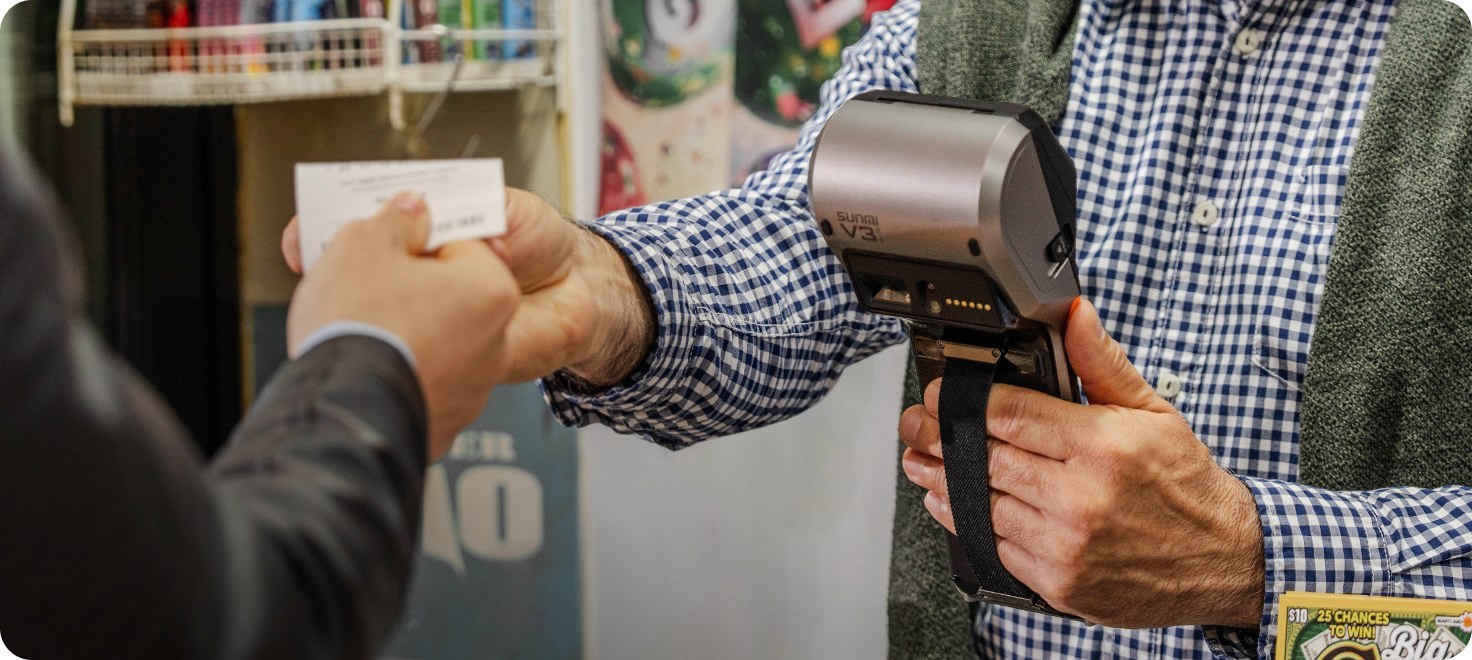
Handheld Android POS terminals are portable devices that combine a touchscreen, card reader, printer, and battery in a single unit. Staff carry them to process transactions anywhere – tableside, on the sales floor, or at a customer’s door.
Best for: Tableside ordering, delivery, food trucks, pop-up shops, line-busting
Example: The SUNMI V3 PLUS is a Google AER and EMVCo certified handheld POS terminal with a 5.5″ display, built-in printer, and NFC payments. The SUNMI V3e offers a lighter, more affordable option for small businesses.
Payment-Focused Terminals
Payment-focused Android terminals are compact devices designed primarily for accepting card and contactless payments. They include card readers, NFC, and a small printer, but with smaller screens compared to full POS terminals.
Best for: Payment processing, small transactions, service businesses, mobile vendors
Example: The SUNMI P3 series (P3, P3 Air, P3 Mix) and the SUNMI P2 SE are Android payment terminals that handle chip, NFC, magnetic stripe, and QR payments.
Key Features to Look For
When evaluating Android POS terminals for your business, focus on these features:
1. Payment Acceptance
Your terminal should support all major payment methods used in North America:
- EMV chip cards – The standard for secure credit and debit transactions
- NFC/contactless – Apple Pay, Google Pay, tap-to-pay cards
- Magnetic stripe – For legacy card acceptance
- QR code payments – Growing in popularity for mobile wallets
2. Built-in Printer
A built-in thermal printer eliminates the need for a separate receipt printer, saving counter space, reducing cable clutter, and ensuring receipts are always available. Most SUNMI POS terminals include one.
3. Display Size and Quality
- Desktop terminals: 8″ to 15″ screens for comfortable all-day use
- Handheld terminals: 4″ to 6″ screens that balance portability with usability
- Customer-facing display: Dual-screen setups let customers verify orders and see totals
4. Connectivity
- Wi-Fi – Standard for indoor environments
- 4G LTE – Essential for mobile, outdoor, and delivery use
- Ethernet – Most stable option for fixed counter installations
- Bluetooth – For connecting peripherals
5. Battery Life
For mobile and handheld terminals, battery life is critical. Look for devices that last through a full business day on a single charge.
6. Durability
Commercial POS hardware should withstand drops, spills, and constant daily use. Look for terminals from established manufacturers like SUNMI that build for commercial environments.
7. Certifications
- Google AER (Android Enterprise Recommended) – Ensures enterprise-grade device management and security updates
- EMVCo L1/L2 – Required for compliant chip card payment processing
- PCI PTS – Payment Card Industry PIN Transaction Security
8. Software Ecosystem
The strength of Android POS terminals is software choice. Ensure the terminal supports your preferred POS application and payment processor. Check compatibility with the SUNMI App Store, Google Play, and your merchant service provider.
Top Android POS Terminals in 2026
Here is a comparison of popular SUNMI Android POS terminals available in the United States and Canada:
| Terminal | Type | Display | Printer | NFC | Best For |
|---|---|---|---|---|---|
| SUNMI T2 | Desktop | 10.1″ dual-screen | Yes | Add-on | Full-service restaurants, retail |
| SUNMI T2 MINI | Desktop | Compact dual-screen | Yes | Add-on | Small cafes, limited counter space |
| SUNMI V3 PLUS | Handheld | 5.5″ | Yes | Yes | Enterprise mobile, tableside |
| SUNMI V3e | Handheld | Compact | Yes | Yes | Small business mobile |
| SUNMI P3 | Payment | Touchscreen | Yes | Yes | General payment processing |
| SUNMI P3 Air | Payment | Touchscreen | Yes | Yes | Portable/delivery payments |
| SUNMI P2 SE | Payment | Touchscreen | Yes | Yes | Entry-level/budget |

How to Choose the Right Android POS Terminal
Follow this decision framework:
Step 1: Define Your Primary Use Case
- Fixed counter checkout? Choose a desktop terminal like the SUNMI T2 or T2 MINI.
- Mobile/tableside/delivery? Choose a handheld terminal like the SUNMI V3 PLUS or V3e.
- Payment processing only? Choose a payment terminal like the SUNMI P3 or P2 SE.
Step 2: Consider Your Environment
- Indoor with Wi-Fi? Any terminal works.
- Outdoor or mobile? You need 4G LTE and battery power.
- Limited counter space? Choose compact models like the T2 MINI or P3 Air.
Step 3: Check Software Compatibility
Confirm that your preferred POS software and payment processor support the terminal you are considering. Most Android POS apps from the SUNMI App Store and Google Play work across SUNMI devices.
Step 4: Plan for Growth
If you expect to add locations or terminals, choose a platform that supports centralized management. Google AER certified devices like the SUNMI V3 PLUS simplify multi-location deployments.
Step 5: Factor in Total Cost
Consider the terminal price, software subscription, payment processing fees, and accessories. Android POS terminals from SUNMI are typically more affordable than proprietary alternatives from companies like Clover, with the added benefit of software and processor freedom.
Common Mistakes to Avoid
1. Buying a consumer tablet instead of a commercial POS terminal – Consumer devices lack durability, built-in printers, and card readers.
2. Choosing a locked-in proprietary device – Proprietary POS hardware ties you to one software and payment processor, often at higher costs.
3. Ignoring connectivity needs – If you need mobile or outdoor use, ensure 4G LTE support.
4. Overlooking the printer – External printers add cost, clutter, and failure points.
5. Skipping certifications – For payment processing, EMVCo certification matters.
Buy Android POS Terminals from Rosper
Rosper is the official SUNMI distributor for North America. With 8 warehouses across the US and Canada, most orders arrive in 2-7 business days. Every SUNMI POS terminal purchased from Rosper comes with SUNMI’s official 3-year manufacturer warranty, and Rosper assists with warranty claims. Browse all SUNMI terminals or contact Rosper for expert guidance on choosing the right device.
—
Frequently Asked Questions
What is an Android POS terminal?
An Android POS terminal is a commercial-grade device running the Android operating system, designed for point-of-sale operations including payment processing, receipt printing, and running business applications.
Are Android POS terminals better than proprietary POS devices?
Android POS terminals offer software freedom, payment processor independence, and typically lower total cost of ownership compared to proprietary POS devices like Clover or Square hardware.
What is the best Android POS terminal for restaurants?
The SUNMI T2 is a popular choice for restaurants in the United States, offering a 10.1″ dual-screen display, built-in printer, and Android compatibility with leading restaurant POS applications.
Can I use any POS software on an Android POS terminal?
Yes. Android POS terminals support POS applications from Google Play and manufacturer app stores. Check with your software provider for specific device compatibility.
Do Android POS terminals support contactless payments?
Yes. Most modern Android POS terminals, including SUNMI devices, support NFC contactless payments such as Apple Pay, Google Pay, and tap-to-pay cards.
How much do Android POS terminals cost?
Android POS terminal prices vary by type and features. Entry-level payment terminals like the SUNMI P2 SE start at affordable price points, while full-featured desktop terminals like the SUNMI T2 are priced higher. Contact Rosper for current pricing.
Where can I buy Android POS terminals in the US?
Rosper is the official SUNMI distributor for North America, offering the full range of SUNMI Android POS terminals with fast shipping from 8 warehouses across the US and Canada.
Do SUNMI Android POS terminals come with a warranty?
Yes. All SUNMI devices purchased from Rosper come with SUNMI’s official 3-year manufacturer warranty. Rosper assists with warranty claims.