
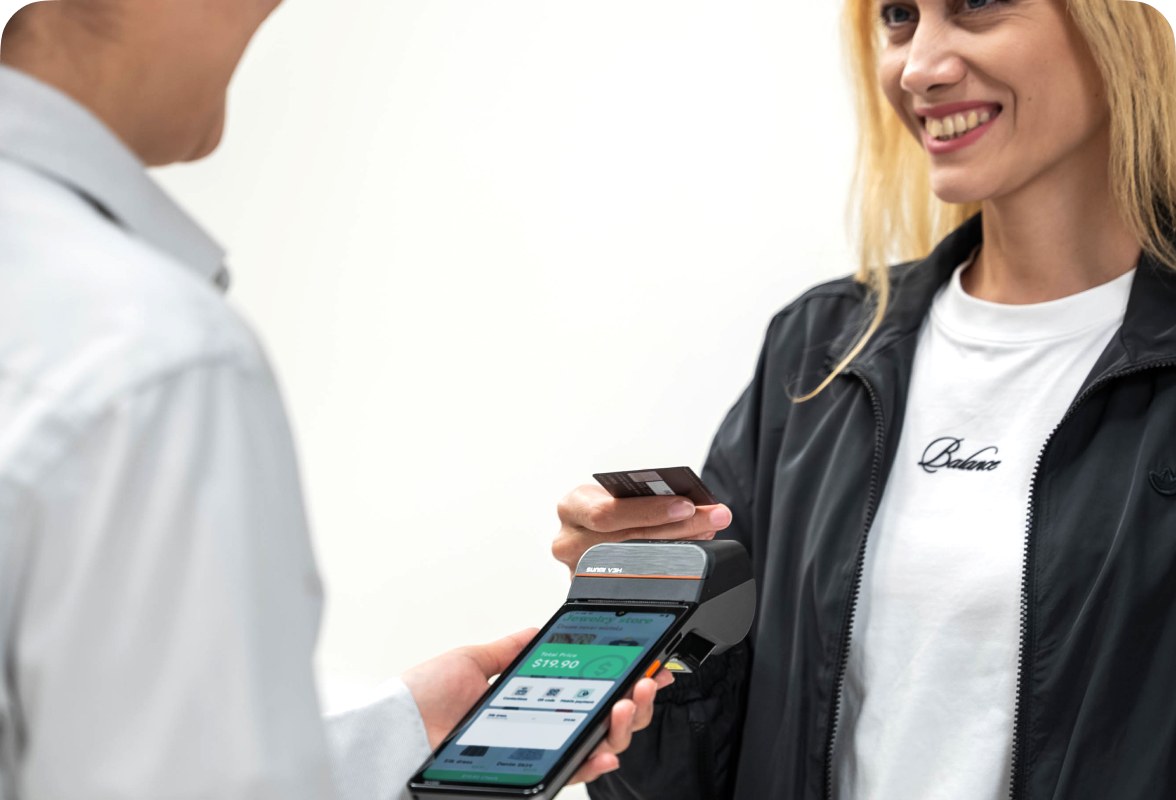
If you run a business in Canada, you have likely noticed a shift in how customers pay. Contactless tap-to-pay is no longer a convenience feature; it is the default payment method for a growing number of Canadian shoppers. At the center of this shift is Interac Flash, Canada’s contactless debit payment system.
For businesses evaluating POS hardware, understanding how Interac Flash POS works and what your terminal needs to support it is essential. This guide covers the technical requirements, the business benefits, and the hardware choices available to Canadian merchants.
Rosper is the official SUNMI distributor for North America, offering Android POS terminals that support contactless payment capabilities. With a warehouse in Brampton, Ontario and seven US locations, most orders arrive in 2-7 business days.
What Is Interac Flash?
Interac Flash is a contactless payment technology that allows customers to pay by tapping their debit card, credit card, or mobile wallet on a compatible payment terminal. Operated by Interac Corp (the organization behind Canada’s debit network), Flash transactions are processed through the existing Interac debit infrastructure.
Key facts about Interac Flash:
- Launched in 2013, now supported by all major Canadian banks
- Works with debit cards, credit cards, and mobile wallets (Apple Pay, Google Pay)
- Transaction limit of $250 per tap (higher limits available for some cards)
- No signature or PIN required for transactions under the limit
- Accepted at over 500,000 merchant locations across Canada
How Interac Flash Works at the POS
When a customer taps their card or phone on your Interac Flash POS terminal, the transaction follows this process:
- Tap: The customer holds their contactless card or mobile wallet near the terminal’s NFC reader.
- Communication: The terminal reads the card’s chip via near-field communication (NFC) and sends the transaction details to the payment processor.
- Authorization: The processor verifies the transaction with the customer’s bank through the Interac network.
- Confirmation: The terminal displays an approval (or decline), and the transaction is complete, typically in under 2 seconds.
The entire process is faster than inserting a chip card and entering a PIN. For high-volume businesses like coffee shops and quick-service restaurants, this speed translates directly into shorter lines and happier customers.
What Your POS Hardware Needs to Support Interac Flash
Interac Flash support depends on your payment terminal (the device that reads the card), not your main POS terminal (the device that runs your POS software). However, the two need to communicate, so compatibility matters.
NFC Capability
Your payment terminal must have an NFC reader. Most modern payment terminals sold in Canada include NFC as a standard feature. If you are using older terminals, check with your payment processor to confirm NFC support.
Payment Processor Compatibility
Interac Flash works through Canada’s major payment processors, including Moneris (backed by BMO and RBC), Global Payments, Bambora, and Fiserv. Your POS hardware needs to integrate with one of these processors to process Interac Flash transactions.
Android-based POS terminals like SUNMI devices are processor-agnostic. They run third-party payment apps provided by your processor, so you can switch processors without replacing your hardware.
Connectivity
Your payment terminal needs a reliable internet connection to authorize Interac Flash transactions in real time. Options include:
- Wi-Fi: Most in-store setups use Wi-Fi. Ensure your network has good coverage where the terminal sits.
- 4G LTE: For food trucks, pop-ups, or locations with unreliable Wi-Fi, a 4G-enabled terminal or a mobile hotspot is essential.
- Ethernet: The most reliable option for fixed countertop installations.
SUNMI POS Hardware That Works with Interac Flash
All current SUNMI POS terminals with NFC capability can process Interac Flash transactions when paired with a compatible Canadian payment processor app. Here is a breakdown by use case:
| Device | NFC | 4G LTE | Best For |
|---|---|---|---|
| SUNMI V3 series | Yes | Optional | Countertop POS with optional built-in printer |
| SUNMI D3 Pro | Yes | Optional | Large-display countertop terminal |
| SUNMI CPad Pay | Yes | Optional | Modular: countertop, handheld, and payment |
| SUNMI P3 Mix | Yes | Yes | Mobile handheld for tableside and retail |
| SUNMI P3 Air | Yes | Yes | Compact handheld for payment-only use |
| SUNMI T3 Pro | Yes | Optional | All-in-one with built-in printer |
Interac Flash vs. Contactless Credit: What’s the Difference?
Canadian businesses often wonder whether they need to distinguish between Interac Flash (debit) and contactless credit card payments. From the merchant’s perspective:
- Both use the same NFC tap-to-pay gesture. Customers simply tap and go.
- Both are processed through the same payment terminal. There is no separate hardware needed.
- Processing fees differ. Interac Flash debit typically has lower transaction fees than contactless credit. Talk to your payment processor about the rate difference for your business.
- Funds settlement differs. Interac Flash debit transactions settle directly from the customer’s bank account. Credit card transactions go through the card network (Visa, Mastercard) and settle on the card’s billing cycle.
Offering both Interac Flash and contactless credit gives customers the choice to use whichever payment method they prefer. Most Canadian merchants find that offering both maximizes customer convenience.
Setting Up Interac Flash for Your Business
Step 1: Confirm Your Payment Processor Supports Interac Flash
Contact your payment processor (Moneris, Global Payments, Bambora, etc.) and confirm that your merchant account supports Interac Flash. Most Canadian merchant accounts include it by default, but it is worth verifying.
Step 2: Get NFC-Capable Payment Hardware
If your existing terminals lack NFC, you will need to upgrade. Android-based POS terminals from SUNMI, available through Rosper, include NFC as standard. See our complete guide to buying POS hardware in Canada for detailed recommendations by business type.
Step 3: Install Your Processor’s Payment App
Your payment processor will provide an Android app that runs on your SUNMI terminal and handles the payment flow, including Interac Flash tap transactions. Install the app, log in with your merchant credentials, and test a transaction.
Step 4: Display Contactless Payment Signage
Display the Interac Flash and contactless payment symbols (the wave icon) at your checkout area. This lets customers know they can tap to pay, which encourages faster transactions and reduces the number of customers who ask whether contactless is accepted.
Step 5: Train Your Staff
Make sure your staff knows how to process Interac Flash transactions and can guide customers who are unfamiliar with tap-to-pay. Most customers in Canada already expect contactless, but some may still prefer chip-and-PIN for larger purchases.
Interac Flash Transaction Limits
The standard Interac Flash transaction limit is $250 CAD per tap. For transactions above this amount, the terminal will prompt the customer to insert their card and enter their PIN.
Some banks offer higher Flash limits on newer cards. The terminal automatically reads the card’s contactless limit and applies the appropriate threshold, so you do not need to configure anything on your end.
The Business Case for Contactless Payments in Canada
Contactless payment adoption in Canada is among the highest in the world. According to Payments Canada, contactless payments accounted for the majority of in-person card transactions in recent years. For merchants, the benefits are clear:
- Faster checkout: Tap transactions take roughly 2 seconds versus 15-30 seconds for chip-and-PIN.
- Higher throughput: Faster transactions mean more customers served per hour, especially during peak periods.
- Customer satisfaction: Canadian consumers increasingly expect contactless as a standard option.
- Hygiene: Tap-to-pay eliminates the need to hand cards back and forth, a consideration that remains important to many customers.
Frequently Asked Questions
What is Interac Flash?
Interac Flash is Canada’s contactless debit payment system. It allows customers to pay by tapping their debit card, credit card, or mobile wallet on a compatible NFC payment terminal. Transactions under $250 do not require a PIN.
Does SUNMI POS hardware support Interac Flash?
Yes. All current SUNMI POS terminals with NFC capability, including the V3 series, D3 Pro, CPad Pay, P3 family, and T3 Pro, support Interac Flash when paired with a compatible Canadian payment processor app.
What is the Interac Flash transaction limit?
The standard Interac Flash limit is $250 CAD per tap. Some banks offer higher limits on newer cards. For transactions above the limit, customers are prompted to insert their card and enter their PIN.
How do I set up Interac Flash on my POS terminal?
Contact your payment processor to confirm Interac Flash support, install their payment app on your Android POS terminal, and test a tap transaction. The terminal handles Interac Flash automatically once configured.
Is Interac Flash the same as Apple Pay or Google Pay?
Interac Flash is the underlying debit payment network. Apple Pay and Google Pay are mobile wallets that can process Interac Flash debit transactions, along with credit card payments, through the same NFC tap gesture.
Do I need a special POS terminal for Interac Flash?
You need a payment terminal with NFC capability. Most modern terminals include this. Android-based POS terminals like SUNMI devices support Interac Flash through processor-specific payment apps. Contact Rosper for hardware recommendations for your Canadian business.
Upgrade Your POS for Contactless Payments
If your current POS hardware does not support contactless payments, you are losing customers who expect to tap and go. Rosper carries the full range of NFC-enabled SUNMI POS terminals, with stock across 8 warehouses in the US and Canada for fast delivery. Browse our Browse our product catalog or request a quote to get started.