
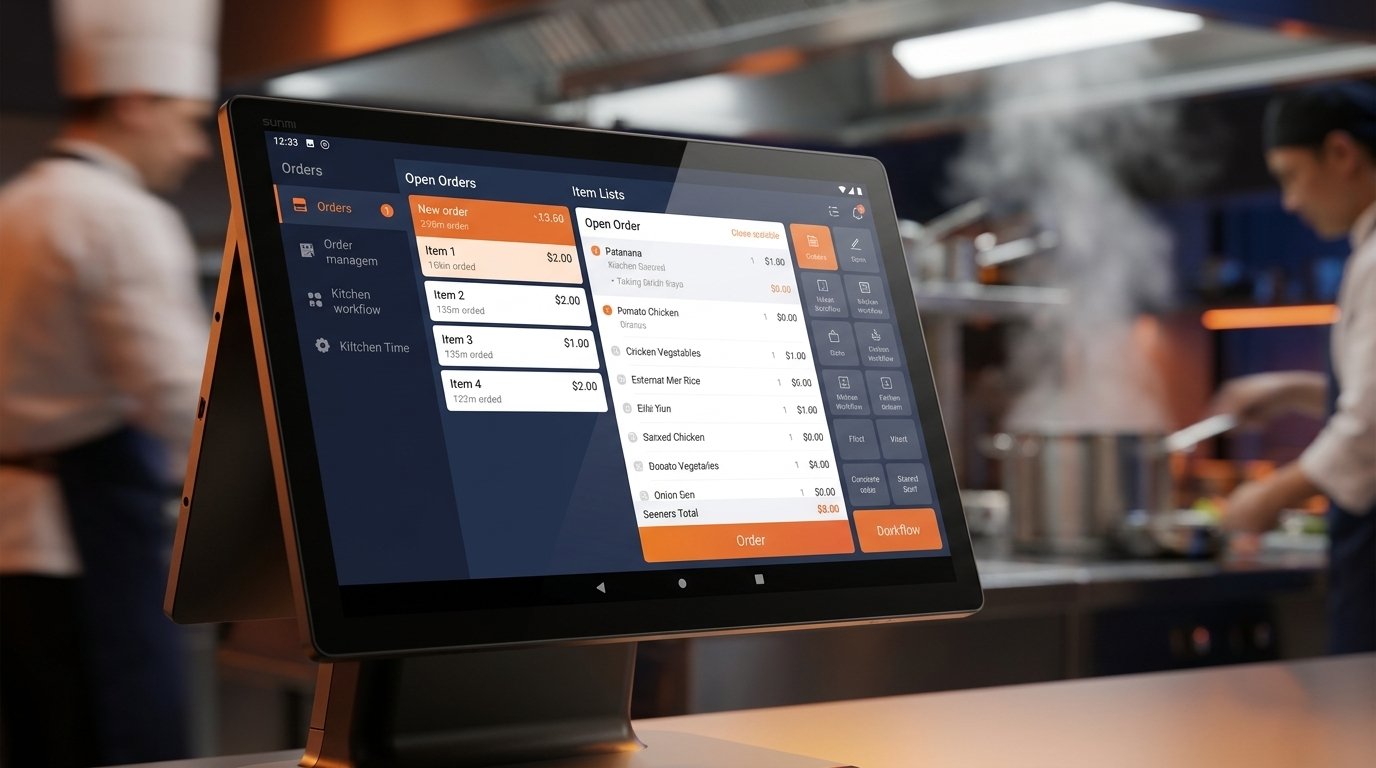
Sixty percent of restaurant operators plan to invest more in customer-experience technology this year, and just under half are prioritizing back-of-house upgrades, according to the National Restaurant Association 2026 State of the Restaurant Industry report. Yet most independent kitchens still get sold closed platforms that lock software, hardware, and payments into one contract.
Open android kds software flips that model. You pick the KDS app that fits your menu, your team, and your budget, and you run it on Android kitchen hardware you actually own.
This guide compares three of the most widely deployed open Android KDS apps for independent restaurants in North America: Loyverse KDS, Fresh KDS, and Petpooja KDS. It then maps each to Rosper Technology’s SUNMI Android KDS hardware so you can shortlist a stack you can deploy this quarter.
Every feature claim below is anchored to the partner platform’s own documentation, so you can verify it before you commit.
Android KDS software: Key takeaways
- Open Android KDS software separates the app from the box. You choose the KDS platform that fits your menu, then choose Android KDS hardware that fits your kitchen.
- Loyverse KDS is the free option for independents already running Loyverse POS. It works on any Android tablet 5.0 or higher, with a 10-inch display recommended.
- Fresh KDS is the subscription option for growing kitchens that want polished workflows and speed reports. Requires Android 7 or higher. Plans start at $20 per screen per month.
- Petpooja KDS is the multi-outlet option for cloud kitchens and multi-brand operations. Runs on any Android or Windows device with an internet connection.
- SUNMI D2s KDS and SUNMI FLEX 3 are open Android by design. All three apps install from Google Play like any Android app. No vendor lock-in on the hardware side.
What is open Android KDS software
Open Android KDS software is any kitchen display app you install from Google Play (or side-load through MDM) onto Android kitchen hardware you already own. The app runs the kitchen. The hardware is a commodity, and you can swap either layer without replacing the other.
That is the opposite of a hardware-locked kitchen platform, where the KDS app only runs on a specific vendor’s terminal, requires that vendor’s POS terminal, and is billed as part of a monthly platform contract. If you leave the platform, the hardware becomes a paperweight.
Independent restaurants and multi-location operators alike gravitate to open Android KDS software for three reasons. Portability, no vendor lock-in, and a clean upgrade path. If Loyverse KDS stops fitting a growing menu, you swap in Fresh KDS on the same SUNMI D2s KDS terminal in one afternoon.
Why open Android matters for independent restaurants
Labor remains the defining challenge of restaurant operations in 2026. Nearly three quarters of operators plan to hire but expect difficulties finding experienced managers and chefs, and more than 90 percent cite labor and food costs as significant, per the NRA 2026 State of the Restaurant Industry.
Kitchen technology is where operators recoup labor hours. Ticket accuracy improves within days of a KDS rollout, remakes drop, and existing staff handle higher volume without adding headcount, as Nation’s Restaurant News coverage of 2026 restaurant tech has consistently reported.
Open Android KDS software compounds that ROI because you avoid the subscription tax. Loyverse KDS is free forever. Fresh KDS charges per screen per month, but only for the app. Petpooja bundles KDS with a broader restaurant OS. None of them lock the hardware.
Portability matters when a lease ends or a concept pivots. Android KDS terminals move to the new kitchen with the app of the day still installed. Vendor-neutral hardware also survives POS vendor changes, which happen more often than most operators expect.
Loyverse KDS: the free option for independent kitchens
Loyverse KDS is a free Android kitchen display app tied to the Loyverse POS ecosystem. The Loyverse KDS product page confirms the app is downloadable from Google Play at no cost and requires Android 5.0 or higher, with a 10-inch display recommended for kitchen visibility.
The core value is that KDS and POS share one merchant account. Orders placed on the Loyverse POS on a SUNMI V2 or V2 Pro handheld auto-route to the KDS on a SUNMI D2s KDS 15.6-inch screen on the line. No middleware, no separate KDS billing.
Loyverse officially supports Loyverse POS on the SUNMI V1, V1S, V2, V2 Pro, T1 mini, T2 mini, D2 mini, T2, S2, and M2, per the Loyverse SUNMI compatibility article. The Loyverse KDS app itself runs on any Android tablet 5.0 or higher, including the SUNMI D2s KDS and SUNMI FLEX 3.
Multi-station routing is built in. Each KDS station can be filtered by item category, so hot kitchen, bar, dessert, and delivery each see only what they cook. Color-coded ticket headers warn cooks when an order crosses the 4-minute and 7-minute thresholds, and the values are tunable.
Best fit: independent cafes, coffee shops, bakeries, and single-location full-service restaurants already running Loyverse POS. Loyverse KDS is also the lowest-risk starter for kitchens replacing paper tickets for the first time, because the software cost is zero and the learning curve is a single evening.
Fresh KDS: the subscription option for growing kitchens
Fresh KDS is a purpose-built kitchen display app that runs on iOS 13+ and Android 7+, per the Fresh KDS recommended hardware article. It is not free, but it is priced per screen so the cost scales with the actual kitchen footprint.
Fresh KDS Essentials starts at $20 per screen per month billed monthly ($16 per screen billed annually) and covers order management, iOS and Android support, and speed reports. Premium at $27 per screen per month adds ticket printing, ingredient counts, screen-to-screen communication, and customer messaging, per the Fresh KDS pricing page.
The Unlimited plan flips to a flat $109 per location per month ($89 annually) for kitchens running multiple KDS screens per site. Enterprise pricing is custom for operators with 20+ locations, and all plans include a 7-day free trial without a card on file.
Fresh KDS is best known for polished expo workflows and speed reporting. Ticket times, item counts, and screen-to-screen order handoff are exposed to operators as metrics, not just live cook feedback. That is why growing chains standardize on Fresh KDS when Loyverse KDS starts to feel thin.
Best fit: growing fast casual and full-service restaurants that already have a POS terminal in place and need a KDS with modifier grouping, all-day view, ingredient counts, and per-screen accountability. Fresh KDS runs cleanly on the SUNMI D2s KDS 15.6-inch and on the SUNMI FLEX 3 in 22-inch or 27-inch configurations for larger prep stations.
Petpooja KDS: the multi-outlet option for cloud kitchens
Petpooja KDS is the kitchen display module of the broader Petpooja restaurant OS. Per the Petpooja KDS page, the system runs on Android and Windows and works with any Windows or Android-based device, which puts SUNMI D2s KDS and SUNMI FLEX 3 both in scope.
Where Petpooja stands out is multi-outlet and multi-brand kitchen orchestration. Online orders and dine-in orders land on the same kitchen screen with individual and aggregated item views, station-wise allocation, and inventory out-of-stock flags that propagate across outlets.
Cooks mark items ready directly from the KDS, which pushes status back to the front-of-house and to third-party delivery aggregators. That order status callback is what separates Petpooja from a pure display app and is why cloud kitchen operators tend to standardize on it.
Best fit: cloud kitchens, multi-brand ghost kitchen operators, and multi-location full-service restaurants that need station-wise routing and cross-outlet visibility from one platform. Petpooja is also a strong choice for operators who want KDS, POS, inventory, and online orders in one contract instead of stitching three apps together.
Need Help Matching Open Android KDS Software to Hardware?
Share your KDS application, kitchen stations, mounting needs and rollout size, your destination, and target date. Rosper will confirm the compatible Android KDS hardware stack, current warehouse availability, and a quote with a realistic lead time. For a multi-site deployment, include the site count and rollout schedule so we can plan staging and kitting.
Side-by-side: comparing three open Android KDS apps
The table below compares Loyverse KDS, Fresh KDS, and Petpooja KDS across the ten attributes that matter most when shortlisting an android kds software stack. All values are drawn from each platform’s public documentation.
| Attribute | Loyverse KDS | Fresh KDS | Petpooja KDS |
|---|---|---|---|
| Pricing model | Free | $20 to $27 per screen per month, or $109 unlimited per location | Bundled with Petpooja restaurant OS |
| POS integration | Native Loyverse POS only | Multiple POS partners plus standalone | Native Petpooja POS |
| Offline mode | Local Wi-Fi sync between POS and KDS | Wi-Fi required for cloud sync | Cloud-based, internet required |
| Multi-station support | Yes, unlimited stations filtered by category | Yes, screen-to-screen communication on Premium | Yes, station-wise allocation across outlets |
| Android version required | Android 5.0 or higher | Android 7 or higher | Android or Windows, version not specified |
| Ticket routing | By item category | By item, modifier group, or course | By station, outlet, or brand |
| Expo screen support | Yes, separate KDS station for expo | Yes, dedicated expo view on Premium | Aggregated item view for expo |
| Order status callbacks | Basic ready status | Customer messaging on Premium | Push to front-of-house and aggregators |
| Printer integration | Built-in printers on SUNMI POS handhelds | Zebra, Bixolon, Epson (Premium tier) | Native Petpooja printer stack |
| Best-fit persona | Independent cafes and small restaurants on Loyverse POS | Growing chains that need speed reports and per-screen accountability | Cloud kitchens and multi-outlet operators |
Read the table as three different persona bets, not a ranking. If the persona fits Loyverse KDS, the free tier will absolutely deliver. If the kitchen needs speed reports on every screen, Fresh KDS earns its subscription. If the operation runs three brands out of one kitchen, Petpooja is the shorter conversation.
Which SUNMI Android KDS hardware fits each app
All three apps run on Rosper Technology’s stocked SUNMI Android KDS hardware because both terminals are open Android by design. The choice comes down to screen size, kitchen station type, and how many concurrent screens the kitchen actually needs. For the screen sizes, ingress ratings and mounting options behind these recommendations, see the Android KDS hardware buyers guide.
SUNMI D2s KDS 15.6-inch for line and expo
The SUNMI D2s KDS is a 15.6-inch FHD (1920 by 1080) capacitive multi-touch terminal running SUNMI OS based on Android 11. IP55-rated for direct water spray and grease cleanup, with VESA mounting and PoE-capable LAN, it is the workhorse for hot kitchen lines and expo stations.
All three KDS apps install from Google Play like any Android app. Loyverse KDS runs comfortably because the 15.6-inch screen exceeds the 10-inch recommendation, Fresh KDS meets its Android 7+ requirement (Android 11 satisfies it), and Petpooja runs as a standard Android install with cloud sync over Wi-Fi or the built-in LAN.
SUNMI FLEX 3 for large-format prep and pass windows
The SUNMI FLEX 3 is a large-format interactive display available in 18.5-inch, 22-inch, and 27-inch configurations. It ships with SUNMI OS 4.0 based on Android 13, a Qualcomm 8-core processor, up to 8 GB of RAM, WiFi 6, and IP54 sealing.
The 22-inch and 27-inch FLEX 3 fits high-volume prep stations, pass windows, and central expo screens for larger kitchens. It also earns its keep in dual-purpose deployments, where the same terminal runs Fresh KDS during service and self-order or waitlist views during off-peak.
SUNMI POS handhelds for Loyverse pairings
If the kitchen runs Loyverse POS, the front-of-house pairing is a SUNMI V2, V2 Pro, T1 mini, T2 mini, or D2 mini POS terminal. All are listed as officially compatible with Loyverse POS for Android, including built-in printer support, per the Loyverse SUNMI compatibility article.
That pairing gives independent operators a fully vendor-neutral stack: Loyverse POS on the handheld, Loyverse KDS on the D2s KDS, and no monthly software bill on either end. Total cost of ownership is anchored to the hardware, not a platform contract.
Deployment considerations for open Android KDS software
Once you have shortlisted the app and the hardware, four deployment details separate a clean rollout from a painful one. Get them right during pilot week and the rest of the kitchen falls into place.
Wi-Fi setup. Every open Android KDS app depends on stable Wi-Fi between the POS terminal and the KDS terminal. Kitchens should run a dedicated 5 GHz Wi-Fi SSID for POS and KDS traffic, isolated from guest Wi-Fi. The SUNMI D2s KDS supports 2.4 GHz and 5 GHz, and the FLEX 3 supports WiFi 6, so the bottleneck is almost always the router.
PoE where possible. Both the SUNMI D2s KDS and SUNMI FLEX 3 support Ethernet, and the D2s KDS accepts Power over Ethernet, which reduces the install to one cable per screen. Kitchens with existing PoE switches should default to PoE to avoid stray outlet cables behind hot equipment.
Printer pairing. Loyverse KDS relies on built-in printers on SUNMI POS handhelds for kitchen tickets. Fresh KDS Premium supports Zebra ZD410 and ZD411, Bixolon SRP-S300, and Epson TM-M30ii. Petpooja uses its own printer stack. Decide the printer path before hardware arrives, not after.
Cash drawer sync. Cash drawers are triggered from the POS terminal, not the KDS. If the kitchen also runs a counter POS on the same SUNMI V2 or D2 Mini, the cash drawer pulses from the POS app, so KDS software choice does not affect cash handling.
Migrating from paper tickets or a hardware-locked kitchen
Restaurants moving off paper tickets and restaurants moving off a hardware-locked kitchen platform follow different migration paths. Both are shorter than most operators fear.
Paper ticket to Loyverse KDS. The fastest path. Install Loyverse POS on a SUNMI V2 Pro at the counter, install Loyverse KDS on a SUNMI D2s KDS on the line, connect both to the same Loyverse account, and route items by category. Cook training is one shift.
Hardware-locked kitchen to open Android. Slightly longer because you are also swapping the front-of-house POS. Order SUNMI hardware first, confirm menus and modifiers export cleanly from the legacy platform, run a two-week overlap pilot on one lane or one shift, then cut the rest of the kitchen after the pilot proves ticket accuracy.
Cloud kitchens migrating to Petpooja typically go the other direction, consolidating three or four apps into one platform. In that case, KDS is only one leg of the migration and the sequencing is usually driven by the POS or online ordering module, not the KDS.
In every path, the SUNMI hardware layer is portable. If a menu concept pivots or a POS decision changes 18 months later, the D2s KDS and FLEX 3 keep running whichever open Android KDS software fits the new menu. That is the single biggest argument for building the stack open in the first place.
How to shortlist your open Android KDS stack
Shortlisting a full open Android KDS stack fits on one page. Answer four questions in order and the choices narrow themselves.
- What POS terminal will front-of-house use? Loyverse POS points at Loyverse KDS. Petpooja POS points at Petpooja KDS. Independent POS choices open the door to Fresh KDS.
- How many concurrent KDS screens does the kitchen need? One screen leans Loyverse (free). Two to four screens leans Fresh KDS Premium ($27 each). Five or more per site leans Fresh KDS Unlimited ($109 flat) or Petpooja bundled.
- What screen size suits each station? 15.6-inch SUNMI D2s KDS for line, expo, and prep. 22-inch or 27-inch SUNMI FLEX 3 for pass windows and central expo.
- What is the warranty and support expectation? Rosper Technology stocks SUNMI hardware in North American warehouses and coordinates the SUNMI manufacturer warranty. Gen 2 and Gen 3 devices carry 3 years, wear parts 1 year.
Once those four answers are on paper, the shortlist writes itself. Independent cafe on Loyverse POS: SUNMI V2 Pro plus SUNMI D2s KDS running free Loyverse KDS. Growing fast casual: SUNMI D2s KDS on Fresh KDS Premium at $27 per screen per month. Multi-brand ghost kitchen: SUNMI FLEX 3 27-inch on Petpooja KDS bundled with Petpooja restaurant OS.
Rosper is SUNMI’s authorized distributor for the United States and Canada. Our team helps buyers match SUNMI devices, compatible accessories and deployment services to the workflow, confirm exact configurations and current warehouse availability, and coordinate shipping, staging, kitting and warranty support for pilots or multi-location rollouts. Contact our sales team for configuration guidance or to check current stock.
Frequently asked questions
Is Loyverse KDS really free forever?
Yes. The Loyverse KDS app on Google Play is free and there is no per-screen fee for using it with a Loyverse POS account. Loyverse monetizes premium POS features (advanced reports, employee management, integrations), not the KDS. Independent restaurants running a single Loyverse account can add unlimited KDS stations at no additional software cost.
Does Fresh KDS require a specific POS?
Fresh KDS integrates with several POS partners and also runs in standalone mode where tickets are entered directly on the KDS. Confirm your POS is on the current Fresh KDS integration list before you commit. If it is not, standalone mode still delivers ticket routing, timers, and speed reports on the SUNMI D2s KDS or FLEX 3.
Can Petpooja KDS run without Petpooja POS?
Petpooja KDS is designed as the kitchen module of the broader Petpooja restaurant OS, which includes POS, inventory, online ordering, and CRM. Operators who want just the KDS component should confirm current standalone availability with Petpooja directly. Most Petpooja deployments run the full platform to get the multi-outlet and multi-brand orchestration benefits.
What Android version does the SUNMI D2s KDS ship with?
The SUNMI D2s KDS ships with SUNMI OS based on Android 11. That comfortably exceeds Loyverse KDS (Android 5.0+), Fresh KDS (Android 7+), and any current Petpooja Android build. For kitchens that want the latest Android base for future-proofing, the SUNMI FLEX 3 ships with SUNMI OS 4.0 based on Android 13.
Can one SUNMI D2s KDS run more than one KDS app?
Yes. Because the D2s KDS is open Android, multiple KDS apps can be installed and switched. Most kitchens run one app at a time in kiosk mode for cook focus, but pilots often install two apps side by side during evaluation. Once the choice is final, MDM locks the terminal to a single foreground app.
How do open Android KDS apps handle offline mode?
Loyverse POS and Loyverse KDS sync over the local Wi-Fi network, so tickets keep flowing between POS and KDS even if the internet drops. Fresh KDS depends on cloud connectivity for full sync, and Petpooja is cloud-based by design. Kitchens in areas with unreliable ISP should size a UPS for the router and account for cellular failover on the POS terminal.
Does Rosper Technology sell the KDS software?
No. Rosper Technology sells and supports SUNMI Android KDS hardware. Loyverse KDS, Fresh KDS, and Petpooja KDS are third-party apps you install directly from their respective vendors. Rosper’s role is to make sure the hardware layer is stocked, warrantied, and deployed cleanly so operators can pick the KDS software that fits their kitchen.
Where to go from here
The android kds software decision usually looks harder than it is because closed platform sales teams frame it as a bundled purchase. Split the app from the hardware and the decision compresses to one afternoon of shortlisting.
Rosper Technology stocks the SUNMI D2s KDS, the SUNMI FLEX 3, and the full SUNMI Android hardware catalog in North American warehouses. Every unit ships open Android and ready to run Loyverse KDS, Fresh KDS, Petpooja KDS, or a custom kitchen app of your choice.
Independent restaurants and IT managers ready to shortlist can start with the free tiers of all three apps on a single SUNMI D2s KDS. Two evenings of pilot, one final call, and the kitchen is live on open Android by the following week.
—