
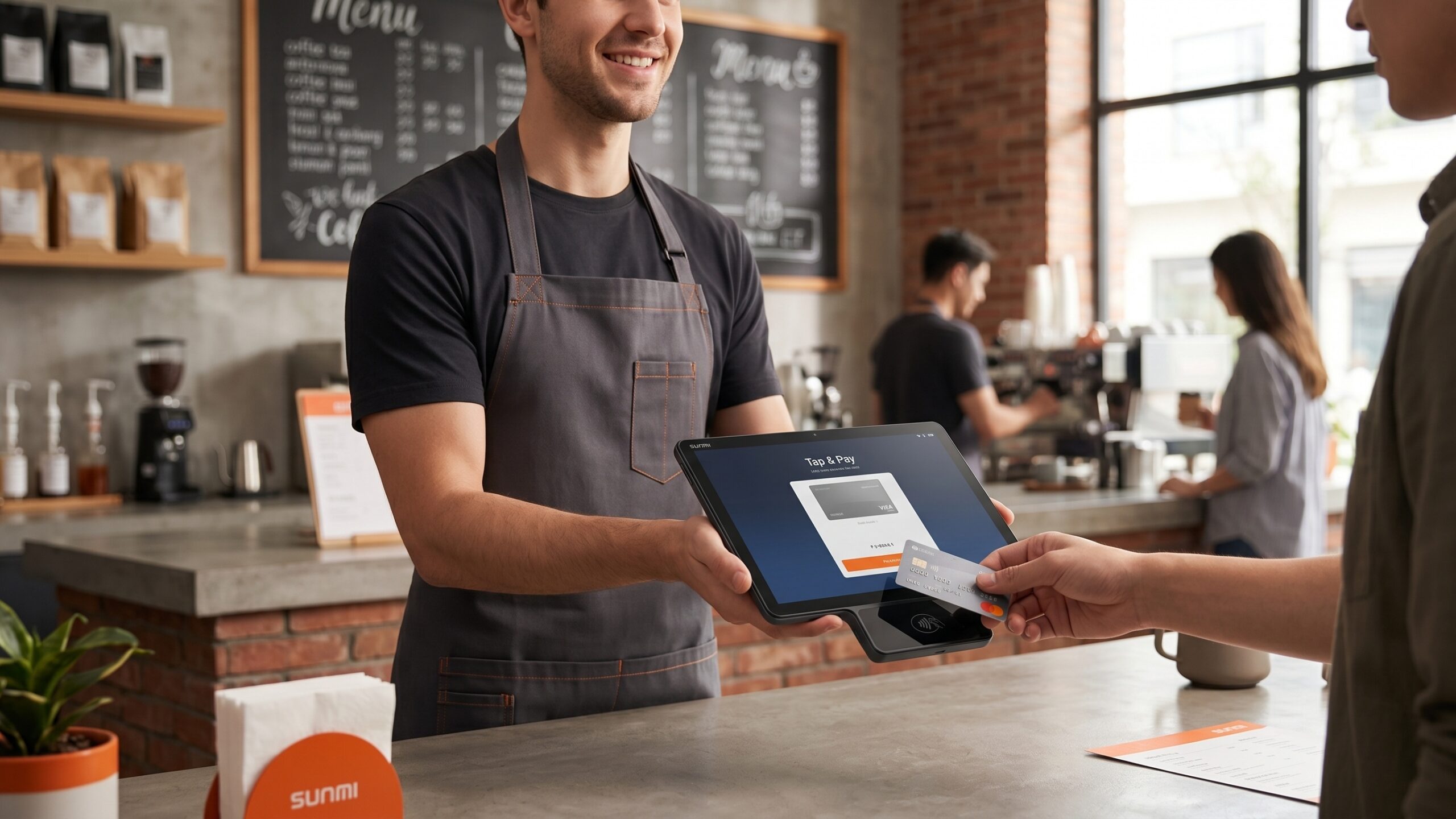
Most merchants still run checkout on a split hardware stack: a POS tablet on the cashier side, a payment terminal on the customer side, and a bundle of cables in between. That works, but it doubles the devices you own, doubles the failure points, and doubles the on-boarding time at every new location. The SUNMI CPad Pay collapses both sides into a single customer-facing Android tablet with integrated EMV, NFC, and magstripe payment in one certified device.
As the authorized SUNMI distributor for the United States and Canada, Rosper ships the CPad Pay from our Maryland and Los Angeles warehouses, backed by SUNMI’s manufacturer warranty (3 years on Gen 2-3 devices; wear parts and Gen 1 devices: 1 year). This article explains what the CPad Pay is, where it fits in retail and quick-service restaurant (QSR) workflows, and how ISVs are using it as a one-device platform for customer-facing checkout.
What the SUNMI CPad Pay is
The SUNMI CPad Pay is a customer-facing Android tablet with a payment module built into the same enclosure. It combines three things retailers and QSRs usually buy separately:
- An 11-inch FHD (1920 × 1200) touchscreen Android tablet for menus, loyalty sign-up, tip selection, and digital signage
- A payment-certified device with on-screen contactless NFC tap-to-pay, EMV certification, and Visa PayWave approval
- A modular accessory ecosystem including desktop base, printing base, shoulder strap, mount adapter, and magnetic stripe card reader for counter, mobile, and self-service layouts
The result is one device the customer interacts with at checkout: they see the cart, choose a tip, tap their card or phone, sign if required, and walk away. The cashier handles order entry on whatever primary POS you already own (tablet, SUNMI all-in-one, or legacy system), and sends the total to the CPad Pay.
Key hardware and certification points verified from SUNMI’s published CPad Pay page:
| Feature | SUNMI CPad Pay |
|---|---|
| Display | 11-inch FHD 1920 × 1200 |
| Weight | About 586 g (11-inch model) |
| CPU | Qualcomm Octa-Core |
| Memory and storage | Up to 8 GB RAM + 128 GB ROM |
| Payment certification | PCI PTS 6.X, EMVCo, Visa PayWave |
| Contactless payment | On-screen NFC tap-to-pay |
| Peripherals | Desktop base, printing base, shoulder strap, mount adapter, magnetic stripe card reader |
| Secondary display connection | Pogo-pin connection to SUNMI T3 Pro and T3 Family desktop terminals; also Wi-Fi, Bluetooth, or cable for standalone use |
| SDK | SUNMI Unified Payment SDK (one kernel across SUNMI devices) |
Who the CPad Pay is built for
The SUNMI CPad Pay is built for counter-service retail, multi-location operators standardizing checkout hardware, and ISVs that ship payment-ready Android tablets to merchant customers in the United States and Canada.
The CPad Pay is not a replacement for a back-of-house POS terminal, and it is not a mobile handheld. It is specifically a customer-facing device. Three operating patterns drive most of the demand we see:
1. Counter-service retail and QSR with high checkout volume
Bakeries, coffee shops, fast-casual restaurants, specialty retail, and beauty supply stores all share the same checkout pattern: a line of customers, a cashier focused on order entry, and a payment moment that should be fast, contactless, and consistent. The CPad Pay puts the payment interface on the customer side of the counter, so the cashier never has to turn a terminal around or hand a device across the counter.
2. Multi-location operators standardizing checkout
When you run five, twenty, or a hundred locations, hardware sprawl becomes a cost line. Every different terminal model you support adds training, spare inventory, driver testing, and support tickets. The CPad Pay consolidates the customer-facing half of checkout into one SKU across every store, which simplifies procurement, provisioning, and MDM.
3. ISVs and software platforms that ship hardware
If you are an ISV that bundles hardware with your software contract, your customers judge you partly on the hardware experience. A dedicated Android platform with the payment module already integrated means you ship one box per register, not three, and your onboarding flow can be “plug in, scan a QR code, you are live.” Several North American ISVs already run on CPad Pay as their standard customer-facing device.
What makes the CPad Pay different from an iPad plus a card reader
The SUNMI CPad Pay is a single PCI PTS 6.X and EMVCo certified Android tablet, while an iPad-plus-reader setup combines two separately certified devices that depend on a Bluetooth link between the tablet and the card reader.
The most common alternative to CPad Pay is an iPad paired with an external card reader (Square Reader, Stripe Reader M2, Clover Mini, or similar). On paper both set-ups accept the same payment methods. In practice there are three structural differences.
Integrated certification
The CPad Pay is a single-device payment-certified unit. SUNMI publishes PCI PTS 6.X and EMVCo certifications for the device, alongside Visa PayWave approval. The Android tablet and the payment module are in the same enclosure, tested and certified together. With an iPad plus a reader, you are trusting the reader’s certification, the Bluetooth link between the reader and the iPad, and the reader’s software integration with your POS app. Any of those layers can change independently.
Device-level certification is only half of a live production deployment. Processor-level certification – the route to actually accepting live card traffic with a given acquirer – is scoped during onboarding with your payment processor and gateway. Rosper connects you with the SUNMI payment team for this step in the United States and Canada.
Tamper and physical security
Customer-facing payment terminals are a known target for skimming and tampering. The CPad Pay meets the physical and logical security standards required for PCI PTS 6.X certification, which iPad-plus-reader setups do not match – an iPad is not a payment terminal and does not carry a payment-industry tamper certification.
Software flexibility
Because the CPad Pay runs Android, you can install your ISV app, SUNMI’s payment SDK, a custom launcher, and any supporting apps (loyalty, survey, signage) on the same device. An iPad is locked to the app store, and the payment reader is locked to whichever POS platform certified it. The CPad Pay gives ISVs more room to build without giving up payment certification.
How the CPad Pay fits into an existing checkout
The CPad Pay integrates with an existing back-of-house POS through the SUNMI Pay SDK: the cashier-side POS sends the order total and line items to the CPad Pay, which collects the customer payment and returns a confirmation with tip amount, card brand, and receipt reference.
You do not need to replace your back-of-house POS to deploy CPad Pay. The most common integration shape looks like this:
Cashier side:                Customer side:
----------------------       ----------------------
  Primary POS (SUNMI          CPad Pay (Android)
  D3 Mini, V2s, iPad,            ↓
  or existing system)         Customer sees:
      ↓                         - order summary
  Sends total +                 - tip selector
  line items                    - EMV / NFC / MSR payment
      ↓                         - receipt email signup
                                - loyalty enrollment
  Receives payment              - thank-you screen
  confirmation + tip
Integration flows in two directions: from the POS you send the total to pay, and from the CPad Pay you send back the payment result, tip amount, card brand, and receipt reference. The SUNMI Pay SDK handles the payment-industry certified portion; your ISV layer or POS vendor handles the business logic. On Rosper-supplied devices, the SDK and sample integrations are pre-loaded and documented.
Payment methods supported
The SUNMI CPad Pay accepts contactless NFC (Apple Pay, Google Pay, Samsung Pay), EMVCo-compliant contactless credit and debit cards on-screen, and magnetic stripe swipe through the MSR accessory, on PCI PTS 6.X and EMVCo certified hardware with Visa PayWave approval.
The CPad Pay is built around contactless on-screen NFC, with PCI PTS 6.X and EMVCo certification at the device level and Visa PayWave approval. Magnetic stripe reading is available through the MSR accessory. The full payment method matrix looks like this:
| Payment method | How it is handled |
|---|---|
| Contactless NFC (tap to pay) | Native, on-screen |
| Apple Pay, Google Pay, Samsung Pay | Via NFC |
| EMVCo-compliant contactless cards | Native, on-screen |
| Magnetic stripe swipe | Via magnetic stripe card reader accessory |
| Receipt | Print via printing-base accessory or paired SUNMI printer; email or SMS via your POS or ISV app |
The specific acquirer and gateway certifications vary by region. Card-present chip-insert and PIN-debit flows, where required, are supported through the SUNMI Unified Payment SDK and the accessory ecosystem in combination with your processor’s certified path. Your payment processor and POS vendor confirm the final certified configuration; Rosper introduces you to the SUNMI payment team for processor onboarding in the US and Canada.
Deployment patterns we see in the field
Three deployment patterns account for the majority of CPad Pay installs in North America: counter-mount with pole display for fixed retail and QSR, kiosk-style self-checkout for grab-and-go and pharmacy, and mobile line-busting for events and peak-hour queues.
Three deployment patterns account for most of the CPad Pay units we ship from the Rosper Maryland and Los Angeles warehouses:
Counter-mount with pole display
A pole-mounted CPad Pay faces the customer across the counter. The cashier’s primary POS sits on their side. This is the most common bakery, coffee, and fast-casual deployment.
Kiosk-style self-checkout
The CPad Pay sits in a freestanding enclosure and runs a self-order app. The customer browses, selects items, pays, and either takes a printed receipt or receives one by email. Common in grab-and-go retail, quick-service, and pharmacy.
Mobile line-busting
A handheld-style rig brings the CPad Pay to the customer during peak hours or in outdoor queues. Common at event venues, stadium concessions, and ice cream shops on weekends. For fully mobile line-busting, some operators prefer a smaller dedicated handheld like the SUNMI P3 Mix or P3 Air – contact Rosper and we can match hardware to the footprint you need.
Why ISVs and franchise networks pick the CPad Pay from Rosper
ISVs and franchise networks choose the CPad Pay from Rosper for four reasons: local US and Canada stock with 2-7 day delivery, SUNMI manufacturer warranty honored locally, tiered volume pricing, and SDK plus payment-onboarding support.
For ISVs and multi-location operators, buying direct from SUNMI overseas creates three problems: long lead times, no local warranty honor, and customs paperwork on every shipment. Rosper solves each of them.
- Local stock: CPad Pay units ship from our Maryland and Los Angeles warehouses with 2-7 day delivery across the United States and Canada.
- Warranty honor: SUNMI’s manufacturer warranty (3 years on Gen 2-3 devices; 1 year on Gen 1 and wear parts) is coordinated through Rosper, so replacements do not cross a border a second time.
- Volume pricing: ISVs and franchise networks with planned multi-unit roll-outs get tiered pricing and dedicated account support.
- SDK and payment onboarding support: When you integrate the SUNMI Pay SDK, Rosper helps connect you to the SUNMI payment engineering team and your processor for the certification cycle.
Frequently asked questions
What is the SUNMI CPad Pay?
The SUNMI CPad Pay is a customer-facing Android tablet with an integrated payment module that accepts EMV chip, contactless NFC, and magstripe payments in one certified device. It is designed for counter-service retail, quick-service restaurants, and ISV-delivered checkout solutions in the US and Canada.
Does the CPad Pay work with my existing POS?
In most cases yes. The CPad Pay integrates with your primary POS through the SUNMI Pay SDK or your POS vendor’s existing CPad Pay integration. The cashier-side POS sends the total to the CPad Pay, which collects the payment and returns a confirmation with the payment method, amount, and tip.
Is the CPad Pay certified for payments in the United States and Canada?
The CPad Pay is certified at the device level to PCI PTS 6.X and EMVCo, with Visa PayWave approval. Processor-level certification – the route to actually accepting live card traffic for a given acquirer in the US and Canada – is scoped during onboarding with your payment processor and gateway. Rosper connects you with the SUNMI payment team for this step.
Does the CPad Pay support Apple Pay and Google Pay?
Yes. The CPad Pay supports on-screen contactless NFC, which covers Apple Pay, Google Pay, Samsung Pay, and EMVCo-compliant contactless credit and debit cards. For specific Canadian network support such as Interac contactless, confirm the current certified path with Rosper and the SUNMI payment team during onboarding.
How is the CPad Pay different from an iPad with a Square or Stripe reader?
The CPad Pay is one certified device with the payment hardware built in and tamper-resistant design, whereas an iPad-plus-reader setup depends on a Bluetooth pairing between two separately certified devices. The CPad Pay also runs Android with full ISV app flexibility, which is useful for custom checkout flows, loyalty integrations, and digital signage beyond payment.
Is the CPad Pay warranty honored in the US and Canada?
Yes. When purchased through Rosper, the authorized SUNMI distributor for the US and Canada, the CPad Pay (a Gen 3 device) carries SUNMI’s 3-year manufacturer warranty, with wear parts under a 1-year warranty. Rosper helps you connect with SUNMI for after-sales support and coordinates replacements through our Maryland and Los Angeles warehouses.
Can I buy the CPad Pay in bulk for a multi-location roll-out?
Yes. Rosper offers tiered volume pricing for retail chains, franchise networks, and ISVs delivering hardware to merchant customers. Contact us with your location count and target deployment window and we will scope the right plan.
Can CPad Pay run my POS software?
Yes. The CPad Pay runs Android, so it can host any POS, ISV, or payment-flow app you sideload or push through SUNMI MDM. The SUNMI Unified Payment SDK handles the payment-industry certified portion, while your business logic, UI, and integrations stay in your own application.
Does CPad Pay work with Square or Clover?
Square and Clover are closed payment platforms that only accept transactions through their own certified readers, so CPad Pay does not connect to Square or Clover for card processing. CPad Pay is purpose-built for ISVs, POS vendors, and acquirers that want to certify their own customer-facing checkout flow on PCI PTS 6.X hardware using the SUNMI Pay SDK and a supported payment processor.
What accessories are available for CPad Pay?
The CPad Pay accessory ecosystem includes a desktop base, a printing base with a built-in receipt printer, a shoulder strap for mobile and line-busting use, a counter mount adapter for pole-display setups, and a magnetic stripe card reader for swipe transactions. All accessories are stocked and shipped from Rosper alongside the device.
Buying the SUNMI CPad Pay in the US and Canada
Rosper is the authorized SUNMI distributor for the United States and Canada. We stock the SUNMI CPad Pay in both our Maryland and Los Angeles warehouses, with SUNMI’s manufacturer warranty (3 years on Gen 2-3 device bodies; 1 year on wear parts and Gen 1), US and Canada shipping, and local account support for multi-location operators and ISVs.
Whether you run a single-location bakery, a growing fast-casual franchise, or an ISV shipping customer-facing checkout to merchants nationwide, request a quote and we will size the right CPad Pay fleet – pole mounts, accessories, SDK support, and all.
Contact the Rosper team via our contact page to discuss your requirements.
About Rosper
Rosper is the authorized SUNMI distributor for the United States and Canada. We ship POS terminals, kiosks, payment devices, and accessories from eight warehouses across North America, backed by SUNMI’s manufacturer warranty (3 years on Gen 2-3 devices; wear parts and Gen 1 devices: 1 year) and local account support. Read more on our official blog or connect with us on LinkedIn and YouTube.