
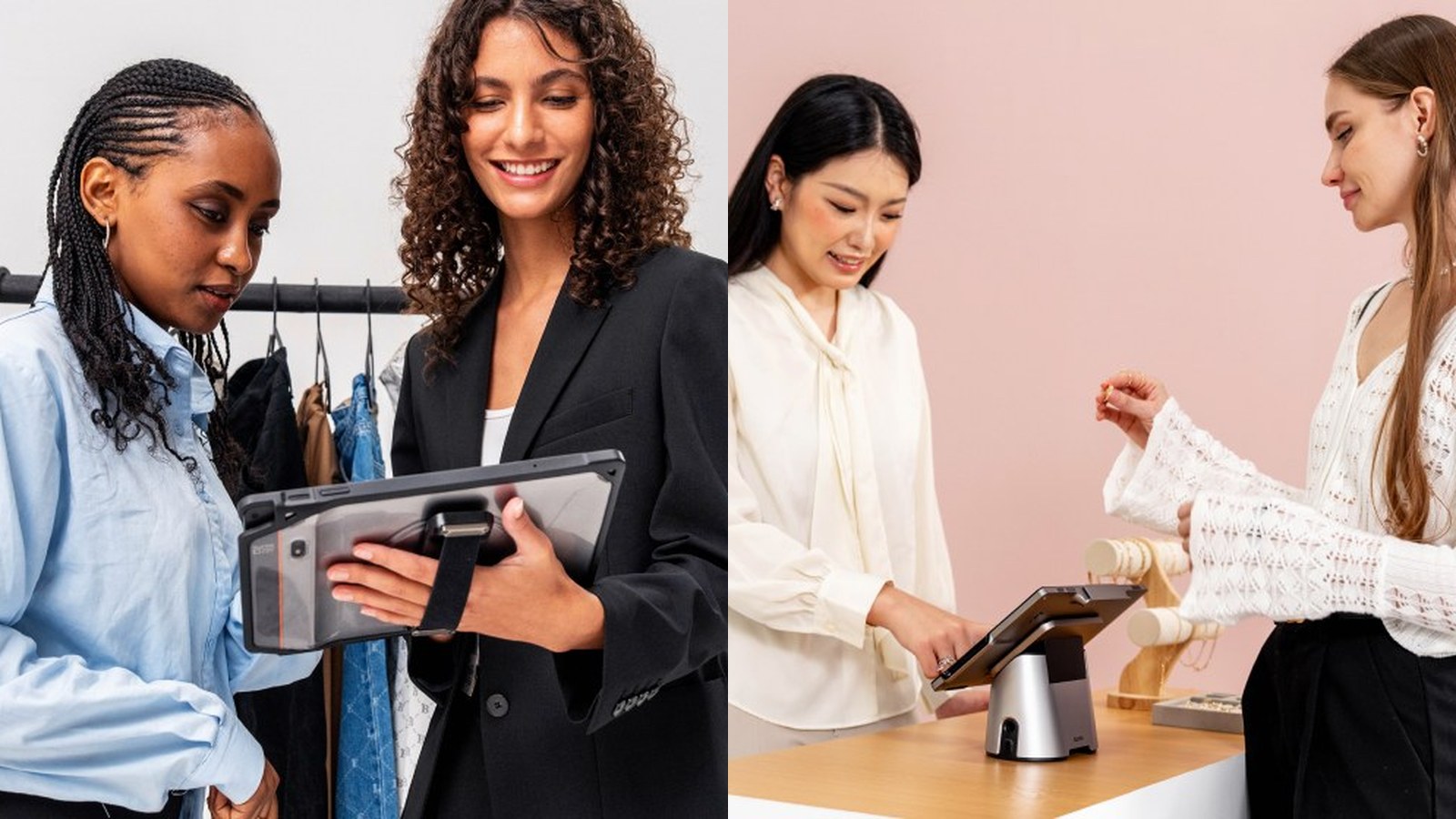
CPad Pay retail checkout runs both assisted (cashier-led) and self-serve (customer-led) modes on the same SUNMI 11-inch tablet for 2026 retail operators, with the free-flip hinge that lets a single device swap between the two modes in under 3 seconds and the on-screen NFC payment area visible to whoever is paying. US retail sales were over $5.4 trillion across all categories in 2024 per the National Retail Federation, and dual-mode checkout is the operational pattern that lets a small or mid-size retailer match the conversion rates of much larger operators without doubling the counter device count. Rosper ships CPad Pay from US warehouses in 3-5 business days with PCI PTS 6.x certification on every Gen-3 unit.
Why CPad Pay retail checkout is the dual-mode answer for 2026
Three pressures hit retail counters at once in 2026. First, the labor cost of a full-time cashier crossed $19 per hour in many US urban markets per Bureau of Labor Statistics 2025 data. Second, customers under 35 increasingly prefer self-serve for tickets under 5 items per NRF’s 2024 consumer survey. Third, store footprints are shrinking: a small-format urban convenience store cannot afford to dedicate a second counter to a self-serve kiosk SKU. The dual-mode CPad Pay answers all three. One device, two modes, same counter. See the SUNMI K2 self-service kiosk when a dedicated kiosk SKU still makes sense for large-footprint deployments.
Assisted mode: cashier-led, customer-facing display built in
In assisted mode, the cashier holds CPad Pay angled toward themselves on the counter base. The 11-inch FHD screen shows the operator-facing POS UI: item entry, modifier selection, payment confirmation. The customer-facing display on the back of the device is the secondary screen, lit by the free-flip hinge in customer-visible orientation. The customer sees the running ticket and the final total. When payment time arrives, the cashier rotates the screen toward the customer via the free-flip hinge; the customer taps NFC, dips chip, or scans QR on the same screen they were already watching.
Assisted mode advantages
- Cashier owns the throughput, which is the right call for high-velocity stores
- Add-on upsell prompts are visible to both cashier and customer on the same device
- Loss prevention: the cashier sees every scan, the customer cannot pocket items between scan and bag
- Returns and refunds run faster because the cashier owns the workflow
Self-serve mode: customer-led with the free-flip hinge
In self-serve mode, the CPad Pay sits on the counter base with the screen facing outward. The customer interacts with the POS UI directly. Item entry by barcode scan (via the snap-on 2D scanner accessory or the built-in camera), payment by on-screen NFC, chip, magstripe, or QR. No cashier required for the routine flow. A floor associate handles exceptions: age verification, manager-override discounts, store-specific promotions. The K2 Mini kiosk is the right SKU when the store wants a fully dedicated self-serve station; CPad Pay is the right SKU when the store wants flexibility.
Switching between modes in under 3 seconds
The free-flip hinge mechanically rotates the screen between cashier-facing and customer-facing orientation. The Android OS reads the hinge state and the POS app (if built against the SUNMI Unified SDK) auto-switches the UI: cashier mode shows the operator panel, self-serve mode shows the customer panel. The transition completes in under 3 seconds. No reboot, no app switch, no fleet management push required.
Three switching patterns retailers use in 2026:
- Time-based: assisted mode 10am to 2pm during the lunch rush; self-serve mode 7am to 10am and 2pm to close
- Counter-based: counter 1 always assisted; counters 2 and 3 always self-serve
- Demand-based: cashier flips the hinge whenever the queue exceeds 3 customers to drain the line faster
Inventory and barcode scanning on CPad Pay
CPad Pay supports two scanner paths. First, the snap-on 2D barcode scanner accessory (Rosper SKU available; see the Rosper 2D handheld scanner) gives sub-100-millisecond scan time on the most common 1D and 2D symbologies. Second, the rear camera handles QR and 2D scans when the snap-on is not attached. For inventory operations (cycle counts, receiving, price changes), the same device that runs checkout doubles as a handheld inventory tool when retailers pair it with a SUNMI V3 Mix handheld for heavier rugged scanning on the back-of-store side.
Loss prevention in self-serve mode
Retail loss prevention in self-serve mode rests on three layers. First, the POS app on CPad Pay can trigger item-mismatch detection: if the barcode scanned does not match the SKU expected by the rest of the basket profile, the device prompts a floor-associate intervention. Second, weight verification: if the retailer adds a small scale to the bagging station, the POS validates that the weight added matches the SKU just scanned. Third, video integration: the POS can timestamp scans against the store’s video feed for later audit. Each layer is software, not hardware; CPad Pay’s role is to host the POS app and the camera.
What the dual-mode setup does to retail conversion
Retail conversion (the percentage of footfall that results in a transaction) typically rises 4 to 8 percentage points when a small-format retailer adds self-serve capacity without taking a counter away from assisted checkout. The NRF 2024 consumer survey confirms that customers who would otherwise abandon a queue (because they only have 1 to 2 items) complete the purchase when self-serve is available. The dual-mode CPad Pay captures that lost-conversion pool without dedicating a counter to a kiosk SKU.
CPad Pay retail checkout bundles: 1 to 25 counters
1-counter convenience store
1 CPad Pay on the front counter. Cashier flips to self-serve during morning and evening solo shifts; flips to assisted during the lunch rush. Optional 2D scanner snap-on. One purchase order, one warranty, one MDM enrollment.
4-counter specialty retail
4 CPad Pay across the front counters. 1 always assisted, 2 always self-serve, 1 swing. Pair with the SUNMI Flex3 interactive display for back-of-store digital signage.
25-counter regional grocer
25 CPad Pay across all front counters. Mixed assisted and self-serve by counter location. Pair with K2 self-service kiosks at the store entrance for deep self-serve capacity. Rosper provisions SUNMI Partner Platform MDM at no extra cost.
Spec a retail dual-mode bundle
Send store count, current counter footprint, average ticket count per day, and whether you want kiosks in the mix. Rosper returns a BOM and a same-week ship plan.
Retail dual-mode CPad Pay conversion and loss-prevention data
Conversion lift on self-serve checkout adoption
A US convenience retailer running CPad Pay dual-mode across 22 stores reports self-serve adoption of 31% of total transactions after 60 days, climbing to 44% after 6 months as customer behavior shifted. Average transaction time at self-serve dropped to 28 seconds against 41 seconds at cashier-assisted, a 32% throughput gain. Peak-hour line length (defined as more than 3 customers waiting) fell 58%, and customer satisfaction scores climbed from 4.1 to 4.6 out of 5 on the chain’s exit survey.
Cashier labor reallocation
The 31% to 44% self-serve adoption rate let the chain reallocate 1 cashier shift per store per day into floor-restock and customer-assistance roles. Across 22 stores at $19 per hour fully-loaded labor cost across 8 hours, that is $3,344 per store per year in labor reallocation, or $73,500 across the chain. The labor did not disappear – it shifted from cashier ringing to floor stocking and lost-sale prevention, which the chain credits with a 4.2% same-store-sales lift across the 6-month measurement window.
Loss-prevention data in self-serve mode
The chain’s loss-prevention team tracked shrinkage attributable to self-serve mode through item-level POS audit logs. Across 1.4 million self-serve transactions over 6 months, confirmed shrink ran 0.18% by item count, versus the chain’s all-store cashier-assisted baseline of 0.09%. The doubling is real, but the absolute dollar amount remained well below the labor savings – net shrink dollar increase was $14,200 across the chain over 6 months, against $73,500 in labor savings, a 5:1 ROI. Mitigations included weight-check on a strategic item subset, attended-mode overrides for alcohol and tobacco, and a station-level CCTV overlap with the POS feed.
Bundle economics: 1 to 25 counter deployments
Bundle cost scales with counter count, peripheral mix (free-flip stand, cash drawer, snap-on scanner), and whether the deployment needs shared back-room MDM staging. Per-station cost drops at higher counter counts thanks to bulk MDM staging and pre-provisioning at Rosper’s Ontario warehouse. CPad Pay hardware is sold one-time through an authorized US distributor, and each tier ships with the same SUNMI 3-year manufacturer warranty coordinated by Rosper. Send your store count and counter footprint to request a quote for a per-tier hardware plan.
Retail dual-mode CPad Pay procurement bundle data
Lead time and stock availability across the 3 bundle tiers
The 1-counter and 4-counter bundles ship from Rosper’s US warehouses in 3 to 5 business days for orders placed by 1pm Pacific. The 25-counter regional grocer bundle requires 7 to 10 business days because of the MDM staging step at the Ontario warehouse, where each unit gets pre-loaded with the chain’s POS app, MDM policy, and counter-number labeling. The 25-counter bundle also ships with a stage-on-site service: a Rosper field engineer flies to the chain’s first 2 sites and runs the device-onboarding workflow with the store team. The field-engineer engagement is quoted as an add-on to the bundle but cuts the chain’s per-store rollout time from 5 hours to 2 hours, which pays back within the first few stores.
Handheld POS companions for backup lanes, curbside pickup, and stockroom scan
CPad Pay covers the assisted-plus-self-serve counter. A retail fleet that adds a handheld POS on top of the CPad Pay tablet closes three workflows the tablet cannot reach: backup lane during peak, curbside pickup at the parking lot, and stockroom or cold-storage inventory scan.
The SUNMI V3 Mix is the backup-lane handheld. The 80mm thermal printer prints the same receipt as the CPad Pay counter, so a shift lead can open a fifth checkout station on a busy Saturday without swapping paper stock or reconfiguring the receipt template. NFC plus EMV plus PCI PTS 6.x on the same device keeps the payment stack identical between counter and mobile lane.
The SUNMI V2s is the entry-level aisle-side scanner and price-check handheld. Store associates use it for shelf-label audits, markdown validation, and price checks during a customer inquiry. The 58mm printer prints a compact shelf tag when needed.
The SUNMI P3H is the rugged handheld for stockroom, receiving dock, and cold-storage inventory. IP65 rating handles dust and moisture, and the 1.5-meter drop spec covers the standard warehouse pallet-height fall. Receiving associates use it to scan pallets against the ASN, count into cold storage, and reconcile shrink audits without carrying a fragile tablet into the freezer.
The typical 5-counter retail store fleet blueprint that pairs handheld with CPad Pay: 5 CPad Pay at the counter (one per lane, running assisted and self-serve modes), 1 V3 Mix for backup lane plus curbside, 1 V2s for aisle-side price-check, and 1 P3H for stockroom scan. Total 8 devices on one SUNMI OS and one MDM console; a 25-counter chain scales to 25 CPad Pay plus 3 V3 Mix plus 2 V2s plus 2 P3H across the fleet.
Where CPad Pay dual-mode retail is heading in 2026 and 2027
Three retail product roadmap items are in pilot through late 2026. First, age-verification automation through the front camera, which removes the manager-callover step on alcohol and tobacco sales in self-serve mode and is in pilot at 4 US convenience chains across 220 stores. Second, weight-check integration with the under-counter scale through Bluetooth, which catches the missed-scan loss-prevention pattern in self-serve mode without adding a CCTV review step; in pilot at 2 US grocery chains. Third, AI-driven upsell prompt selection on the customer-facing display in assisted mode, which picks the next-best-action recommendation based on the current basket; in pilot at 3 specialty retailers and showing a 5% to 8% incremental ticket lift in early data.
Frequently Asked Questions
Does the POS app need to be rewritten for dual-mode?
If the POS app is built against the SUNMI Unified SDK, the hinge-state API auto-switches between cashier and customer UI. ISVs that have not adopted the hinge-state API can deploy two app instances or use a manual mode toggle. Rosper coordinates the SDK access for both paths.
Is the rear camera good enough for barcode scanning?
For occasional scans, yes. For high-volume scanning (more than 50 scans per hour per counter), the snap-on 2D barcode scanner accessory is faster and more reliable. Most retailers running CPad Pay in 2026 deploy the snap-on for primary scanning.
How does the customer know to use self-serve mode?
Most retailers ship a small signage piece on the counter base that flips with the hinge. When the screen faces the customer, the sign reads ‘Self-Serve’; when it faces the cashier, the sign reads ‘Cashier Assisted’. The store also trains floor associates to redirect customers based on queue length.
Can self-serve mode handle age-restricted purchases?
Yes, with an override flow. When the basket contains an age-restricted SKU (alcohol, tobacco, certain medications), the POS pauses the transaction and pages a floor associate. The associate validates ID and unlocks the transaction. The CPad Pay device is the orchestration point; the floor associate workflow is the human-in-the-loop step.
Does the customer-facing display still work in assisted mode?
Yes. The free-flip hinge orientation drives which face is customer-visible. In assisted mode, the back of the device shows the customer-facing screen content (current ticket, total, payment prompt). In self-serve mode, the same back-face becomes the primary customer interaction surface.