
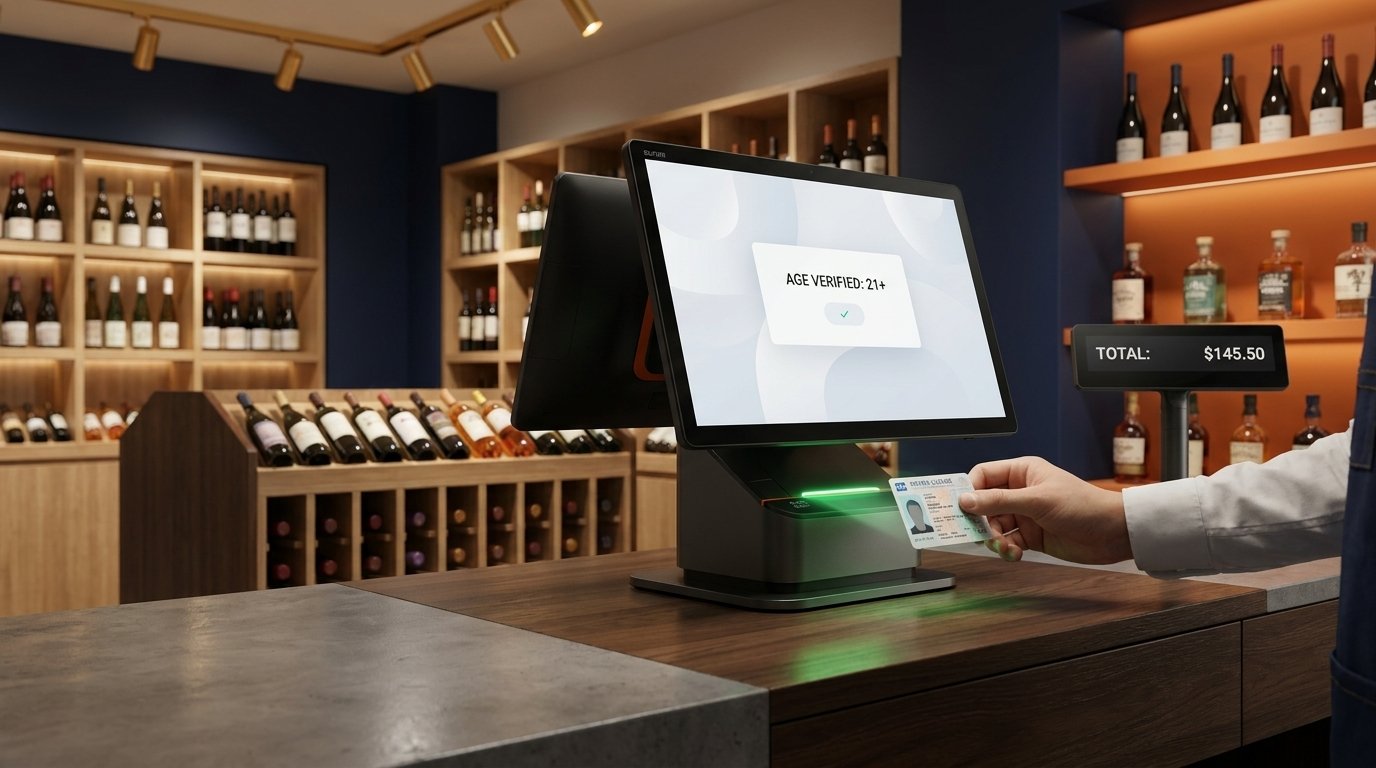
A liquor store POS setup carries a compliance burden that most retail does not. Every sale is age-restricted, and in both the United States and Canada the checkout has to satisfy a regulator that watches alcohol closely. This 2026 guide explains how liquor store POS hardware handles age verification and the provincial and state reporting that alcohol retailers are held to, so you can pick the right terminal and configure it correctly.
Yes, a SUNMI Android POS can scan and validate government-issued IDs at checkout and enforce provincial and state age rules automatically. The direct answer up front: the hardware role is age verification through ID scanning and running a certified liquor-retail app that produces the audit trail your authority expects. The reporting rules differ by province and by state, but the device requirements are consistent, a fast 2D scanner, an open Android platform, and clean itemized receipts.
Key takeaways
- SUNMI Android terminals validate government IDs at checkout. A scanner reads the PDF417 barcode on a driver license and the POS enforces the legal age automatically before the sale completes, in both the United States and Canada.
- Compliance rules are set provincially in Canada and by state ABC boards in the US. Ontario, Alberta, and BC each have distinct reporting expectations, while US requirements vary by state, so configuration matters as much as hardware.
- One Android device can run age verification, reporting, and checkout together. Rosper supplies the SUNMI hardware and coordinates warranty so a liquor retailer runs a single audit-ready terminal instead of a bolted-on scanner stack.
What Liquor Store POS Compliance Actually Means
Compliance for a beverage alcohol retailer breaks into two jobs. First, prove that every buyer is of legal age at the point of sale. Second, produce accurate sales records for the authority that licenses you, on the schedule it sets.
Your liquor store POS hardware handles the first job directly through ID scanning. The second job is mostly software and filing, but the terminal has to capture and print the line-level detail those reports are built from.
Because alcohol rules are set by each province in Canada and each state in the United States, there is no single national ruleset. A compliant liquor store POS in Ontario looks different on paper from one in Texas, even when the hardware is identical.
Canada: Provincial Liquor Authorities and Reporting
In Canada, alcohol is regulated province by province. Each province runs its own liquor authority that licenses private retailers, sets reporting rules, and in several provinces also controls wholesale supply.
| Province | Authority | Legal age |
|---|---|---|
| Ontario | LCBO / AGCO | 19 |
| Quebec | SAQ / RACJ | 18 |
| Alberta | AGLC | 18 |
| British Columbia | BC Liquor Distribution Branch | 19 |
| Manitoba | Manitoba Liquor and Lotteries | 18 |
| Saskatchewan | SLGA | 19 |
Private liquor retailers in provinces like Alberta and British Columbia typically report purchases and sales to the provincial wholesaler and remit the applicable markups and taxes. The exact fields and cadence are set by the authority, so confirm your obligations with your provincial regulator before go-live.
Your liquor store POS role here is to hold the itemized record. When the authority asks what you sold, at what price, and in what volume, the report is only as good as the data your terminal captured at the register.
United States: State ABC Boards and Control Versus License States
In the United States, alcohol is regulated at the state level through an Alcoholic Beverage Control board, usually shortened to ABC. States fall into two broad models.
Roughly 17 control states run wholesale, and sometimes retail, of distilled spirits through a state agency. The remaining license states issue licenses to private wholesalers and retailers and regulate them.
Every state sets the legal purchase age at 21 under the federal minimum drinking age law, so a US liquor store POS must verify 21 and up on every alcohol sale, no exceptions. Reporting obligations, from excise records to periodic sales filings, vary by state and license type.
The practical takeaway matches Canada. Your US liquor store POS hardware verifies age at the counter and captures the line-level detail that state excise and sales reports are built from.
Age Verification: ID Scanning on Android POS
The single most important compliance feature in a liquor store POS is fast, reliable age verification. Manual date-of-birth math at a busy counter is slow and error prone, and a single underage sale can put a license at risk.
How PDF417 ID scanning works
Every North American driver’s license and state or provincial ID card carries a PDF417 two-dimensional barcode on the back, following the AAMVA standard. That barcode encodes the holder’s date of birth and card expiry.
A 2D imager on the terminal reads the PDF417 code in under a second. The liquor-retail app parses the date of birth, checks it against the legal age for your jurisdiction, and flags an expired card, so the clerk gets an instant pass or fail instead of eyeballing a birthday.
Why a real 2D scan engine matters
Camera-based scanning on a consumer tablet is slow and unreliable on worn or laminated cards. A liquor store POS with a professional 2D scan engine reads a scuffed license on the first try, which keeps a Friday-night line moving.
SUNMI Android terminals with built-in 2D imagers scan PDF417 licenses at that speed. Because the device runs Android, it runs the certified age-verification and liquor-retail app of your choice, with no vendor lock-in on the software side.
What the POS Hardware Handles Versus What the Software Handles
It helps to draw a clean line between the two, because it tells you what to buy and what to configure.
| Job | Hardware | Software and filing |
|---|---|---|
| Scan and read an ID | 2D imager reads PDF417 | App parses and checks age |
| Record the sale | Terminal captures line items | App stores the audit trail |
| Print the receipt | Built-in thermal printer | App formats compliant fields |
| Report to the authority | Provides the source data | App or accountant files it |
The pattern is consistent. The liquor store POS hardware provides fast capture and a clean printed and stored record, while the app and your accountant turn that record into the provincial or state filing.
Best SUNMI Terminals for Liquor and Beverage Retail
Any SUNMI device with a 2D scan engine can run age verification. Match the form factor to your store layout.
| SUNMI device | Form factor | Best liquor-retail fit |
|---|---|---|
| SUNMI T3 Pro | Countertop terminal | Main checkout with scanner and printer |
| SUNMI V3 family | Handheld with printer | Mobile ID checks and floor sales |
| SUNMI D3 family | Compact desktop | Tight counters in small bottle shops |
| SUNMI K2 kiosk | Self-service kiosk | Attended self-checkout with age gate |
Compare the full lineup on the Rosper Android POS catalog, and see the retail solutions overview to shortlist by store type.
Building a Compliant Liquor Store Checkout in 6 Steps
Use this sequence to take a store from bare terminal to compliant, audit-ready checkout.
- Confirm your jurisdiction rules. Note the legal age and the reporting fields your province or state requires.
- Pick a terminal with a 2D scan engine. The imager has to read PDF417, not just product barcodes.
- Install a certified liquor-retail app. Android lets you run the age-verification and reporting software your authority accepts.
- Configure the age gate. Set the legal age for your jurisdiction and require an ID scan on every alcohol line.
- Map taxes and markups. Apply the correct provincial or state alcohol taxes so reports total cleanly.
- Test and train. Run scans on real licenses, including expired and worn cards, and train staff on the pass and fail prompts.
Work through this before opening and the first audit becomes a non-event rather than a scramble.
Reporting Without the Month-End Scramble
Charging the right price and verifying age is only half the compliance job. On a schedule set by your authority, you have to hand over accurate sales and volume records, and for alcohol those filings get scrutiny.
This is where a clean liquor store POS configuration pays off. When every sale is captured at the line level with the correct alcohol tax code, your report totals each category on its own, so you export a summary instead of rebuilding it from receipts.
Get the setup wrong and month-end turns into a spreadsheet exercise, reverse-engineering volumes and taxes from raw transactions. Across hundreds of daily sales that becomes real staff hours and real filing-error risk with a regulator you do not want to annoy.
An open Android terminal running certified liquor software handles this natively. It keeps the audit trail from the moment of sale through to the report your accountant files with the province or the state.
Multi-Location and Cross-Border Operators
If you run stores in more than one province or state, the compliance picture multiplies. A chain that spans Ontario and Alberta answers to two different authorities with two different legal ages and two different reporting formats.
An Android liquor store POS handles this in software with per-location profiles. The same hardware model runs in every store, while each location applies the right legal age, tax codes, and reporting configuration from one back office.
That standardization is a real operational win. One device model across the fleet means one training program, one spare-parts pool, and one management console, even when a store in British Columbia and a store in a US license state follow very different rules.
For operators expanding across the Canada and United States border, buying from a distributor that stocks in both countries removes the cross-border hardware headache from an already complex compliance rollout.
Liquor Store POS Compliance Checklist
Before you ring a real alcohol sale, confirm each item below on your liquor store POS.
- The terminal has a 2D scan engine that reads PDF417 driver’s license barcodes.
- The age gate is set to the correct legal age for your province or state.
- An ID scan is required on every alcohol line, not optional.
- Expired and out-of-jurisdiction IDs trigger a clear fail prompt.
- Alcohol tax codes and provincial markups are configured correctly.
- Receipts print itemized, and the app stores a complete audit trail.
- Reports export the fields your authority requires for filing.
A liquor store POS that clears this checklist protects the license, speeds the line, and turns reporting into an export rather than a monthly ordeal.
Rosper Fulfillment and Warranty for Alcohol Retailers
Rosper is the authorized SUNMI distributor for North America, stocking hardware in 8 warehouses including a Brampton, Ontario location for Canadian retailers. That footprint serves liquor stores on both sides of the border directly.
Most orders arrive in 2 to 7 business days. Current Gen 2 and Gen 3 devices carry a 3 year SUNMI warranty, and Rosper coordinates any RMA so a downed terminal does not stall your counter.
Scope a store or a fleet through the Rosper quote form, and read our related guide on convenience store checkout with lottery and age-restricted items. For device specs, the official SUNMI product site lists every terminal, and the AAMVA standard documents the PDF417 ID format.
Frequently Asked Questions
How does a liquor store POS verify a customer’s age?
The terminal scans the PDF417 barcode on the back of a driver’s license or ID card with a 2D imager. The liquor-retail app reads the date of birth, checks it against the legal age for your province or state, and flags an expired card in under a second.
What is the legal purchase age for alcohol in the US and Canada?
In the United States it is 21 in all states under the federal minimum drinking age law. In Canada it is set by province, at 18 in Alberta, Manitoba, and Quebec, and 19 in the rest, so the POS age gate is configured per location.
Do liquor stores have to report sales to a provincial or state authority?
Yes. Canadian provinces regulate alcohol through authorities like the LCBO, AGLC, and BC Liquor Distribution Branch, and US states regulate through ABC boards. Each sets its own reporting fields and schedule, and the POS provides the line-level source data for those filings.
Which SUNMI terminals work for a liquor store?
Any SUNMI device with a built-in 2D scan engine, such as the T3 Pro countertop, the V3 handheld, or the D3 desktop, can read PDF417 IDs and run a certified liquor-retail app. Rosper ships them in 2 to 7 business days from 8 North American warehouses.