
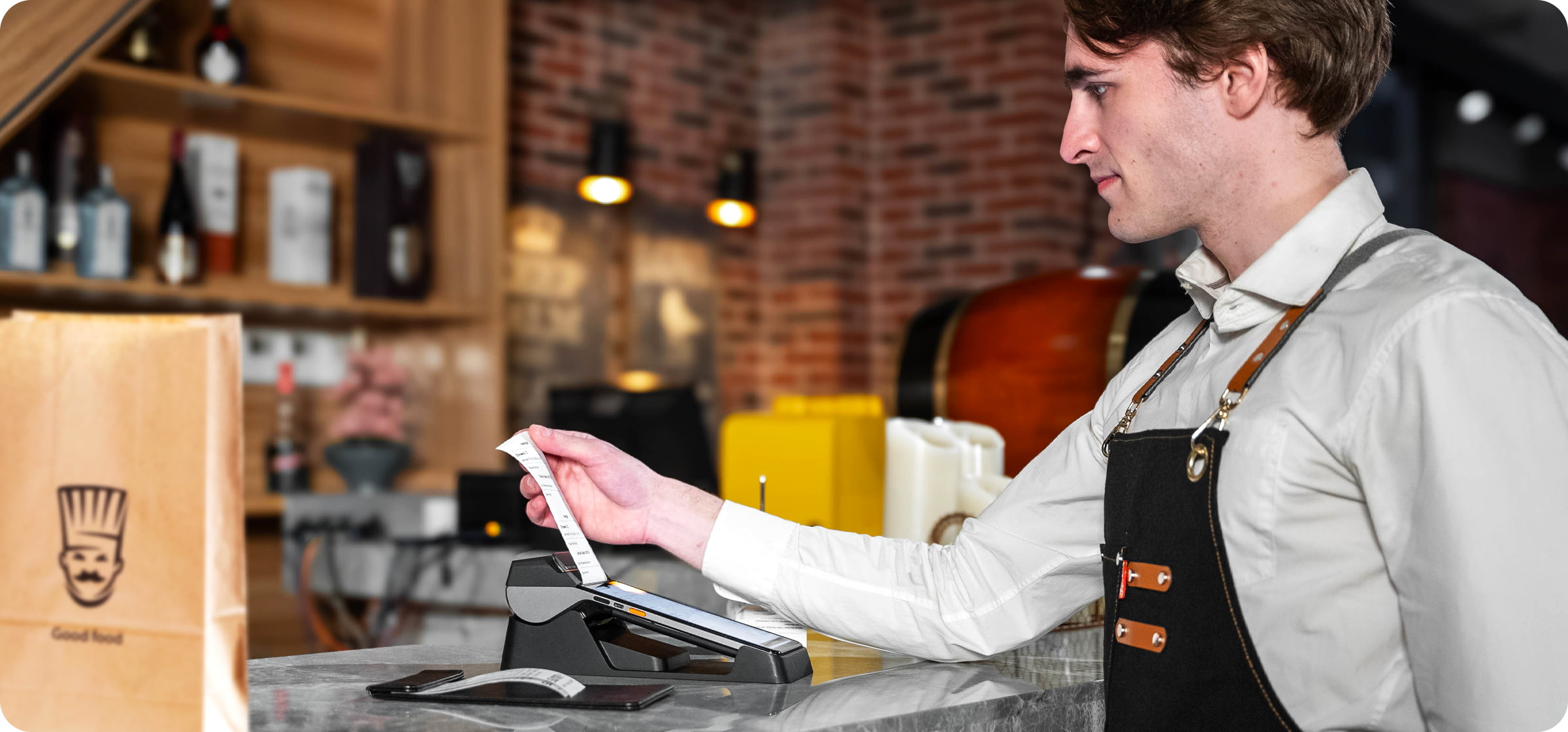
Restaurant POS hardware is the backbone of every efficient dining operation in 2026. Behind every smooth checkout, accurate kitchen order, and fast table turn is a set of hardware working quietly in the background. Choosing the right restaurant POS hardware can cut wait times, reduce order errors, and keep your staff focused on what matters.
But with so many options available — countertop terminals, tablets, handheld devices, self-ordering kiosks, kitchen displays, receipt printers — it can be hard to know what you actually need.
This guide breaks down the essential restaurant POS hardware by restaurant type so you can build the right setup for your operation.
The core components of a restaurant POS system
Before diving into specific recommendations, here are the restaurant POS hardware categories that make up a modern setup. Not every restaurant needs all of them, but understanding each component helps you build the right configuration.
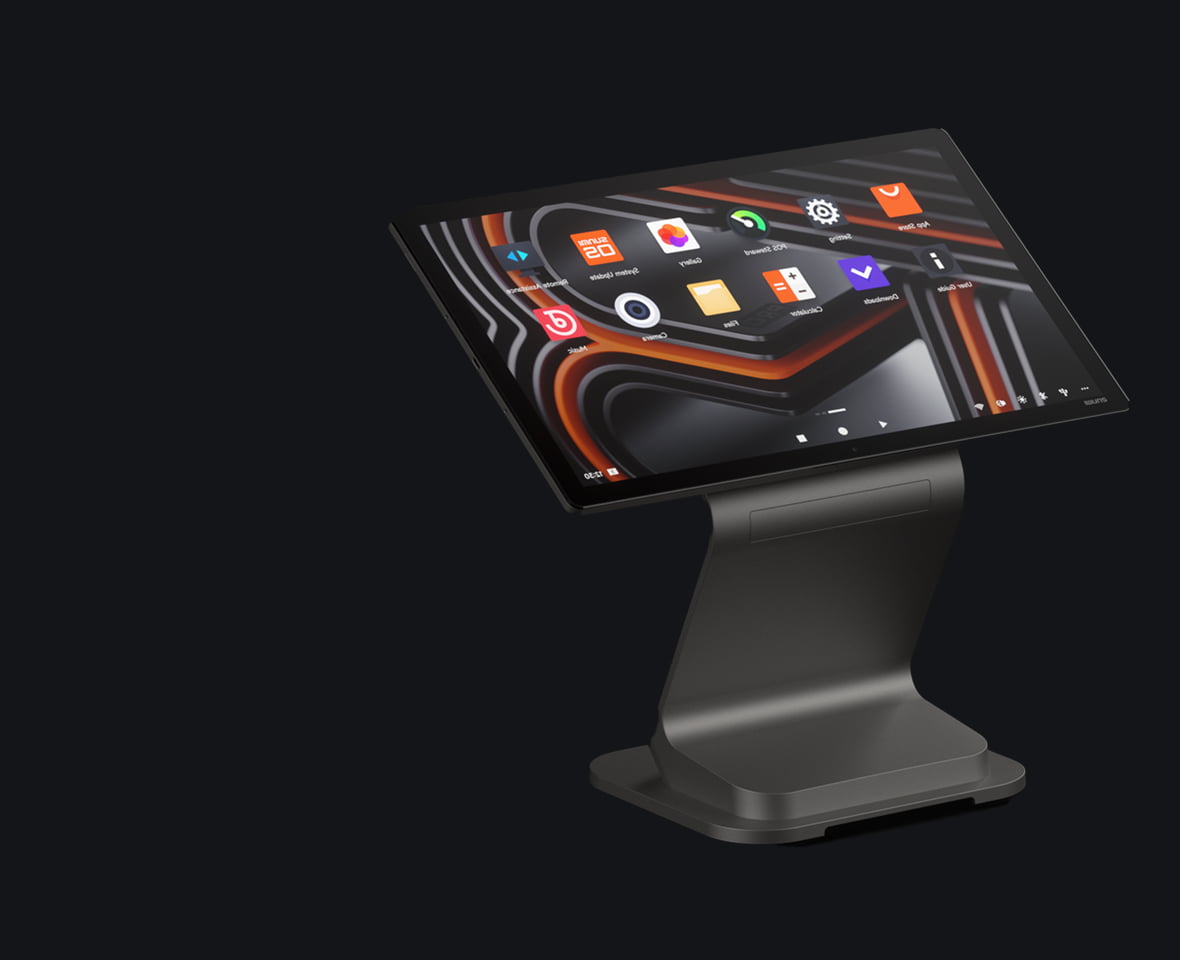
Countertop POS terminal
This is the main hub where staff take orders and process payments. Rosper, an authorized SUNMI distributor in the United States and Canada, stocks the latest SUNMI countertop terminals for fast delivery across the US. Modern Android-based terminals like the SUNMI D3 Pro feature 15.6-inch FHD touchscreens, aluminum bodies, and optional customer-facing displays with NFC for contactless payments. They handle everything from order entry to end-of-day reporting.
Best for: Full-service restaurants, fast-casual, bars
Tablet-based POS
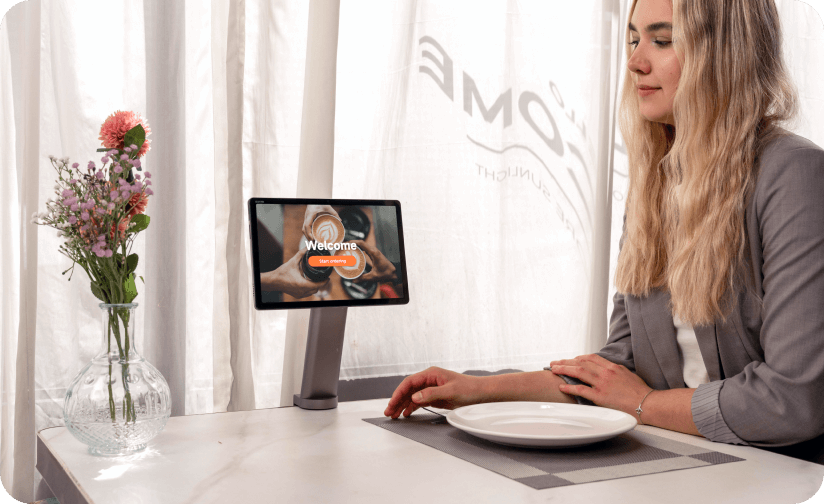
Tablet POS systems offer flexibility at a lower price point. Devices like the SUNMI CPad (available in 11-inch and 14-inch versions) run Android 13 with Google Mobile Services certification, meaning they support thousands of POS software apps from the Google Play Store. Paired with a desktop stand, receipt printer, and cash drawer, a tablet setup delivers full POS functionality.
Best for: Cafés, small restaurants, food trucks, pop-up locations
Self-ordering kiosk
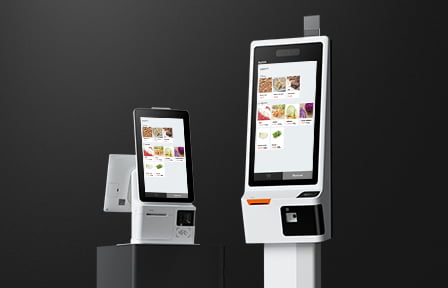
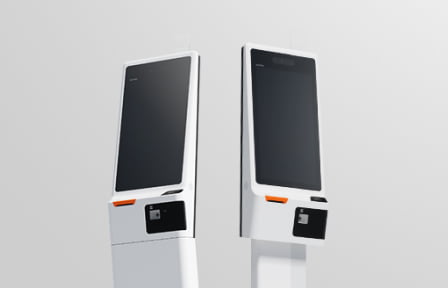
Self-ordering kiosks let customers browse the menu, customize orders, and pay without waiting in line. The SUNMI K2 Smart Kiosk includes a built-in 80mm receipt printer, 2D barcode scanner, and NFC reader in a single unit. For smaller spaces, the K2 Mini weighs just 10 kg and supports wall mounting.
Quick-service restaurants using self-ordering kiosks typically see a 15–30% increase in average order value because customers feel less rushed and are more likely to add extras.
Best for: QSR, fast-casual, cafeterias, food courts
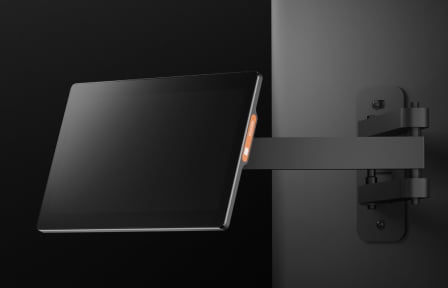
Kitchen display system (KDS)
A KDS replaces paper tickets in the kitchen with a digital screen that shows orders in real time. When a server submits an order at the POS, it appears instantly on the kitchen display. The SUNMI D2s KDS offers a 15.6-inch screen with Power over Ethernet (PoE), eliminating the need for a separate power cable — one ethernet cable handles both data and power.
Best for: Any restaurant with a kitchen or prep area
Receipt and kitchen printers
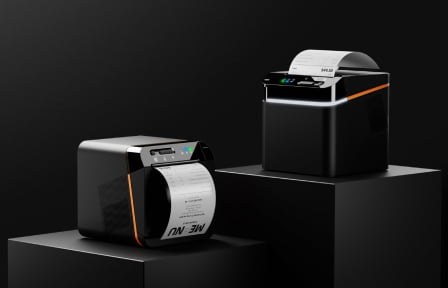
Receipt printers remain essential for customer-facing transactions and kitchen order routing. Cloud-connected kitchen printers like the SUNMI 80mm Kitchen Cloud Printer are built for harsh environments with IP52 dust and water resistance, automatic order reprinting after paper jams, and cloud recovery that retrieves pending orders up to 24 hours after a network outage.
Best for: Every restaurant type
Handheld POS devices
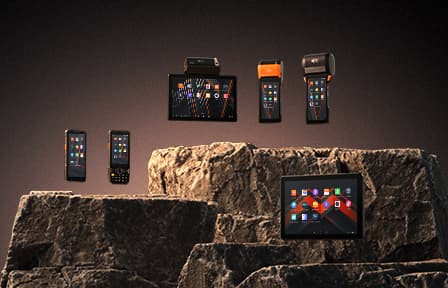
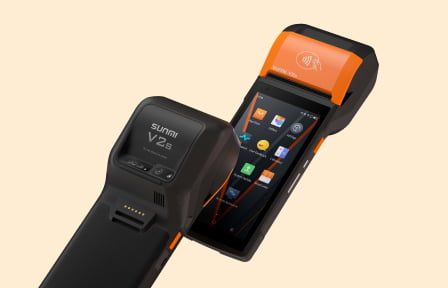
Handheld terminals let servers take orders and process payments tableside. Devices like the SUNMI V2s include a built-in receipt printer, NFC reader, and barcode scanner in a device that fits in one hand. Tableside ordering reduces round trips to a stationary terminal and speeds up table turns. For a deeper dive, see our mobile POS hardware guide for restaurants.
Best for: Full-service restaurants, bars, outdoor dining, food delivery
Cash drawer
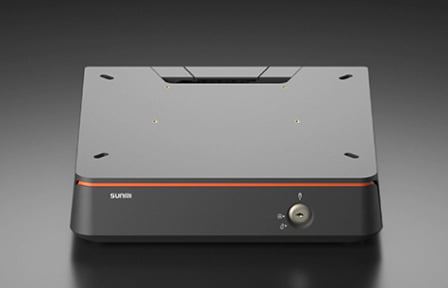
Even in an increasingly cashless world, most restaurants still need a cash drawer. Standard cash drawers connect via USB or RJ11 to your POS terminal and open automatically when a cash transaction is processed.
Best for: Any restaurant that accepts cash payments
Recommended configurations by restaurant type
Quick-service restaurant (QSR)
A busy QSR needs speed above all else. The goal is to process the highest number of orders per hour with minimal wait time.
Recommended setup:
- 1–2 self-ordering kiosks (SUNMI K2 or K2 Mini) for customer self-service
- 1 countertop POS terminal (SUNMI D3 Pro) for staff-assisted orders
- 1–2 kitchen cloud printers for order routing
- 1 KDS (SUNMI D2s) for the kitchen line
- Cash drawer
This configuration allows customers to order independently while staff handle complex or large orders at the counter. Kitchen orders flow automatically to both the printer and display.
Full-service restaurant
Full-service restaurants prioritize guest experience and table management. Servers need flexibility to take orders and close checks at the table.
Recommended setup:
- 1 countertop POS terminal (SUNMI D3 Pro with customer display) as the main station
- 2–4 handheld POS devices (SUNMI V2s) for tableside ordering
- 1 KDS for the kitchen
- 1 kitchen cloud printer as backup
- Cash drawer
Handheld devices cut order-to-kitchen time from minutes to seconds. Guests can also tap to pay at the table, eliminating the walk-to-register-and-back cycle.
Fast-casual restaurant
Fast-casual restaurants blend counter ordering with a more polished dining experience. A hybrid setup works best.
Recommended setup:
- 1 countertop POS terminal (SUNMI D3 Pro or D3 Mini)
- 1–2 self-ordering kiosks (SUNMI K2 Mini)
- 1 KDS for the kitchen
- 1 kitchen cloud printer
- Cash drawer
The kiosks handle the lunch rush while staff focus on order accuracy and customer engagement at the counter.
Café or coffee shop
Cafés need a compact, fast setup that can handle high-volume drink orders efficiently.
Recommended setup:
- 1 tablet POS (SUNMI CPad 11) with desktop stand
- 1 receipt printer
- Cash drawer
- Optional: 1 handheld device for mobile ordering during peak hours
The CPad offers a full POS experience in a small footprint, and its Android 13 platform supports popular café POS apps.
Food truck or pop-up
Mobile operations need lightweight, portable hardware that works on cellular or Wi-Fi connections.
Recommended setup:
- 1 handheld POS (SUNMI V2s) with built-in printer and NFC
- Optional: 1 tablet POS (SUNMI CPad 11) with battery stand
- Optional: portable cash drawer
The V2s is fully self-contained — it takes orders, processes payments, and prints receipts in a single device. No additional peripherals required.
Bar or nightclub
Bars need durability, speed, and the ability to manage tabs across multiple customers.
Recommended setup:
- 1–2 countertop POS terminals at the main bar
- 1–2 handheld devices for floor servers
- Receipt printer at the bar
- Cash drawer
Multiple terminals ensure bartenders are never waiting to close out a tab, even during peak hours.
Key features to look for in restaurant POS hardware
When evaluating restaurant POS hardware for your operation, these features matter most:
Android-based open platform
Android POS terminals run your choice of POS software — not a locked-down proprietary system. This gives you freedom to switch software providers, customize your setup, and access thousands of apps. Look for devices with Google Mobile Services (GMS) certification to ensure full compatibility.
Built-in connectivity
Modern restaurant hardware should support Wi-Fi (2.4GHz and 5GHz), Bluetooth, and ethernet. Some devices like the SUNMI K2 support Wi-Fi 6E for faster wireless performance in crowded environments.
Remote device management (MDM)
If you operate multiple locations or plan to scale, remote device management lets you update software, push configurations, and monitor device health across your entire fleet from a single dashboard. Rosper provides free SUNMI MDM enrollment — this is especially critical for franchise operations managing hundreds or thousands of devices.

Durability and protection ratings
Restaurant kitchens are harsh environments. Kitchen printers should have at least IP52 protection against dust and water. Terminals near food prep areas benefit from screens with strong scratch resistance.
3-year warranty on current-generation products
Hardware failures during service hours are costly. A strong warranty protects your investment. Current third-generation SUNMI products include a standard 3-year warranty.
How to budget for restaurant POS hardware
Restaurant POS hardware costs vary depending on restaurant type and scale. What drives the total is the mix of devices you deploy: countertop terminals, tablets, self-ordering kiosks, kitchen displays, cloud printers, handhelds, and cash drawers. Rather than a fixed price list, the right way to plan is to map your service style and peak-hour volume to a device configuration, then request a quote for that exact setup.
A compact café setup with a tablet, printer, and cash drawer sits at the lighter end, while a full QSR deployment with multiple kiosks, a counter terminal, a KDS, and kitchen printers sits at the heavier end. Multi-unit operators deploying 50 or more devices typically qualify for volume pricing, so per-device cost drops meaningfully at fleet scale.
Request a quote through Rosper, an authorized SUNMI distributor, for pricing on the configuration that fits your operation.
For a detailed review of the SUNMI CPad tablet, see our SUNMI CPad buyer’s guide.
Frequently asked questions
What is the most important piece of POS hardware for a restaurant?
The countertop POS terminal or tablet POS is the foundation of any restaurant setup. It handles order entry, payment processing, and reporting. Everything else — kiosks, kitchen displays, printers — connects to or extends this core device.
Can I use a regular tablet as a restaurant POS?
You can, but purpose-built commercial tablets are more reliable. Commercial Android tablets designed for POS use include features like reinforced ports, longer lifespan components, and compatibility with peripheral devices like receipt printers and cash drawers. Read our guide to choosing business tablets for a detailed comparison. Consumer tablets often lack these features and may not support commercial POS accessories.
Do I need a self-ordering kiosk for my restaurant?
Kiosks are not required, but they deliver measurable ROI for restaurants with high counter traffic. QSR and fast-casual restaurants see the strongest returns, typically through higher average order values and faster throughput during peak hours.
What is the difference between a kitchen display system and a kitchen printer?
A KDS shows orders digitally on a screen, allowing kitchen staff to mark items as complete and track prep times. A kitchen printer produces a physical paper ticket. Many restaurants use both — the KDS as the primary system and the printer as a backup or for specific stations.
Should I choose Android or proprietary POS hardware?
Android-based POS hardware gives you the flexibility to choose and switch between POS software providers. Proprietary systems lock you into one vendor’s ecosystem. For most independent restaurants and multi-unit operators, an open Android platform offers better long-term value and adaptability.
How many POS terminals does a restaurant need?
A small café or food truck may need just one device. A full-service restaurant typically needs 1 countertop terminal plus 2–4 handheld devices. QSR locations benefit from 1–2 staff terminals plus 1–3 self-ordering kiosks. The right number depends on your peak-hour order volume and service style.
What connectivity do restaurant POS devices need?
At minimum, Wi-Fi and ethernet. Wi-Fi provides flexibility for handheld and kiosk placement, while ethernet offers a stable wired connection for stationary terminals and kitchen devices. Bluetooth is useful for connecting peripherals like barcode scanners.
How long does restaurant POS hardware typically last?
Well-maintained commercial POS hardware typically lasts 5–7 years. Choosing devices with strong manufacturer support, regular software updates, and extended warranties helps maximize your hardware lifespan. Current-generation SUNMI devices come with a 3-year standard warranty.
Get the right hardware for your restaurant
Choosing POS hardware does not need to be complicated. Start with your restaurant type and daily order volume, then build out from the core terminal to peripheral devices as needed.
Rosper is an authorized SUNMI distributor in the United States and Canada, with inventory across 8 warehouses for fast shipping throughout North America. Most orders arrive in 2–7 business days. Whether you need a single tablet for a new café or a fleet of kiosks and terminals for a multi-location rollout, the Rosper team can help you configure the right setup — including free SUNMI MDM enrollment for remote device management.
Talk to our team about your restaurant hardware needs.