
If you are shopping for interactive displays, kitchen display systems, or self-ordering kiosks for your business in North America, the SUNMI Flex 3 is probably on your shortlist. It launched in late 2025 and has quickly become one of the most requested commercial displays among restaurants, retailers, and service businesses across the US and Canada.
But specs alone do not tell you whether this device fits your business. This guide breaks down the Flex 3 from a practical, North American buyer’s perspective – what it does well, where it falls short, how it compares to alternatives, and how to choose the right configuration for your use case.
What the SUNMI Flex 3 actually is
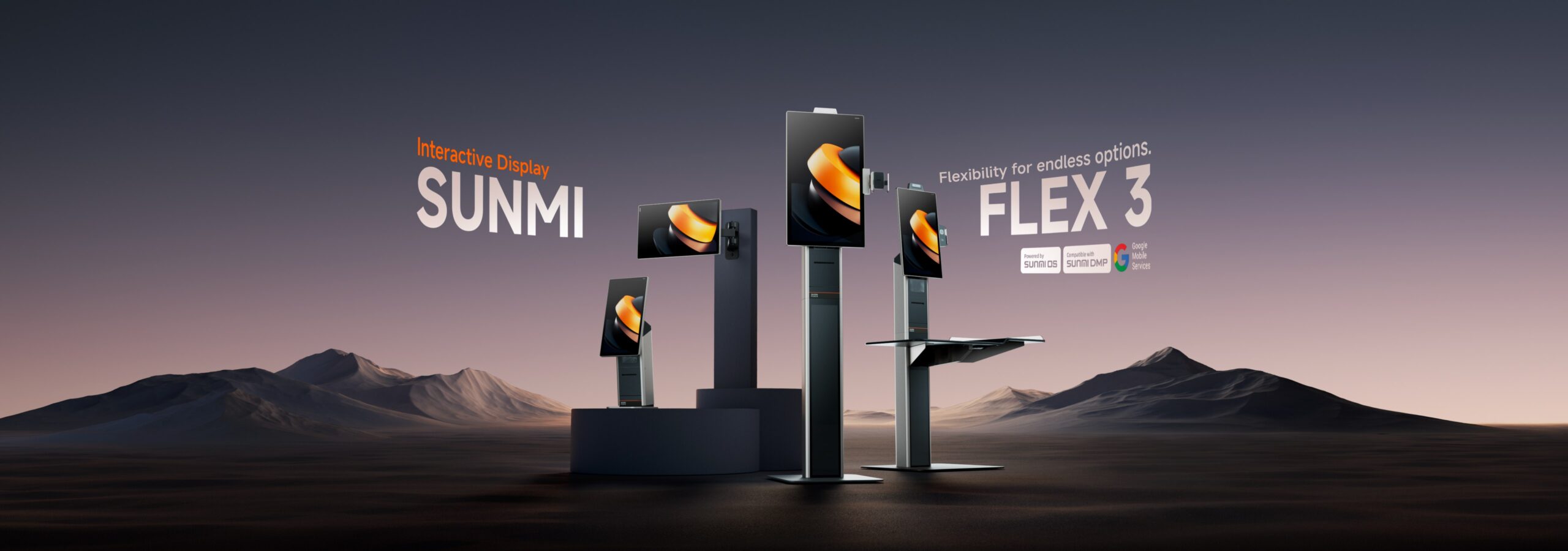
The Flex 3 is an Android-based commercial interactive display available in three sizes: 18.5″, 22″, and 27″. Think of it as a purpose-built business tablet that mounts on a wall, sits on a counter, or stands on the floor as a kiosk.
Unlike consumer tablets repurposed for commercial use, the Flex 3 was designed from scratch for high-traffic business environments. The screen has an anti-fingerprint coating, the processor is a Qualcomm octa-core (6nm, 2.7GHz), and the device includes an AI accelerator with up to 13 TOPS of on-device computing power.
Which size should you choose?
This is the first question most buyers ask, and the answer depends entirely on your use case:
18.5″ – the compact option. Best for countertop customer-facing displays, small checkout stations, or kitchens with limited wall space. If you are replacing a legacy KDS monitor or adding a customer display next to your existing POS terminal, this is the size to start with.
22″ – the sweet spot for most businesses. Large enough for self-ordering with clear menu visibility, but not so large that it dominates small spaces. This is the most popular size for quick-service restaurants, cafes, and retail stores in North America.
27″ – the full kiosk experience. If you are building a self-service station where customers browse a full menu or catalog, 27 inches gives them room to navigate comfortably. Also the preferred size for digital signage and visitor registration systems.
All three sizes share the same 1920×1080 FHD resolution, 400 nits brightness, and 16mm narrow bezels.
The Flex 3 as a kitchen display system (KDS)
KDS is one of the strongest use cases for the Flex 3 in North America. Restaurants are replacing paper ticket rails and aging monitors with the Flex 3, and here is why it works:
- The anti-fingerprint screen coating holds up in greasy kitchen environments
- POE (Power over Ethernet) means one cable for power and data, keeping kitchen wiring clean
- The GSensor auto-rotates the display between landscape and portrait, so you can mount it however fits your kitchen layout
- The Qualcomm processor handles order queues without lag, even during rush hours
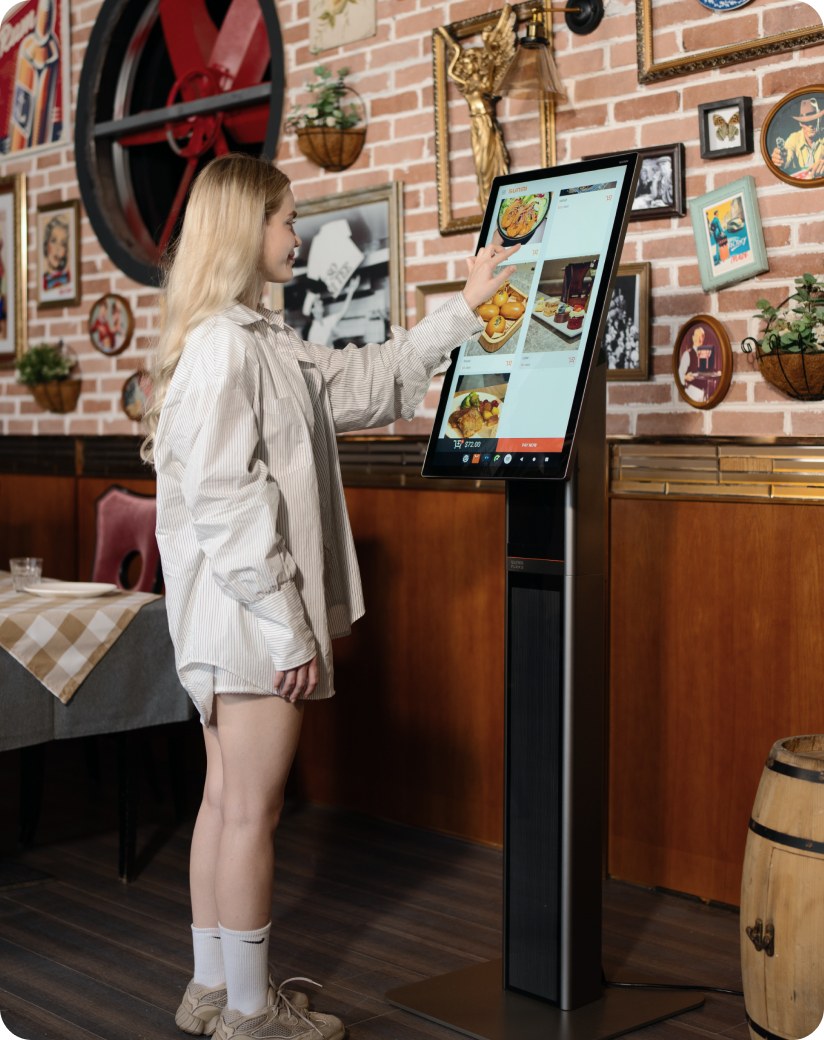
For KDS, the 22″ and 27″ sizes are most common. The 18.5″ works in tight prep stations but can be hard to read from across a busy kitchen line.
One thing to note: the Flex 3 is not IP-rated for water resistance. It handles grease and fingerprints well, but it should not be placed directly next to a steam table or in a dishwashing area.
Self-ordering kiosks: where the Flex 3 shines
Self-ordering is where the Flex 3’s hardware really comes together. The large screen, NFC payment capability, AI accelerator, and flexible mounting options make it a strong self-service platform.
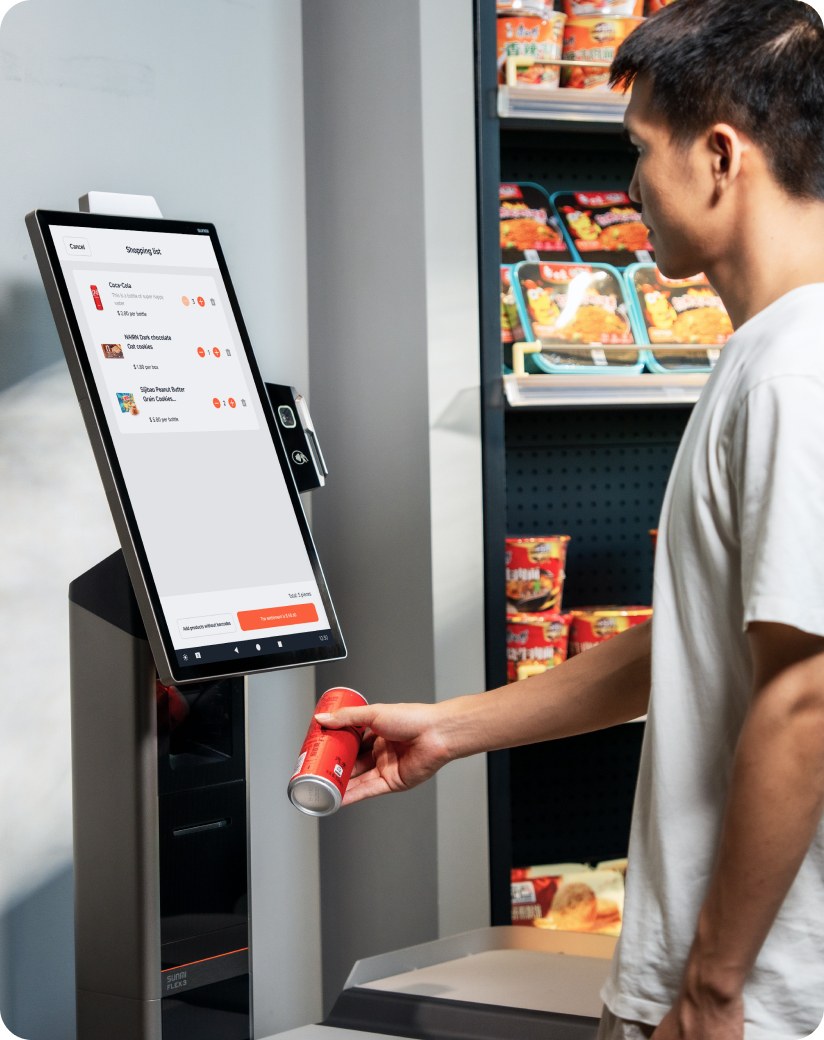
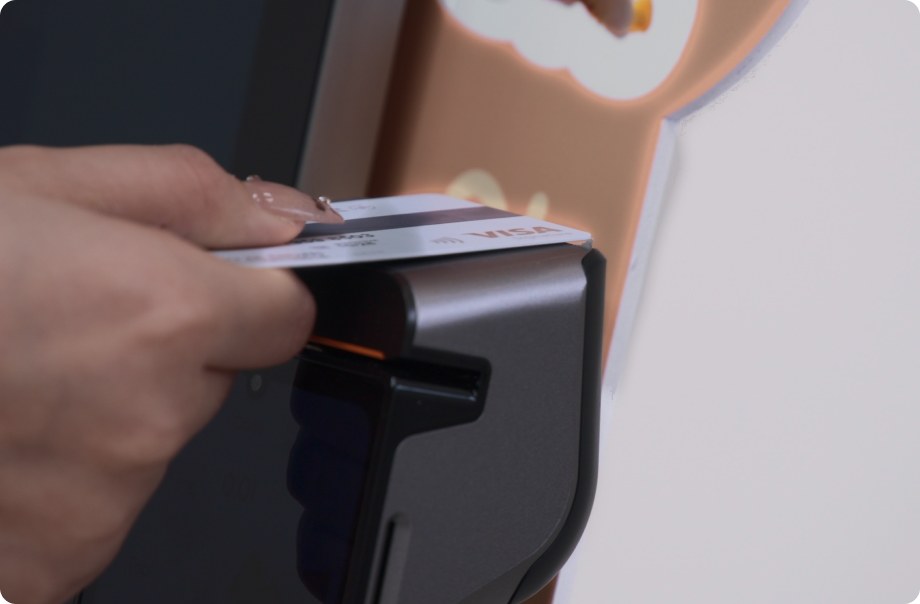
The built-in NFC is EMVCo PCD L1 certified and supports tap-to-pay directly on the screen. For Canadian businesses, this works with Interac Flash and other contactless methods common in the Canadian market. No separate payment terminal needed for basic contactless transactions.
The 13 TOPS AI accelerator enables voice ordering (customers speak their order), facial recognition for loyalty programs, and loss prevention when paired with camera accessories. All processing happens on-device, so these features work even with unstable internet.
Flex 3 vs. other commercial display options
If you are evaluating interactive displays for your business, you are probably comparing a few options. Here is how the Flex 3 stacks up:
Flex 3 vs. consumer tablets (iPad, Samsung Galaxy Tab): Consumer tablets are cheaper upfront but lack commercial-grade durability, VESA mounting, POE support, built-in NFC for payments, and centralized device management. You also lose the 3-year warranty that comes with commercial hardware. For a single checkout display, a tablet might work. For any multi-unit deployment, commercial hardware pays for itself in reliability and lower maintenance costs.
Flex 3 vs. legacy KDS monitors: Older KDS systems are often just dumb displays connected to a separate controller box. The Flex 3 is an all-in-one: display, processor, Wi-Fi, and payment capability in a single device. Less hardware, less wiring, fewer failure points.
Flex 3 vs. other Android commercial displays: The Flex 3’s combination of three size options, 13 TOPS AI, built-in NFC SoftPOS, and POE in a 17mm slim profile is hard to match at this price point. Most competing Android displays offer either the processing power or the payment capability, but not both.
Installation: POE, VESA, and mounting options
The Flex 3 supports standard 100x100mm VESA mounting, which means it works with most off-the-shelf wall mounts and arms. SUNMI also makes purpose-built accessories:
- Desktop stands for countertop checkout or customer-facing display
- Floor stands for free-standing kiosk deployments
- Lite desktop stand (L-shaped) for compact setups
- POS stand for integrated checkout configurations
POE (Power over Ethernet) is available as an add-on module. It delivers power and data through a single Ethernet cable, which simplifies wall and ceiling installations significantly. If you are mounting the Flex 3 somewhere that is hard to reach with a power outlet, POE is worth adding to your order.
Payment capabilities
The Flex 3 handles payments in multiple ways:
- NFC SoftPOS – tap-to-pay built into the screen (EMVCo PCD L1 certified). Works with Apple Pay, Google Pay, and Interac Flash
- Card payments – via compatible external payment terminal accessories
- QR code payments – through built-in or accessory cameras
- Loyalty and membership cards – via the optional 3-in-1 accessory (NFC reader + MSR + barcode scanner)
Software compatibility
The Flex 3 runs SUNMI OS, which is built on Android. This means it is compatible with most Android-based POS, kiosk, and KDS applications. You can install software from the SUNMI app market or sideload APKs directly.
For ISVs and software developers, SUNMI provides a full SDK and developer documentation. The open Android platform means you are not locked into a proprietary software ecosystem – you choose the POS software that fits your business.
Key specifications
| Feature | Specification |
|---|---|
| Screen sizes | 18.5″, 22″, 27″ |
| Resolution | 1920 x 1080 FHD |
| Brightness | 400 nits |
| Processor | Qualcomm Octa-Core, 2.7GHz, 6nm |
| RAM / Storage | Up to 8GB / 256GB + microSD up to 2TB |
| AI Performance | Up to 13 TOPS |
| NFC | EMVCo PCD L1 certified SoftPOS |
| Mounting | 100x100mm VESA |
| Connectivity | Wi-Fi, Ethernet (RJ45), POE (optional) |
| Ports | 3x USB-A, 4x Micro USB, 1x USB-C power, 1x USB-C debug, 1x RJ45, 1x POE |
| Orientation | Auto-rotate (GSensor) |
| Profile | 17mm slim, 16mm bezel |
| OS | SUNMI OS (Android-based) |
Where to buy the SUNMI Flex 3 in the US and Canada
Rosper is SUNMI’s authorized distributor in North America, stocking the Flex 3 across 8 warehouses in the US and Canada. All three sizes and the full accessory range (stands, POE modules, cameras, 3-in-1 reader) are available for immediate shipment.
Most orders arrive in 2-7 business days. Every Flex 3 purchased through Rosper includes the 3-year SUNMI Care warranty, and Rosper assists with any warranty claims – helping you connect with SUNMI faster if you need repairs or replacements.
Whether you need a single unit for evaluation or bulk quantities for a multi-location rollout, request a quote from Rosper to get pricing for your configuration.
Frequently Asked Questions
Is the SUNMI Flex 3 waterproof for kitchen use?
The Flex 3 is not IP-rated for water resistance. The anti-fingerprint coating handles grease and frequent touching well, making it suitable for most kitchen environments. However, it should not be placed directly next to steam equipment or in areas where it could be splashed with water.
Does the Flex 3 have a built-in printer?
No. For receipt or ticket printing, connect an external SUNMI printer via USB or Bluetooth. The SUNMI 80mm Kitchen Cloud Printer is a popular pairing for KDS setups.
Can the Flex 3 be used for digital signage?
Yes. The FHD screen, 400 nit brightness, and expandable storage (microSD up to 2TB) make it capable for in-store signage. Install any Android-compatible digital signage app from the SUNMI app market or sideload your preferred solution.
Does the Flex 3 support 4G cellular connectivity?
The Flex 3 does not have a built-in 4G module. For locations without wired internet or Wi-Fi, use a 4G Dongle accessory or a portable Wi-Fi hotspot.
What warranty comes with the SUNMI Flex 3?
Every Flex 3 purchased through Rosper includes the 3-year SUNMI Care Standard warranty. Rosper assists with warranty claims for customers in the US and Canada, helping you connect with SUNMI faster for repairs or replacements.
Can I customize the Flex 3 with my business branding?
SUNMI offers customization options including decorative strips, floor-standing light boxes, and KT board inserts. Contact Rosper for details on branding options and minimum quantities.