
Key takeaways
- Compliance is a full-solution question, not a hardware checkbox. Section 508 conformance depends on hardware, software, mounting height, and installation together. The SUNMI K2 covers the device layer with Android accessibility services.
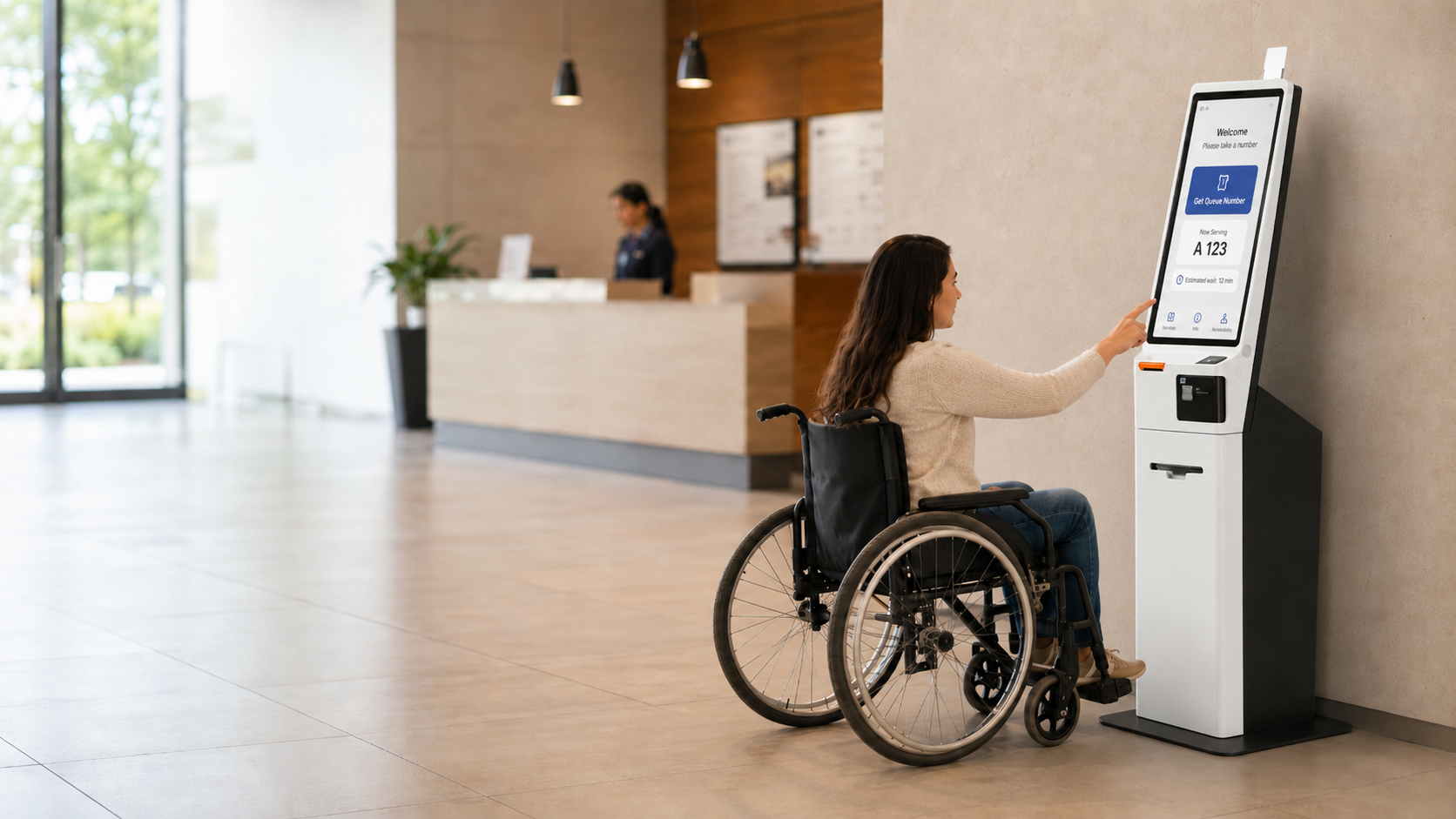
- Reach ranges are the hard physical gate. Operable parts must sit within 15 to 48 inches for forward and side reach, with a 30 by 48 inch clear floor space, per the 2010 ADA Standards.
- Audio and screen-reader paths are mandatory in most RFPs. The K2 supports TalkBack, a 3.5mm headphone jack, adjustable volume, and high-contrast display for WCAG 2.1 AA aligned workflows.
- K2 vs K2 Mini is a use-case choice. The 21.5 inch K2 suits information-heavy government forms and wayfinding; the 15.6 inch K2 Mini suits transaction kiosks in tighter, lower-mounted enclosures.
- Documentation and local stock speed the award. Rosper supplies VPAT and conformance references, pre-staging, and ships most orders in 2-7 business days from 8 US and Canada warehouses.
Yes, the SUNMI K2 kiosk is built to support the ADA and Section 508 accessibility requirements that federal procurement officers must verify before any 2026 self-service kiosk award, and Rosper supplies the conformance documentation and pre-staging on every order. Final Section 508 conformance always depends on the complete deployment, not the hardware alone.
When government agencies and public institutions evaluate self-service kiosk deployments, accessibility compliance is not optional. Federal procurement rules under Section 508 of the Rehabilitation Act, combined with ADA requirements, create strict standards that every hardware solution must meet. This guide breaks down what procurement officers need to know about the SUNMI K2 kiosk platform and how Rosper supports compliant deployments across the United States and Canada.
Why the SUNMI K2 kiosk fits Section 508 procurement
Section 508 requires that information and communication technology (ICT) used by federal agencies be accessible to people with disabilities. For self-service kiosks, this covers hardware interfaces, touchscreen usability, audio output, tactile controls, and the overall user experience.
The U.S. Access Board’s standards address several kiosk-specific requirements:
- Operable parts must be within reach range for wheelchair users
- Touchscreens must support alternative input methods such as audio navigation or tactile controls
- Visual displays need sufficient contrast, adjustable text sizing, and screen reader compatibility
- Audio output should include headphone jacks and adjustable volume controls
- Privacy and security features must be accessible to all users
Understanding these requirements is the first step toward a procurement-ready kiosk solution.
SUNMI K2 and K2 Mini: Hardware Specifications for Public Sector Use
The SUNMI K2 family of self-service kiosks runs on the Android operating system, which provides built-in accessibility features that support Section 508 compliance. Key specifications relevant to public deployments include:
SUNMI K2:
- 21.5-inch full HD touchscreen display
- Android 11 operating system with TalkBack screen reader support
- Quad-core processor for smooth application performance
- Multiple peripheral ports (printer, scanner, NFC reader)
- Flexible mounting options (floor stand, wall mount, countertop)
- 15.6-inch HD touchscreen display
- Compact form factor for space-constrained locations
- Android 11 with full accessibility feature set
- Integrated Seiko thermal printer
- Camera module for ID verification workflows
Both devices support kiosk mode lockdown, MDM remote management, and custom application deployment. These capabilities allow procurement teams to configure the kiosk experience to meet specific accessibility requirements at the software layer.
How Rosper Supports Section 508 Kiosk Deployments
Rosper is the authorized SUNMI distributor in the United States and Canada. For public sector procurement teams, Rosper provides:
- Hardware consultation: Matching the right K2 or K2 Mini configuration to your deployment requirements, including touchscreen size, mounting type, and peripheral selection
- Pre-staging services: MDM enrollment, application preloading, and kiosk mode configuration before units leave the warehouse
- Fast fulfillment: Stock held in 8 warehouses across the US and Canada, with most orders arriving in 2-7 business days
- Technical support: SUNMI-authorized warranty assistance and ongoing technical guidance from a North America-based team
Rosper does not manufacture the devices or certify accessibility compliance. That determination depends on the complete solution: hardware, software, mounting configuration, and physical installation. However, Rosper can connect your procurement team with SUNMI’s technical documentation and assist with hardware evaluation for your specific use case.
Accessibility Considerations for Kiosk Procurement
When writing an RFP or evaluating kiosk proposals, procurement officers should request the following documentation from vendors:
1. VPAT (Voluntary Product Accessibility Template) or ACR (Accessibility Conformance Report) covering the kiosk hardware and operating system
2. Physical accessibility plan confirming reach range compliance, floor space requirements, and operable parts positioning
3. Software accessibility evidence demonstrating TalkBack or equivalent screen reader support, high contrast mode, and text scaling
4. Audio accessibility specification including headphone jack availability, speech output capability, and volume control range
5. Deployment guide with accessible mounting heights, clear floor space dimensions, and approach paths
Vendors who cannot provide this documentation should be flagged for further evaluation before proceeding with procurement.
Screen Reader and TTS Requirements
Federal and state RFPs for self-service kiosks routinely require WCAG 2.1 AA conformance and a working text-to-speech path. Recent USDA, VA, and DOL solicitations have specified that all transactional kiosks must offer an audio jack output, an on-screen TalkBack equivalent, a navigable focus order with audible cues, and a volume control range that meets ADA Standard 707. ADA Title II enforcement actions in 2024 and 2025 included civil penalties of 75,000 USD for a first violation and up to 150,000 USD for subsequent violations against agencies and contractors deploying inaccessible self-service kiosks.
Wheelchair Reach Range and Physical Access
Physical access criteria in agency RFPs reference the 2010 ADA Standards for Accessible Design. Side reach must stay between 15 inches and 48 inches above finish floor, forward reach must stay between 15 inches and 48 inches with a 30 inch by 48 inch clear floor space at the kiosk, and operable parts must be reachable with one hand without tight pinching, grasping, or twisting of the wrist. Kiosks that fail any of these criteria are removed from the technical bid response before pricing is even reviewed.
Which Industries Need ADA-Compliant Kiosks?
Self-service kiosks with accessibility compliance are relevant across several public sector and regulated industries:
- Government offices: DMV locations, city halls, federal buildings, court systems
- Healthcare: Hospital check-in, pharmacy pickup, patient wayfinding
- Transportation: Airport check-in, transit ticketing, parking payment
- Higher education: Campus dining, library services, student registration
- Financial services: Bank lobbies, credit union branches
Each industry has slightly different compliance requirements, but the Section 508 framework provides a consistent baseline that applies to all federal ICT procurement.
For procurement officers evaluating self-service kiosks, ADA compliance is no longer optional. The DOJ resolved over 800 ADA Title III complaints related to inaccessible technology in public facilities during fiscal year 2024. Organizations that proactively deploy Section 508-compliant kiosks avoid these penalties while serving a broader customer base, including the estimated 26 percent of US adults with some form of disability.
Government RFP templates increasingly require VPAT documentation. The SUNMI K2 includes built-in accessibility features such as audio output jacks, adjustable screen brightness, and tactile input options that map directly to VPAT compliance categories. Procurement teams can reference the K2 VPAT summary as evidence of due diligence during vendor evaluation.
Section 508 compliance extends beyond the kiosk hardware into the surrounding installation. Mounting height, approach path clearance, and tactile interactive elements must meet accessibility standards. The SUNMI K2 handles the device requirements, but procurement teams should specify accessible mounting brackets and confirm the surrounding counter height falls within the 34 to 48 inch reach range.
Procurement teams can reference the K2 VPAT documentation as evidence of accessibility compliance during the vendor evaluation phase, streamlining the approval process for public sector technology purchases.
The K2 kiosk platform delivers this compliance without requiring costly custom hardware builds or extensive on-site modification work. For a broader look at K2 configurations, pricing models, and ROI, see our SUNMI kiosk buyers guide and the K2 self-order kiosk specs and sample overview.
Frequently Asked Questions
Is the SUNMI K2 Section 508 certified out of the box?
Section 508 certification depends on the complete deployment: hardware, software, mounting, and configuration. The K2’s Android operating system supports accessibility features like TalkBack, large text, and high contrast, but compliance certification requires evaluation of the full solution. Request a VPAT from SUNMI or your hardware distributor for documentation.
Can the K2 support audio navigation for visually impaired users?
Yes. The Android OS on the K2 supports TalkBack screen reader and audio output through a 3.5mm headphone jack. Software applications deployed on the kiosk can be designed with audio navigation prompts and speech output.
What mounting height is required for ADA compliance?
ADA standards generally require forward and side reach ranges between 15 and 48 inches for wheelchair users. Your kiosk installation vendor should confirm that the mounting height and approach dimensions meet these requirements for your specific K2 configuration.
Does Rosper provide VPAT documentation for SUNMI kiosks?
Rosper assists with warranty claims and helps connect customers with SUNMI faster. For VPAT or accessibility conformance documentation, contact SUNMI directly or request through your procurement channel. Rosper can facilitate this process as the authorized North American distributor.
How quickly can Rosper deliver kiosk hardware for government deployments?
Most orders arrive in 2-7 business days from 8 warehouses across the US and Canada. For large federal deployments, Rosper can coordinate volume pricing and pre-staging services including MDM enrollment and application preloading.
Can the SUNMI K2 be used for outdoor public installations?
The standard K2 is designed for indoor use. For outdoor deployments, environmental protection, screen visibility in direct sunlight, and weather-resistant mounting should be specified in your procurement requirements. Contact Rosper to discuss your specific outdoor use case.
Conclusion
The SUNMI K2 and K2 Mini provide capable Android-based hardware platforms for self-service kiosk deployments in public sector environments. Section 508 compliance depends on the complete solution rather than hardware alone, so procurement officers should evaluate vendors based on their ability to deliver a fully configured, documented, and supportable system. Rosper stocks SUNMI kiosk hardware in North American warehouses and supports federal, state, and municipal procurement teams with hardware consultation, pre-staging services, and fast fulfillment. For a quote or to discuss your kiosk deployment requirements, contact the Rosper team.
Steps to Begin Your Kiosk Procurement Process
If your agency is evaluating self-service kiosk solutions, here is a practical starting framework:
1. Define your use case. Identify the primary function (check-in, payment, information display, document submission) and the user interactions required. This determines the touchscreen size, peripheral needs, and software complexity.
2. Write accessibility requirements into your RFP. Include explicit Section 508 compliance language, VPAT/ACR documentation requirements, and specific accessibility test scenarios in your procurement specification.
3. Evaluate hardware platforms. Compare screen sizes, operating systems, and peripheral compatibility. The SUNMI K2 family offers two screen sizes (15.6-inch and 21.5-inch) to match different use cases.
4. Plan your software layer. Determine whether you need a custom application, a web-based interface, or a commercially available kiosk software platform. Android provides flexibility for custom development.
5. Confirm physical installation requirements. Mounting type, power supply, network connectivity, and accessible positioning must be documented before procurement.
6. Request hardware samples for testing. Many distributors offer evaluation units. Testing with real users, including users who rely on assistive technology, is the most reliable way to confirm compliance.
Working with a North American distributor that maintains local inventory shortens the procurement timeline and provides access to ongoing technical support throughout the deployment lifecycle.
Comparing Kiosk Hardware Options for Government Use
Procurement teams typically evaluate several factors when selecting kiosk hardware for public sector deployments:
Operating system: Android-based kiosks like the SUNMI K2 offer broad application compatibility, built-in accessibility services, and lower software development costs compared to proprietary operating systems. iOS-based options exist but carry higher hardware costs and limited peripheral flexibility.
Display size: Smaller screens (10-15 inches) suit transaction-focused deployments like payment or ticketing. Larger screens (21+ inches) are better for information-heavy use cases such as wayfinding, document review, or multi-step government forms. The K2 Mini at 15.6 inches and the standard K2 at 21.5 inches cover both categories.
Peripheral support: Government kiosks often require integrated printers for receipts or documents, NFC readers for ID cards or payment, barcode scanners for form tracking, and cameras for identity verification. The K2 family supports all of these peripherals through standard Android connectivity.
Lifecycle management: MDM solutions allow remote configuration updates, application pushes, and device health monitoring across distributed kiosk fleets. This is particularly important for government agencies managing kiosks across multiple locations or buildings.
Total cost of ownership: Beyond the initial hardware purchase, factor in software licensing, maintenance contracts, peripheral replacement cycles, and staff training. Local distributor support reduces warranty processing time compared to overseas suppliers.
Choosing hardware from a North American distributor eliminates cross-border shipping delays and customs complications. Federal agencies and state departments that require domestic sourcing can meet procurement guidelines with locally stocked inventory.
Further reading: US Access Board Section 508 standards.