
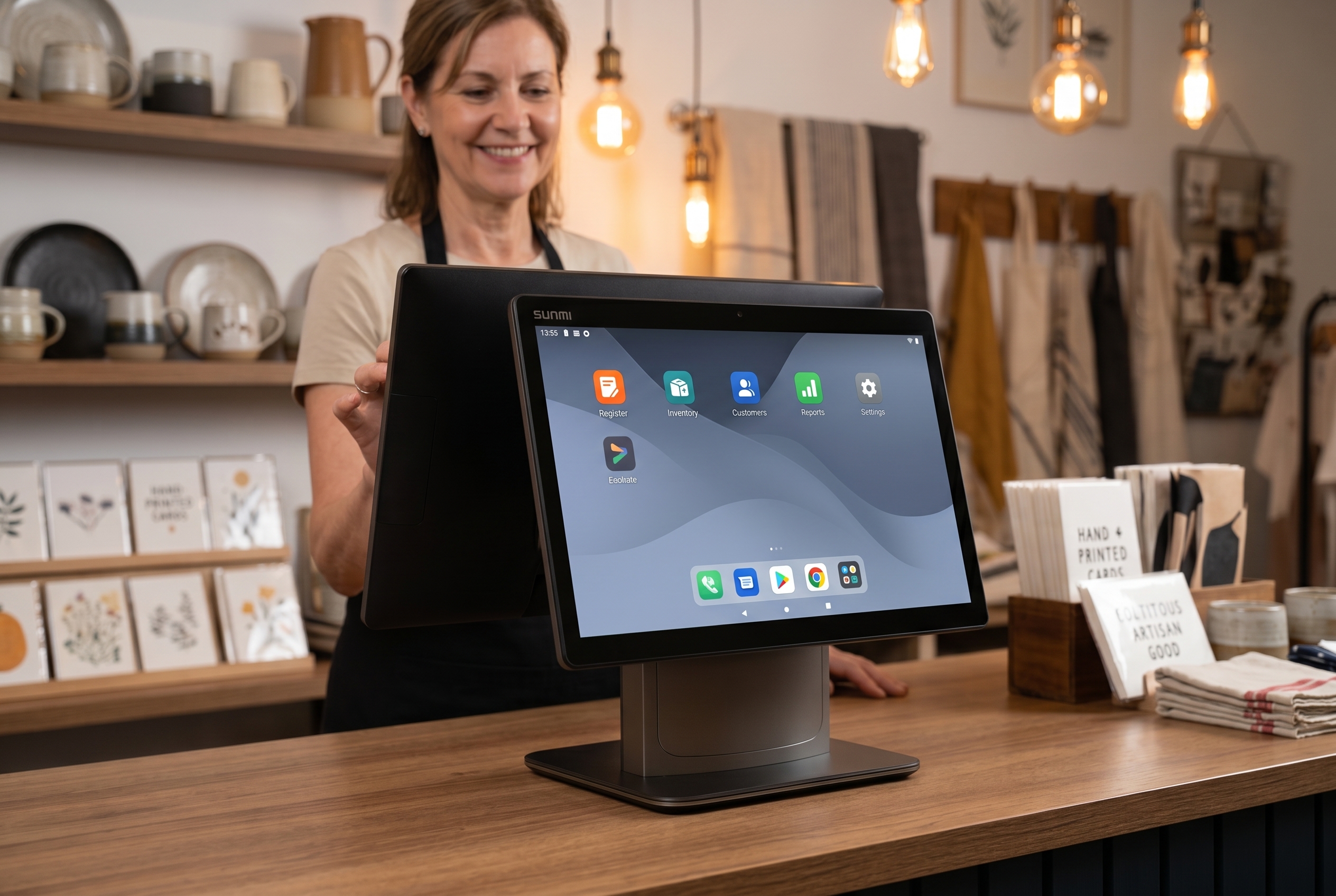
Windows 10 POS terminals are the most exposed endpoint in a Windows 10 fleet today. Windows 10 reached end of support on October 14, 2025. Microsoft’s own end-of-support page is unambiguous: Windows 10 PCs “will continue to function” but no longer receive security updates, software updates, or technical assistance. For a personal laptop that is a nag screen. For a Windows 10 POS terminal sitting on a card-present payment network, it is a budget decision.
If you run a retail or restaurant operation in the US or Canada and you still have Windows 10 POS terminals on the counter, you have three real options. Not five. Not seven. Three. And each one has a math equation behind it that this article is going to lay out so you can pick the right one for your store count, terminal age, and software stack.
Key takeaways
- Option A: Buy Microsoft’s Extended Security Updates (ESU) to keep Windows 10 patched through October 13, 2026 — buys you 12 months, not a long-term solution.
- Option B: Replace Windows 10 terminals with new Windows 11 POS hardware — same OS family, biggest like-for-like cost, still ties you to the Windows ecosystem.
- Option C: Replace Windows 10 terminals with Android POS hardware — typically lower hardware cost, eliminates the OS-licensing cliff, and most modern POS software runs natively on Android.
- The break-even between Option A and Option C is roughly 8 months for a single store and shorter once you cross 5 terminals.
- Rosper is the authorized SUNMI distributor in the US and Canada and stocks Android POS, kiosks, payment terminals, and commercial tablets in 8 warehouses for 2–7 day delivery.
The three options, in plain language
Before we get to the numbers, let us pin down what each option actually means.
Option A — Buy time with ESU and patch through October 2026
Microsoft sells Extended Security Updates for Windows 10 to consumers and small businesses at at approximately the price of a paid annual app subscription per device for the first year ([per Microsoft’s published consumer ESU pricing](https://www.microsoft.com/en-us/windows/extended-security-updates)). Enterprise pricing runs higher and increases sharply in years two and three. Consumer-priced ESU ends October 13, 2026. After that date, only enterprise ESU is available, and it is priced to push migration rather than subsidize delay.
What ESU does: keeps your terminal receiving Microsoft-issued security patches.
What ESU does not do: upgrade your hardware, restore vendor support for the POS software, fix peripheral driver decay, or shield you from PCI-DSS audit concerns about an end-of-life OS on a payment endpoint.
Option B — Replace with Windows 11 POS hardware
If your existing POS terminals do not meet the Windows 11 system requirements (TPM 2.0, 8th-gen Intel or Ryzen 2000 or newer, Secure Boot), the upgrade requires new hardware. New Windows-based industrial POS terminals from established vendors typically range industry-typical mid-market list pricing for new Windows industrial POS, plus peripheral replacement (printer, scanner, cash drawer, card reader) at several hundred dollars per station for printers, scanners, drawers and card readers, plus per-seat software licensing if your POS vendor charges for it.
What you get: a known-quantity refresh that preserves your existing Windows-based POS software, your Windows-based MDM/group-policy stack, and your existing vendor relationships.
What you do not solve: the same lifecycle question lands again in 2030–2032 when Windows 11 itself reaches end of support, and you re-buy into the same per-seat license model that made the original deployment expensive.
Option C — Replace with Android POS hardware
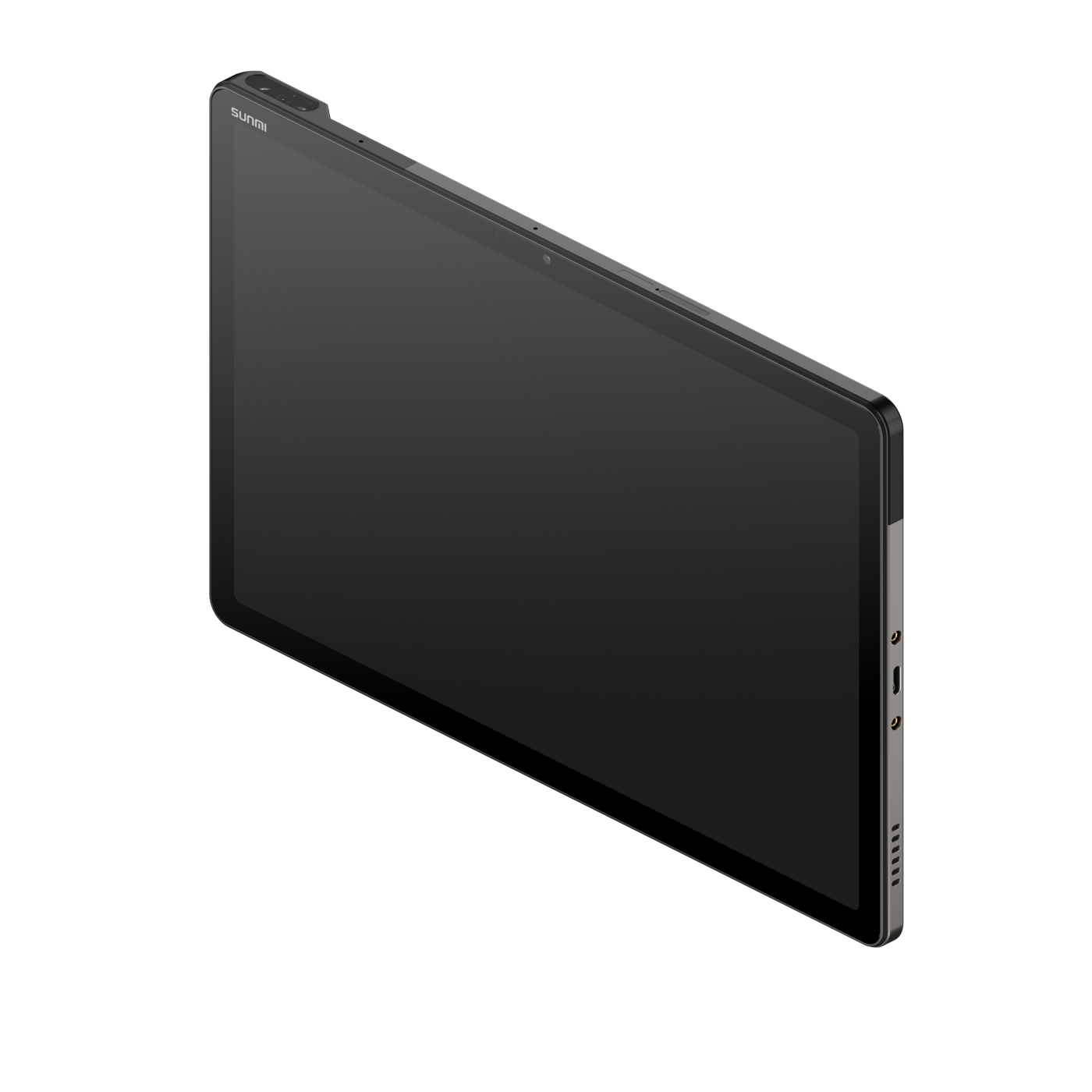
This is the option that has gained the most ground with US and Canadian operators since 2024. Android POS hardware from vendors like SUNMI is purpose-built for the counter (fanless, spill-resistant, certified for payments), priced under most Windows-equivalent terminals, and runs the same POS software in most cases because the major POS ISVs now ship Android builds at feature parity.
What you get: a refreshed fleet on an OS without the per-device Microsoft licensing recurring cost, a single warranty path through the manufacturer, and most importantly, an OS roadmap where your ISV and payment processor are publishing new features first.
What you do not get: parity with any niche Windows-only software that has not been ported to Android. The fix is to confirm your ISV has an Android build before committing to Option C — most do.
The real math: side-by-side, per terminal, 36 months
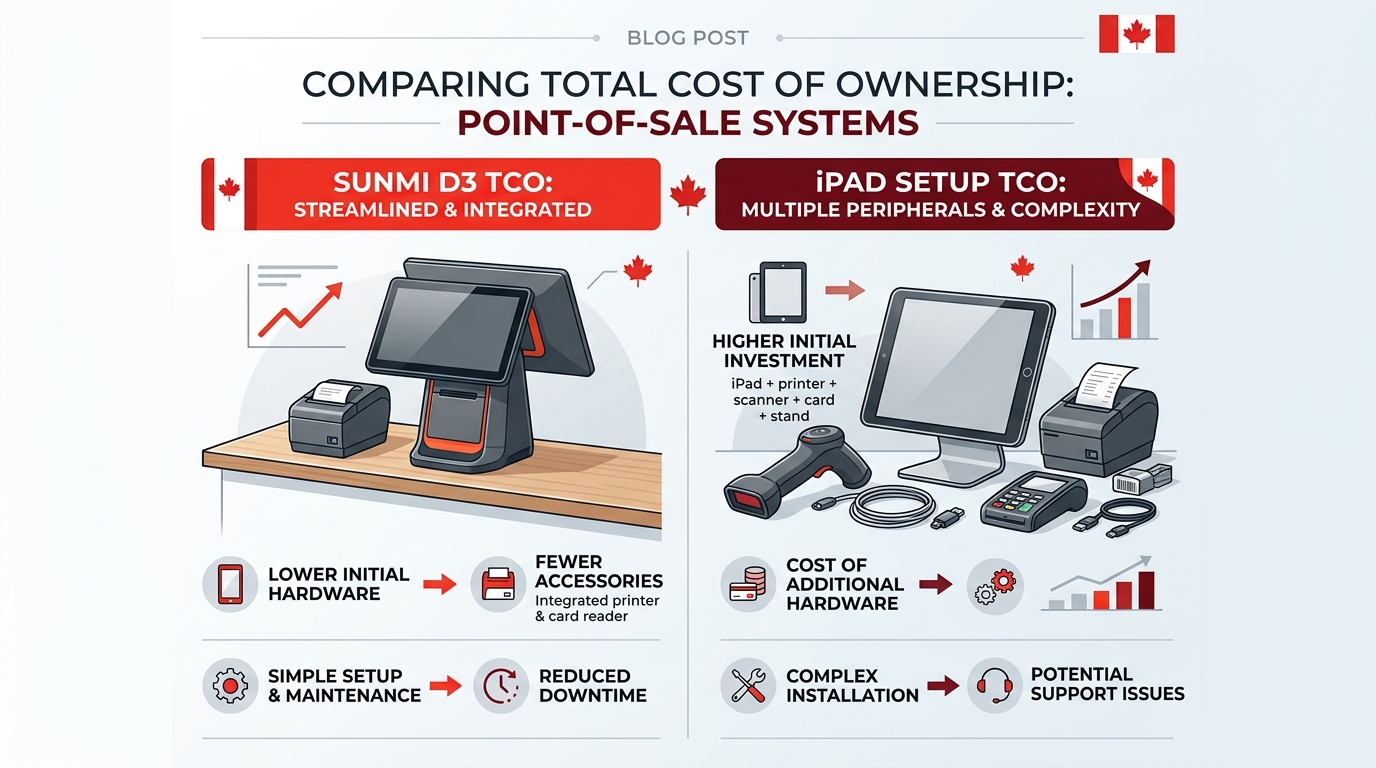
We modeled the next 36 months for a single Windows 10 POS terminal in the US, using mid-market list prices and a standard refresh assumption (Option B replaces every 5 years, Option C replaces every 5 years).
| Cost line | Option A — ESU bridge | Option B — Win11 hardware | Option C — Android POS (SUNMI T3 / D3) |
|---|---|---|---|
| Year 1 hardware | None (keep current device) | Highest line item — new Windows industrial POS | Mid — SUNMI desktop POS family typically lower than Windows-equivalent list |
| Year 1 peripherals refresh | None | Often required (printer, scanner, drawer, card reader) | Most peripherals carry over; new payment terminal pairs with the POS |
| Year 1 OS license cost | Consumer ESU per device (one-time, year-1 only) | Included in Windows 11 license bundled with the device | None — Android is free |
| Year 1 software setup / migration | None | Standard re-imaging cost | ISV cutover + staff training (typically a single day per store) |
| Year 1 MDM | Legacy Windows MDM seat cost continues | Legacy Windows MDM seat cost continues | Free MDM included with every SUNMI device sold through Rosper |
| Years 2–3 support cost per device | Rising — aging hardware drives higher ticket volume | Standard vendor support contract pricing | Materially lower — manufacturer warranty absorbs the typical RMA |
| Year 2 OS license | Enterprise ESU pricing — sharp step up after consumer ESU ends | Included | None |
| Year 3 OS license | Enterprise ESU pricing — further escalation, capped at year 3 | Included | None |
| Forced re-replacement risk in year 2 | High — aging hardware accelerates failure | Low — new hardware on a fresh depreciation schedule | Low — new hardware on a fresh depreciation schedule |
| 36-month direction | Cheapest year-over-year, most expensive total once a forced replacement lands at the end | Largest 36-month outlay but most predictable | Lowest 36-month total for typical retail and F&B; refresh resets the cycle |
Cost lines above are directional and based on common North American mid-market vendor pricing and our customer deployment experience. Actual pricing varies by vendor, volume, region, and contract structure — Rosper will quote your specific case.
The numbers above are based on common North American mid-market list prices and our own customer deployment experience and exclude payment processing fees, which are independent of OS choice.
Two observations worth flagging:
- Option A looks cheap year-on-year and is actually the most expensive over 36 months, because at the end of it you still have aging hardware and a hard cutover to make.
- Option C is the cheapest 36-month total because the hardware unit cost is lower, no per-device OS license recurs, and the manufacturer warranty offloads support tickets.
Where Option C does not win
There are real edge cases where Option B (Windows 11) is the right answer:
- You run a vertical POS application that exists only on Windows and the vendor has no Android port on the roadmap. Hospitality property-management systems and some pharmacy POS tools still live in this bucket.
- You have a Windows-only payment integration that your acquirer has not certified on Android.
- You have a substantial sunk investment in a Windows-based MDM and Active Directory environment that you have no appetite to migrate even partially.
In those cases, Option B is defensible — but it is worth at least asking the vendor for an Android roadmap date before signing a 5-year hardware contract. The trend in 2026 is unambiguously toward Android-first releases.
How operators are actually deciding
In the lead conversations we have with US and Canadian retail and restaurant operators in 2026, the decision tree looks like this:
- Do you have 1–4 terminals across one or two stores? Pick Option C unless your software is genuinely Windows-only. The hardware cost difference is small in absolute dollars and the OS-cliff problem goes away.
- Do you have 5–50 terminals across multiple stores? Pilot one store on Option C, validate ISV and payment processor parity, then roll the rest of the fleet during your slowest quarter.
- Do you have 50+ terminals with a sophisticated MDM/AD/group-policy estate? Run Option A as a 12-month bridge while a serious migration plan is built. The ESU is the cost of buying calendar time, not a destination.
- Are you a payments-heavy environment with PCI PTS 6.x requirements? Look at the SUNMI P3 payment family as the payment terminal — it is purpose-built for that profile.
What about ISV and processor support?
This is the question that decides Option B vs Option C in most rooms. The short answer in 2026 is:
- Toast, Square, Lightspeed, Clover, Revel, Aloha Cloud, and most other major US and Canadian POS ISVs publish Android builds at feature parity with their iOS or Windows builds.
- Payment processors including Fiserv, Worldpay, Global Payments, Adyen, Stripe (via Reader S700 and partners), and TD Merchant Solutions in Canada have certified flows on Android POS hardware including SUNMI devices.
- QuickBooks POS reached end of life; customers are being routed to cloud-based Android-friendly replacements.
If you would like the specific list of ISVs and processors we have seen deployed on Android stacks in the last 12 months, the next article in this series is Why POS ISVs and Payment Processors Are Quietly Switching to Android Hardware.
What to do this week
If you have read this far and the ESU clock matters to you, here is a one-week action list:
- Pull a list of every POS terminal in your fleet with model, BIOS date, and Windows version.
- Pull a 12-month support cost per terminal.
- Email your POS ISV one sentence: “Do you have an Android build at feature parity? If so, please share the deployment guide.”
- Email your payment processor the same question for your acquirer flow.
- Ask Rosper for a quote on a single-store Option C pilot. Most pilots ship in 2–7 business days and prove the migration economics inside 30 days.
Frequently Asked Questions
What happens to my POS after Windows 10 EOL?
After October 2025, Microsoft stops releasing security patches for Windows 10 IoT LTSC. Your Windows 10 POS hardware will still power on, but PCI-DSS auditors will flag it as non-compliant within 90 days, and ransomware risk rises sharply.
What are my 3 options when Windows 10 POS hits EOL?
Option 1: Pay Microsoft Extended Security Updates at 61 dollars per device per year, doubling annually. Option 2: Migrate to Windows 11 IoT, requiring TPM 2.0 hardware you likely do not have. Option 3: Switch to Android POS hardware running your existing software via SUNMI SUPER Solution.
Is Windows 11 IoT a viable upgrade path for my POS?
Only if your current POS terminals have TPM 2.0 and 8th gen Intel CPUs or newer. Most POS hardware purchased before 2020 fails the Windows 11 compatibility check, making this option a costly hardware refresh anyway.
How much does Windows 10 ESU cost for POS fleets?
Microsoft charges 61 dollars per device for year one of Extended Security Updates, 122 dollars for year two, and 244 dollars for year three. A 50-terminal fleet pays 21350 dollars over 3 years just for patches.
Can I run my Windows POS software on Android hardware?
Yes. The SUNMI SUPER Solution bridges Windows software to Android hardware so your existing POS application keeps running while you upgrade the terminal. This avoids forcing a software migration in the same window as hardware migration.
How long does Windows 10 POS migration to Android take?
Hardware swap typically takes 30-90 minutes per location with cutover the same day. Software migration to native Android applications can be scheduled 6-18 months later separately. Most merchants finish a 10-location rollout within 8 weeks.
Where do I source Android POS hardware fast?
Rosper is the authorized SUNMI distributor for the US and Canada with 8 warehouses shipping in 2-7 business days. Bulk procurement for 20 plus units gets priority allocation and dedicated migration coordinator support.