
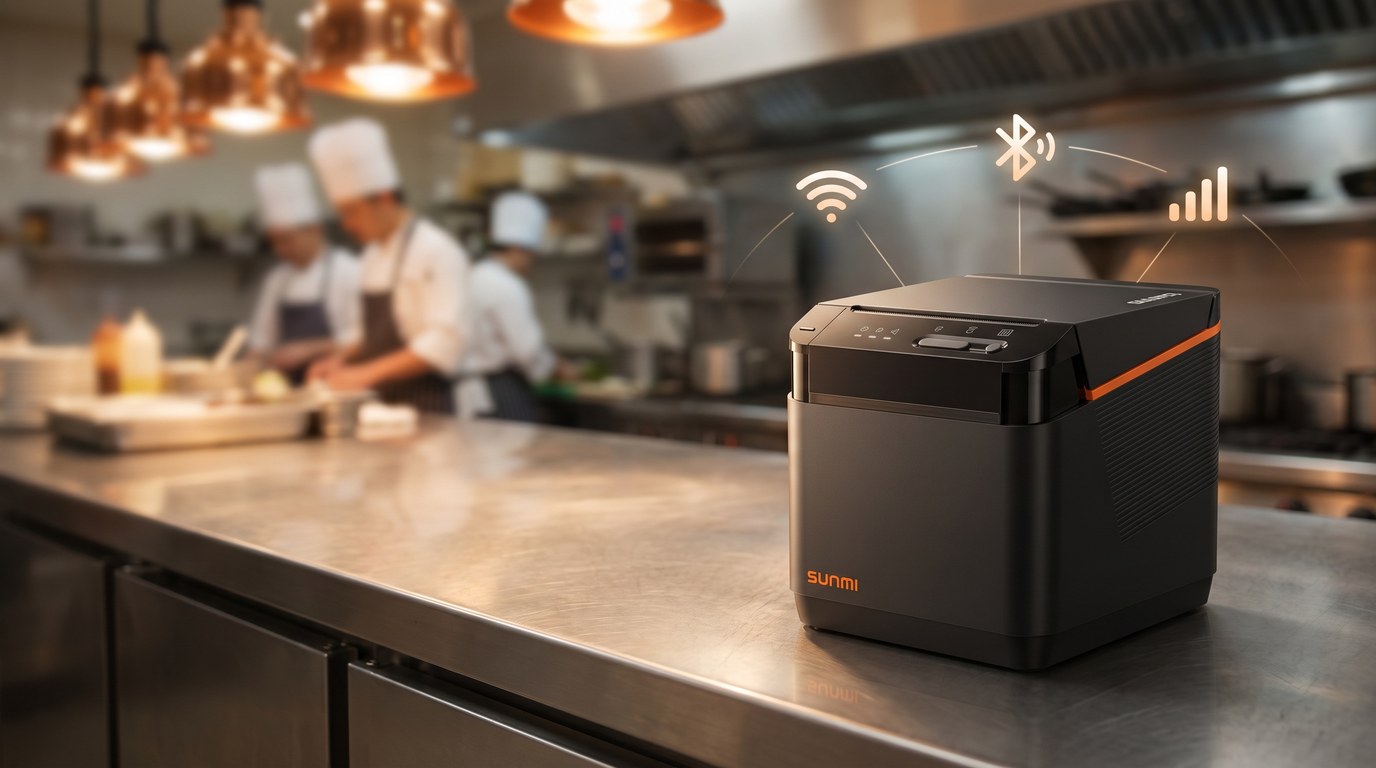
Yes, a kitchen cloud printer can run entirely over Wi-Fi, Bluetooth, or 4G, with no host computer wired to the line. That is the whole point of the category. Your Android POS software sends a ticket to the cloud, and the printer pulls it down and prints at the kitchen or expo station. If a driver-tangle at the kitchen printer is your daily headache, a kitchen cloud printer removes the PC from the middle.
This guide is for restaurant owners choosing a kitchen cloud printer in 2026. We compare the three connection paths, walk through the specs that matter, and map the SUNMI models Rosper stocks in North America to the way your kitchen actually runs.
Rosper is the authorized SUNMI distributor for the United States and Canada. We stock the SUNMI 80mm Kitchen Cloud Printer and the terminals that pair with it across 8 warehouses, including Brampton, Ontario. Most orders arrive in 2 to 7 business days.
Kitchen cloud printer: key takeaways
- Three connection paths, one printer. The SUNMI 80mm Kitchen Cloud Printer supports Wi-Fi, Bluetooth, LAN, 4G, and USB, so the same unit fits a wired back office or a food truck on cellular.
- Outage recovery is built in. The printer auto-retrieves up to 24 hours of pending cloud orders after a network drop, so tickets are not lost when the internet blinks.
- Sized for volume. 80mm thermal at up to 250 mm/s with an auto cutter, built for kitchens pushing 200 or more tickets a day.
- IP52 rated for the line. Resistant to water dripping and dust, so it survives near the pass where a consumer printer would not.
What a kitchen cloud printer is
A kitchen cloud printer is a thermal order printer that connects to the internet directly instead of plugging into a POS computer. Your Android POS software, online ordering channel, or delivery marketplace sends a print job over the network, and the printer prints it at the line. There is no local print server and no Windows driver to babysit.
The SUNMI 80mm Kitchen Cloud Printer is a commercial-grade example. It carries five connection interfaces, an auto cutter, and firmware built for the recovery cases that matter in a working kitchen. You can read the full spec on the SUNMI product page.
How the cloud print flow works
Understanding the flow makes the connection choice easier. A traditional kitchen printer waits for a signal from a POS computer over a USB or serial cable. A kitchen cloud printer skips that hop entirely.
- Order created. A server takes an order at the counter, a customer orders online, or a delivery marketplace pushes an order into your platform.
- Ticket sent to the cloud. Your Android POS software formats the kitchen ticket and sends it to the print service over HTTPS.
- Printer pulls the job. The kitchen cloud printer, connected over Wi-Fi, LAN, or 4G, retrieves the ticket and prints it at the line.
- Confirmation logged. The print is confirmed back to the platform, and if the network dropped, the job waits in the queue for up to 24 hours.
Because no local computer sits in the middle, a single point of failure disappears. Staff no longer restart a frozen Windows PC to get tickets flowing again during a rush. That reliability is the main reason a kitchen cloud printer has become the default for operators running on cloud POS platforms.
Wi-Fi vs Bluetooth vs 4G: how to choose the connection
The connection path is the first decision, because it determines where the printer can live and how it recovers when the network drops. Here is how the three main options compare for a kitchen cloud printer.
| Connection | Best for | Range and setup | Watch out for |
|---|---|---|---|
| Wi-Fi | Most fixed restaurants and cloud POS setups | Anywhere with router coverage, no cable run to the line | Weak signal at the pass; use the built-in network test tool to check channel conflict |
| Bluetooth | Pairing directly to a nearby terminal or tablet | Short range, device-to-device, no router needed | Not ideal for multi-station routing; keep the paired device close |
| 4G | Food trucks, pop-ups, patios, and stores with unreliable Wi-Fi | Works anywhere with cellular coverage, needs a SIM plan | Data plan cost; confirm carrier coverage at the site |
The practical answer for most quick-service and full-service restaurants is Wi-Fi as the primary path, with LAN available if you want a wired anchor near the router. Operators running mobile or outdoor service lean on 4G. Because the SUNMI 80mm Kitchen Cloud Printer carries all of these in one unit, you are not locked into a single path if the site changes.
The specs that matter for a busy kitchen
Print speed and paper
The SUNMI 80mm Kitchen Cloud Printer prints at up to 250 mm/s on 80mm paper, with an optional holder to run 58mm rolls. The maximum roll is 80mm by 80mm diameter. That throughput is what separates a kitchen printer from a receipt printer when a rush hits and tickets stack up.
Durability at the pass
An IP52 rating means the enclosure resists dripping water and dust. In a kitchen, that is the difference between a printer that lasts and one that fails from grease and steam. The unit also mounts on a wall or sits on a desktop, so you can keep it clear of the prep surface.
Recovery and reliability features
- 24 hour cloud recovery. After a network outage, the printer pulls down pending orders so nothing is dropped.
- Auto reprint. Missed tickets reprint after a paper change or jam.
- Built-in network diagnostics. A test tool prints signal strength and channel-conflict reports, so staff can troubleshoot without a technician.
- Audio and light alerts. Pick-up reminders and a paper-jam alarm keep the line moving.
Which SUNMI hardware pairs with a kitchen cloud printer
A kitchen cloud printer prints the ticket, but it works alongside the terminal that takes the order. Depending on your floor plan, Rosper pairs the SUNMI 80mm Kitchen Cloud Printer with these SUNMI devices.
| Device | Role | Why it pairs well |
|---|---|---|
| V3 Mix | Mobile all-in-one with built-in 80mm printer | Takes tableside and drive-thru orders, routes kitchen tickets to the cloud printer over Wi-Fi or 4G |
| T3 Pro Max | Desktop terminal with built-in 80mm printer | Main counter station; the cloud printer handles the kitchen while T3 Pro Max handles the front receipt |
| NT312 | Second cloud printer for expo or a second station | Same cloud print model, so you can add a station without a new integration |
For device specs, see our guides on the SUNMI T3 Pro and the SUNMI NT312 cloud printer.
A Canadian QSR example
Picture a two-location quick-service restaurant in Ontario running orders across a delivery marketplace, an online channel, and the counter. Each kitchen runs a SUNMI 80mm Kitchen Cloud Printer on Wi-Fi, with 4G as the fallback path during construction on the block that keeps knocking out the wired line.
When the internet drops for 20 minutes at lunch, the 24 hour cloud recovery means every ticket that queued up prints once the line is back. Rosper ships from the Brampton, Ontario warehouse, so replacement paper and spare units arrive fast without a cross-border wait.
Warranty and support
SUNMI provides the manufacturer warranty on its hardware, and current-generation devices carry a 3 year term. Rosper coordinates and assists with warranty claims and RMA for customers in the US and Canada, so you have a North American contact instead of an overseas ticket queue.
Choosing your kitchen cloud printer
If you run a fixed restaurant on cloud POS, choose Wi-Fi as the primary connection and keep LAN as a wired option. If you run mobile or outdoor service, plan for 4G. Either way, the SUNMI 80mm Kitchen Cloud Printer carries every path in one unit, so you can adapt as the business grows.
Ready to spec your kitchen? Request a quote from Rosper and we will match the right kitchen cloud printer and terminal to your floor plan.
Frequently asked questions
Does a kitchen cloud printer need a computer at the line?
No. A kitchen cloud printer connects to the internet directly over Wi-Fi, LAN, or 4G and pulls print jobs from your Android POS software or online ordering channel. There is no host PC and no local print server at the line.
What happens to tickets if the internet goes down?
The SUNMI 80mm Kitchen Cloud Printer auto-retrieves up to 24 hours of pending cloud orders after a network outage, so queued tickets print once the connection is back. It also auto-reprints missed tickets after a paper change or jam.
Can one kitchen cloud printer run on both Wi-Fi and 4G?
Yes. The SUNMI 80mm Kitchen Cloud Printer carries Wi-Fi, Bluetooth, LAN, 4G, and USB in a single unit, so you can set Wi-Fi as the primary path and fall back to 4G when the wired or wireless network is unavailable.
Where can I buy a SUNMI kitchen cloud printer in Canada?
Rosper is the authorized SUNMI distributor for the US and Canada and ships from 8 warehouses, including Brampton, Ontario. Most orders arrive in 2 to 7 business days.