
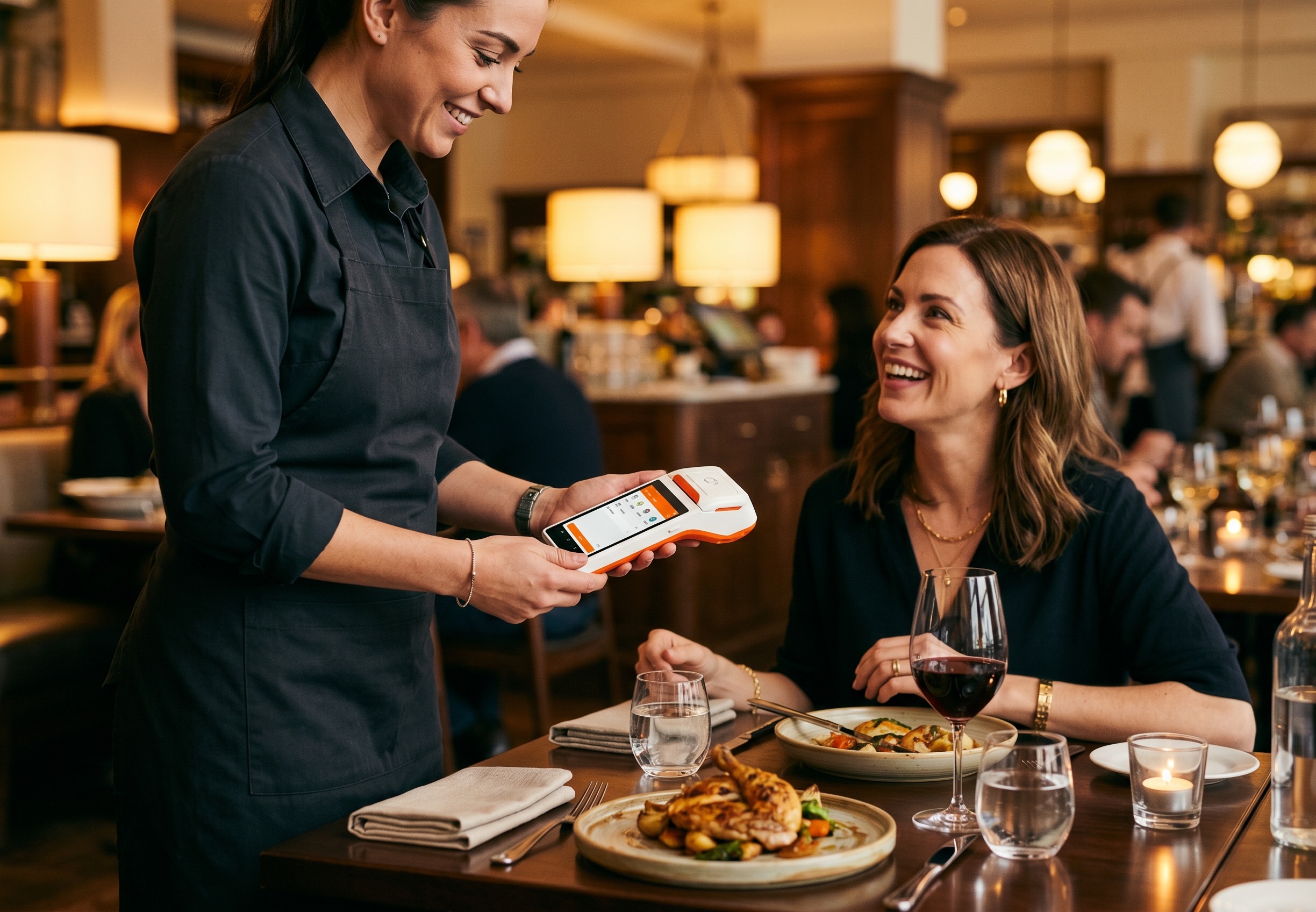
A full-service restaurant POS hardware setup typically spans the front desk, bar, tableside, kitchen display, and host stand, with SUNMI offering modular devices for each station. This guide covers the 9 SUNMI POS terminals and accessories most often deployed in US and Canadian FSRs, why modular setups outperform all-in-one terminals in real operations, and how to size hardware by seating capacity.
Restaurant POS hardware for full-service restaurants is modular by design. This restaurant POS hardware guide maps 9 SUNMI stations across counter, bar, tableside, KDS, kitchen printer, host stand, and handheld payments – and explains how to size restaurant POS hardware against seating capacity from Rosper restaurant POS hardware deployments.
Rosper, the official SUNMI distributor in North America, stocks every device covered here across 8 warehouses and ships in-stock orders within 2 business days. The recommendations below reflect what restaurant operators actually deploy, not a generic catalog list.
Restaurant POS hardware: Key takeaways
- Full-service restaurants need 5-9 SUNMI stations, not one all-in-one. Counter, bar, tableside, kitchen display, kitchen printer, host stand, and handheld payment are distinct workflows – modular SUNMI stations beat a single terminal on uptime and labor efficiency.
- Size hardware by seating capacity. Under 60 seats fits 5 stations, 60-120 seats fits 7, over 120 fits the full 9 – this guide gives the device-by-device map.
- Tableside handheld pays for itself in 2-3 months. Server productivity gains from a cPad Pay or V3 Plus tableside flow consistently recover device cost inside one quarter in Rosper deployments.
- One Android OS keeps support cost flat. Counter T3 Pro, KDS D2s, kitchen printer NT312, handheld V3 Plus all run the same SUNMI Android image – MDM, OS updates, and IT support stay on a single image.
Countertop and front desk: why D3 Pro is the go-to choice
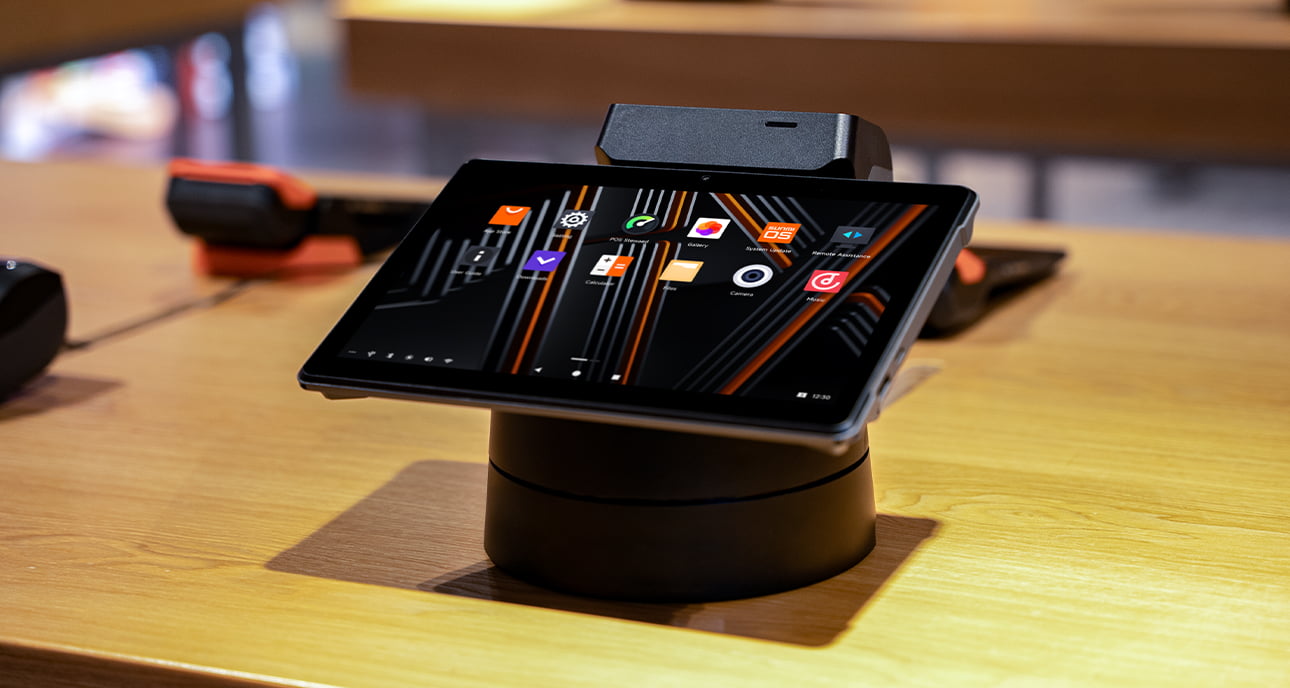
For the front desk and counter station in a full-service restaurant, the SUNMI D3 Pro is the most common and proven SUNMI POS terminal in North American deployments. It pairs strong price-to-performance with a modular form factor that does not include a built-in printer, which is an operational advantage in FSR environments.
The SUNMI D3 Pro delivers more than enough processing power for typical FSR workflows and is priced below the T-series for similar real-world performance. Skipping the integrated printer is intentional: on all-in-one terminals like the T3 80mm, the printer cutter often becomes a wear item after 2 to 3 years of heavy restaurant use. Although the cutter is serviceable, swapping a separate printer is faster than servicing an all-in-one POS terminal during a dinner rush.
Recommended front desk accessories
- Printer: SUNMI 3rd Gen 80mm Cloud Printer (LAN connection preferred for reliability)
- Cash drawer: SUNMI Cash Drawer
- Non-customer-facing payment: SUNMI P3H (2GB) as a dedicated card reader at the cashier side
- Customer-facing payment: SUNMI CPad Pay (T3 secondary screen version, USB connected), serving as both customer display and payment device
Bar and secondary stations
Bars and secondary service points need flexible SUNMI POS hardware that fits different counter footprints. There are three configurations that work for most full-service restaurant bars, ranging from a full desktop terminal to a compact all-in-one payment device.
Option 1: D3 Pro + P3H
The same countertop setup used at the front desk, paired with a SUNMI P3H for card payments. This works well when the bar has enough counter space for a full POS terminal alongside the bartender’s workstation.
Option 2: CPad Pay with desktop stand
The SUNMI CPad Pay desktop version with a stand combines ordering and payment in a compact form factor. Ideal for bars with limited counter real estate where a full desktop POS terminal does not fit cleanly.
Option 3: P3 Mix for tight spaces
The SUNMI P3 Mix is an all-in-one payment terminal with a built-in printer. It is the most compact option and works well for space-constrained bars or service stations where a full desktop POS device is not practical.
Bar configuration comparison
| Configuration | Best for | Counter footprint | Built-in printer | Built-in NFC |
|---|---|---|---|---|
| D3 Pro + P3H | Bars with full counter space | Large | No (uses cloud printer) | Yes (P3H) |
| CPad Pay desktop + stand | Mid-size bars | Medium | No | Yes |
| P3 Mix | Tight bars or service stations | Smallest | Yes | Yes |
Tableside ordering and payment: the case for tablets over phones
For tableside ordering and payment in full-service restaurants, the SUNMI CPad Pay mobile (a tablet-style handheld) is the recommended device because the larger screen makes menu navigation faster than phone-style handhelds. Phone-style alternatives like the SUNMI M3 and SUNMI P3 still serve smaller restaurants well, especially as a secondary device alongside a main POS station.
Tablet-style handheld: CPad Pay mobile
The SUNMI CPad Pay mobile is the recommended tableside device for full-service restaurants. Tablet-style handhelds are consistently preferred over phone-style devices for several practical reasons:
- Larger ordering interface for easier menu navigation
- Better menu visibility for both servers and guests
- Comfortable to carry with a shoulder strap during long shifts
- Receipts can be sent via eReceipt or printed at the front desk via a LAN-connected printer
Phone-style handheld alternative
For restaurants that prefer a phone-style form factor, the SUNMI M3 and SUNMI P3 are popular MPOS choices. These compact devices fit in one hand, have built-in printers, and support NFC contactless payments, making them ideal for quick tableside ordering and payment in smaller restaurants or as a secondary device alongside a main POS station.
Kitchen display systems: D2s and Flex 3 KDS
SUNMI offers two purpose-built kitchen display devices for full-service restaurants: the 15.6-inch D2s and the 22-inch Flex 3 KDS, both rated IP55 for heat, oil, and humidity. The D2s covers most kitchen layouts, while the Flex 3 22-inch is the better choice for high-volume kitchens with multiple prep stations that need to view incoming orders at a glance.
SUNMI D2s (15.6-inch)
The SUNMI D2s KDS is the standard kitchen display device for most restaurant operations. The 15.6-inch screen provides clear order visibility for kitchen staff, with bump-bar functionality and real-time order tracking.
SUNMI Flex 3 KDS (22-inch)
For high-volume kitchens that need more screen space, the SUNMI Flex 3 22-inch KDS version offers a larger display. This is particularly useful for kitchens with multiple prep stations (grill, saute, cold prep, dessert) that need to see a broader view of incoming orders simultaneously.
D2s vs Flex 3 KDS at a glance
| Device | Screen | IP rating | Best for |
|---|---|---|---|
| SUNMI D2s | 15.6 inch | IP55 | Most kitchens, single or dual prep station |
| SUNMI Flex 3 KDS | 22 inch | IP55 | High-volume kitchens, 3+ prep stations |
Reservations and waitlist management
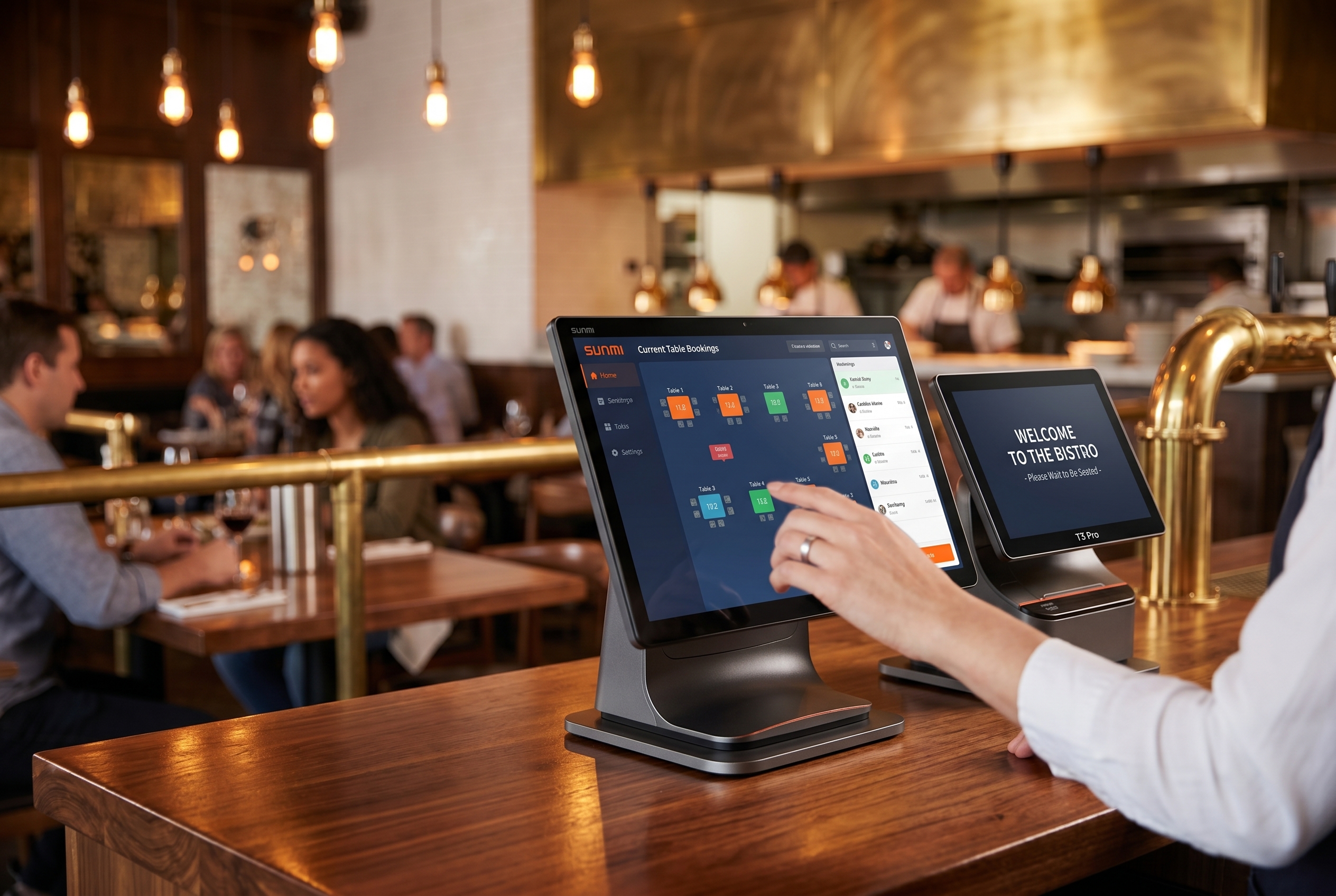
For reservation and waitlist management at the host stand, a dedicated tablet is the recommended device, with the SUNMI CPad providing a clean large-screen interface for managing floor plans, wait times, and guest seating. Hosts get a single-purpose device that is not shared with payment or kitchen workflows.
Self-order kiosk for hybrid FSR and casual setups
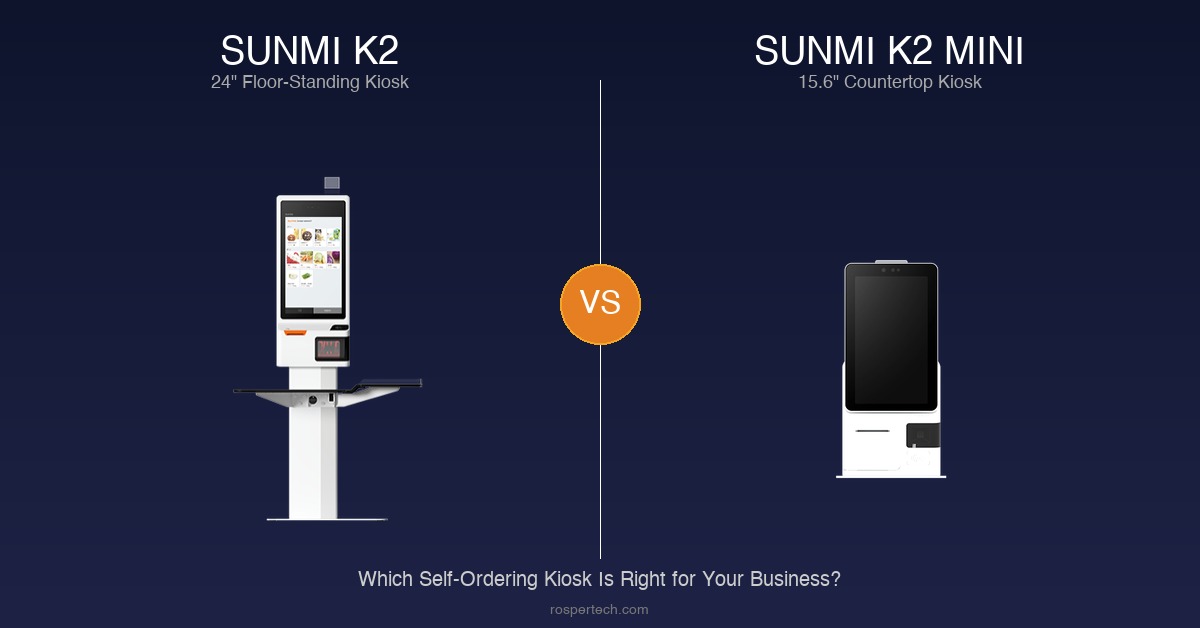
Not every full-service restaurant runs a strict server-only model. Bar lounges, to-go pickup corners, fast-casual side menus, and late-night service windows often benefit from a self-order kiosk that lets guests queue, order, and pay themselves while the floor staff focuses on table service.
For FSR operators adding a self-order touchpoint, the SUNMI K2 is the recommended floor-standing kiosk. It pairs a large FHD touchscreen with a high-speed 80mm built-in printer, SoftPOS and NFC contactless payment, and an octa-core processor with 6 GB RAM. SUNMI reports that self-ordering kiosks can lift average ticket size by up to 30 percent through guided upsell, modifier prompts, and full menu visibility.
For tighter footprints, such as to-go corners, host stand entryways, or compact bar-side stations, the SUNMI K2 Mini uses a 15.6-inch FHD touchscreen and is roughly half the size of a traditional kiosk, with an optional dual-screen configuration that adds a customer-facing display for assisted ordering during peak hours.
Both kiosk models run the same Android platform as the D3 Pro and CPad Pay, so kitchen, printer, and KDS integration paths stay consistent. Self-order kiosk tickets route to the same SUNMI D2s (15.6-inch) or Flex 3 KDS (22-inch) display at the line, print to the same 80mm Cloud Printer, and report into the same SUNMI MDM dashboard for remote configuration and updates across multiple locations.
Stripe-based payment hardware for FSR
For full-service restaurants using Stripe as their payment processor, SUNMI POS hardware integrates with Stripe through Tap to Pay (built-in NFC) on CPad and M3, and through USB-connected Stripe M2 readers on desktop terminals like the D3 Pro. The recommended Stripe-compatible configuration for each station is below.
Front desk with Stripe
The POS host and printer setup remains the same (D3 Pro + 80mm Cloud Printer). For payment:
- Customer-facing: D3 Pro plug-in secondary screen or T3 Pro secondary screen via USB, connected to Stripe M2 reader
- Non-customer-facing: Direct USB connection to Stripe M2 for card payments
Bar with Stripe
- D3 Pro + Stripe M2
- CPad using built-in NFC with Stripe Tap to Pay, or USB-connected M2
- V3 Mix using built-in NFC with Stripe Tap to Pay, or USB-connected M2
Tableside with Stripe
- Tablet form factor: CPad with Stripe Tap to Pay
- Phone form factor: SUNMI M3 with Stripe Tap to Pay
Recommended configurations by restaurant size
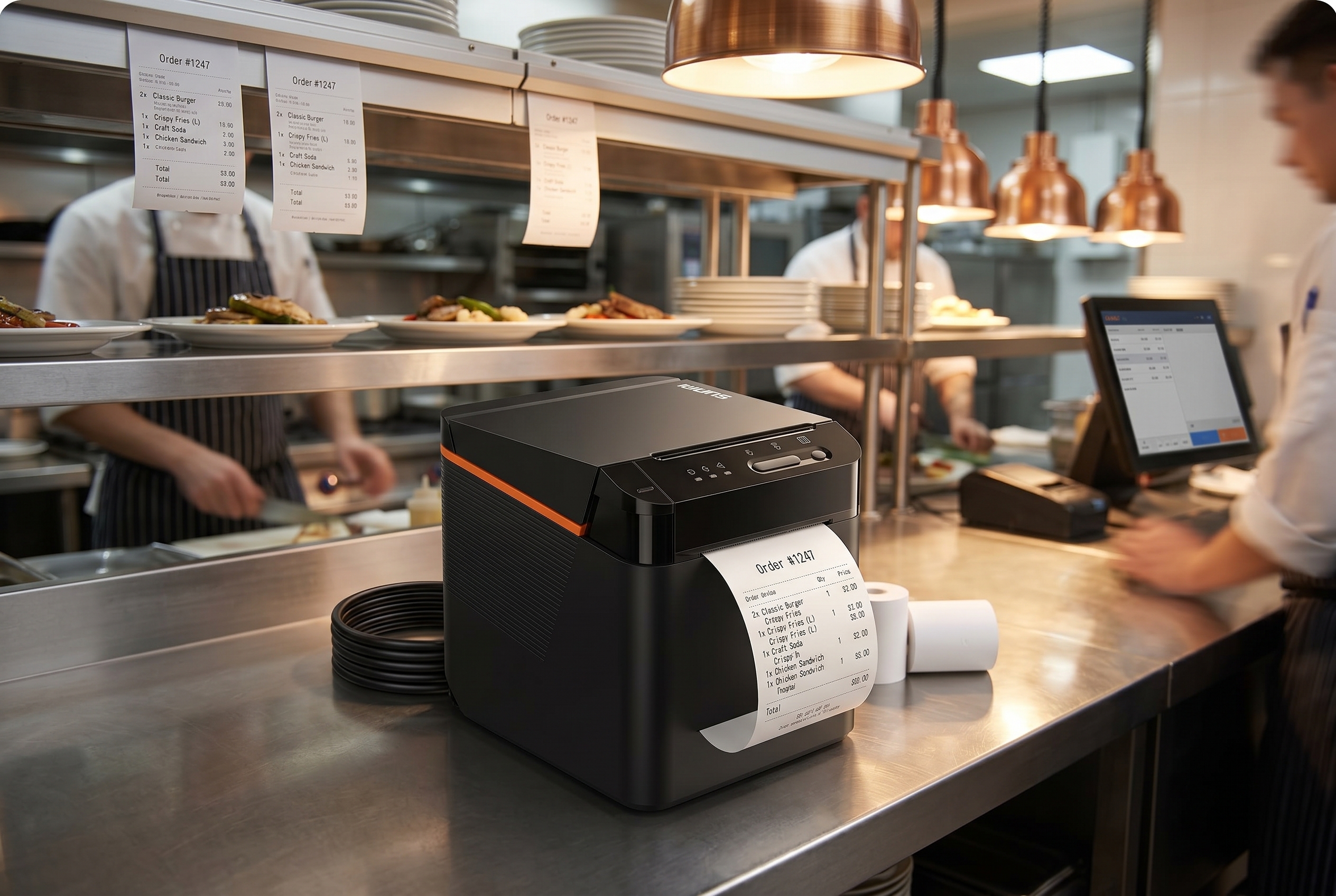
SUNMI POS hardware for a full-service restaurant typically scales from 5 devices for a small 30 to 50 seat operation, to 9 to 10 devices for a mid-size 50 to 120 seat restaurant, to 12 to 16 devices for a large 120 to 200+ seat venue with multiple dining zones and a kitchen display. The lists below capture what most operators actually deploy at each tier.
Small FSR (30 to 50 seats)
- 1x D3 Pro (front desk)
- 1x 80mm Cloud Printer (LAN)
- 1x Cash Drawer
- 1x P3H (payment)
- 1x CPad Pay mobile (tableside)
Total: 5 devices. This covers checkout, payment, and basic tableside service.
Mid-size FSR (50 to 120 seats)
- 1x D3 Pro (front desk) + CPad Pay customer display
- 1x D3 Pro or CPad Pay desktop (bar)
- 2x CPad Pay mobile (tableside, one per dining zone)
- 1x D2s KDS (kitchen display)
- 2x 80mm Cloud Printer (kitchen stations)
- 1x Cash Drawer
- 1x CPad (host stand for reservations)
Total: 9 to 10 devices. This is the most common configuration for full-service restaurants, balancing station coverage with cost efficiency.
Large FSR (120 to 200+ seats)
- 2x D3 Pro (front desk + bar)
- 3 to 4x CPad Pay mobile (tableside across zones)
- 1x Flex 3 22-inch KDS + 1x D2s KDS
- 3 to 4x 80mm Cloud Printer (grill, saute, cold prep, dessert)
- 1x CPad (host stand)
- 1 to 2x Cash Drawer
Total: 12 to 16 devices. Larger operations benefit from the Flex 3 22-inch KDS for better kitchen visibility and multiple CPad Pay units for efficient tableside service across dining zones.
FSR hardware sizing summary
| Restaurant size | Seats | Total devices | KDS | Tableside handhelds |
|---|---|---|---|---|
| Small FSR | 30 to 50 | 5 | None (printer-only) | 1x CPad Pay mobile |
| Mid-size FSR | 50 to 120 | 9 to 10 | 1x D2s | 2x CPad Pay mobile |
| Large FSR | 120 to 200+ | 12 to 16 | 1x Flex 3 + 1x D2s | 3 to 4x CPad Pay mobile |
Why modular beats all-in-one for FSR
For full-service restaurants, a modular SUNMI POS hardware setup (D3 Pro plus separate printer plus separate payment device) is recommended over all-in-one terminals because failed components can be swapped individually without taking the entire POS terminal offline. The practical advantages compound at scale and over the 3 to 5 year hardware refresh cycle.
- Maintenance: If a printer fails, you swap the printer, not the entire POS terminal
- Flexibility: Add or change payment devices without replacing your main terminal
- Cost: D3 Pro offers strong price-to-performance, and individual accessories can be upgraded independently
- Uptime: A LAN-connected printer serves all POS terminals and handhelds via IP printing, creating a more resilient network
Device management for multi-location restaurant groups
Restaurant groups running multiple locations benefit from centralized SUNMI device management through SUNMI MDM, which lets operators push software updates, configure settings, install apps, and monitor device health across all locations from a single web dashboard. Every SUNMI device purchased through Rosper includes free MDM access, with no per-device fee.
For operators running 10+ POS terminals across cities, MDM removes the need to send a technician on-site for routine configuration changes. See the SUNMI Care and device management page for the full feature list.
Frequently asked questions
Why is the SUNMI D3 Pro recommended over the T3 for full-service restaurants?
The D3 Pro offers strong price-to-performance and does not include a built-in printer. In real restaurant operations, the printer cutter on all-in-one terminals like the T3 80mm often becomes a wear item after 2 to 3 years of heavy use. A modular setup with a separate 80mm Cloud Printer is easier to maintain and faster to swap out, keeping the restaurant operational with minimal downtime.
What SUNMI devices work for tableside ordering and payment?
The SUNMI CPad Pay mobile is the recommended tableside device for full-service restaurants. Tablet-style handhelds offer a larger ordering interface, better menu visibility for guests, and are comfortable to carry with a shoulder strap during long shifts. For phone-style alternatives, the SUNMI M3 and SUNMI P3 are popular MPOS choices that fit in one hand and support NFC contactless payments.
Does SUNMI POS hardware work with Stripe payment processing?
Yes. SUNMI devices integrate with Stripe through multiple methods. The CPad Pay and M3 support Stripe Tap to Pay via built-in NFC. Desktop terminals like the D3 Pro can connect to the Stripe M2 reader via USB. This allows restaurants to accept contactless, chip, and swipe payments across the front desk, bar, tableside, and pickup stations.
What KDS options does SUNMI offer for restaurant kitchens?
SUNMI offers two purpose-built kitchen display devices: the D2s (15.6-inch) and the Flex 3 KDS (22-inch). Both feature IP55 protection against heat, oil, and humidity, making them designed for back-of-house environments. The D2s is suitable for most kitchens, while the Flex 3 22-inch provides more screen space for high-volume operations with multiple prep stations.
What warranty do SUNMI restaurant POS devices come with in the US and Canada?
SUNMI devices purchased through Rosper in the United States and Canada are covered by the SUNMI manufacturer warranty: 3 years on Gen 2 and Gen 3 devices, 1 year on Gen 1 devices, and 1 year on wear parts such as printer cutters and batteries. Warranty is provided by SUNMI; Rosper assists with coordinating returns, exchanges, and repairs. See the Rosper warranty policy for full details.
How fast can Rosper ship SUNMI restaurant hardware in North America?
Rosper ships from 8 warehouses across the United States and Canada. In-stock SUNMI devices typically ship within 2 business days, and most orders arrive in 2 to 7 business days. For multi-location restaurant rollouts, Rosper offers dedicated account support to coordinate phased delivery schedules.
How many POS devices does a full-service restaurant typically need?
A small FSR with 30 to 50 seats typically uses 5 devices. A mid-size FSR with 50 to 120 seats uses 9 to 10 devices including a kitchen display. A large FSR with 120 to 200+ seats uses 12 to 16 devices with a Flex 3 22-inch KDS and multiple tableside handhelds across dining zones. See the configurations by restaurant size section above for full device-by-device lists.
Can SUNMI restaurant POS hardware be managed remotely across multiple locations?
Yes. SUNMI MDM lets restaurant groups push software updates, configure kiosk mode, install apps, and monitor device health across all locations from a single web dashboard. Every SUNMI device purchased through Rosper includes free MDM access, which is especially useful for multi-unit groups managing 10+ POS terminals across cities.
Why use a modular POS setup instead of an all-in-one terminal in a full-service restaurant?
Modular setups (D3 Pro plus separate printer plus separate payment device) reduce downtime in full-service restaurants because you can swap a failed printer or payment reader without replacing the entire POS terminal. Modular hardware is easier to maintain, more cost-effective to upgrade incrementally, and a LAN-connected printer can serve all POS terminals and handhelds via IP printing.
Does SUNMI offer self-order kiosks for FSR?
Yes. The SUNMI K2 is a floor-standing self-order kiosk with a large FHD touchscreen, built-in 80mm printer, and SoftPOS or NFC contactless payment, suited for bar lounges, to-go corners, and hybrid FSR or casual setups. The compact K2 Mini fits smaller footprints with a 15.6-inch screen and optional dual-screen mode. Both run the same Android platform as the D3 Pro and integrate with the SUNMI MDM dashboard for remote management.
Getting started with SUNMI for your restaurant
Full-service restaurants across the United States and Canada are choosing SUNMI POS hardware for its modularity, open Android platform, and complete device ecosystem from countertop to kitchen. The approach Rosper recommends is not about selling the most expensive terminal, but about practical, real-world configurations that keep your restaurant running efficiently and are easy to maintain over a 3 to 5 year hardware life.
As the official SUNMI distributor in North America, Rosper stocks every device mentioned in this guide across 8 US and Canadian warehouses, backed by the SUNMI manufacturer warranty (3 years on Gen 2-3 devices; 1 year on Gen 1 and wear parts) and free MDM device management. Whether you are opening a new restaurant or upgrading existing hardware, requesting a quote from Rosper is a good first step to get the right configuration for your operation.
For a broader overview, see our complete restaurant POS hardware guide covering all restaurant types and configurations, or the Rosper restaurant solutions page for category-by-category recommendations.
Further reading: See NRA full-service restaurant industry data for primary-source detail.